An Odoo module that pulls a website’s GoatCounter statistics into Odoo through the GoatCounter API. Visits, pages, clicks, traffic sources and each visitor’s path through the site appear next to the rest of your work, so you don’t have to open goatcounter.com. This site’s own statistics are read this way.
Source: github.com/yakhras/Odoo-GoatCounter-Stats · License: AGPL-3 · Odoo: 20.0, 19.0, 18.0
Features
- A dashboard for 7, 30 or 90 days or all time: page views and clicks compared with the previous period, a daily chart, top pages, click events, countries, referrers, browsers, systems and screen sizes
- Visitor journeys: what each visit saw and clicked, in order, grouped by GoatCounter’s session
- Click events for every link tagged with
data-goatcounter-click - An hourly sync, plus Sync now and a backfill from any date
- The API key is read from an environment variable and never stored in the database
- Only administrators see the data
- Covered by 18 automated tests, run by GitHub Actions on every push and before every release
It doesn’t show names, emails or IP addresses, because GoatCounter doesn’t collect them. A visit is one browser session, not a person.
Download and screenshots
One card per Odoo version. Each one has its own download, tested on that version, and its own screenshots. The screenshots use generated demo data; the numbers on them match the notes below each one.
Odoo 20.0 Download .zip
- Download
- goatcounter_stats-20.0.1.2.2.zip
· 385 KB
· SHA-256
fcc09158520a… - Install
- Unzip into a folder on your
addons_path, restart Odoo, update the apps list and install. Or:git clone -b 20.0 https://github.com/yakhras/Odoo-GoatCounter-Stats.git - Changes
- Release notes for 20.0.1.2.2
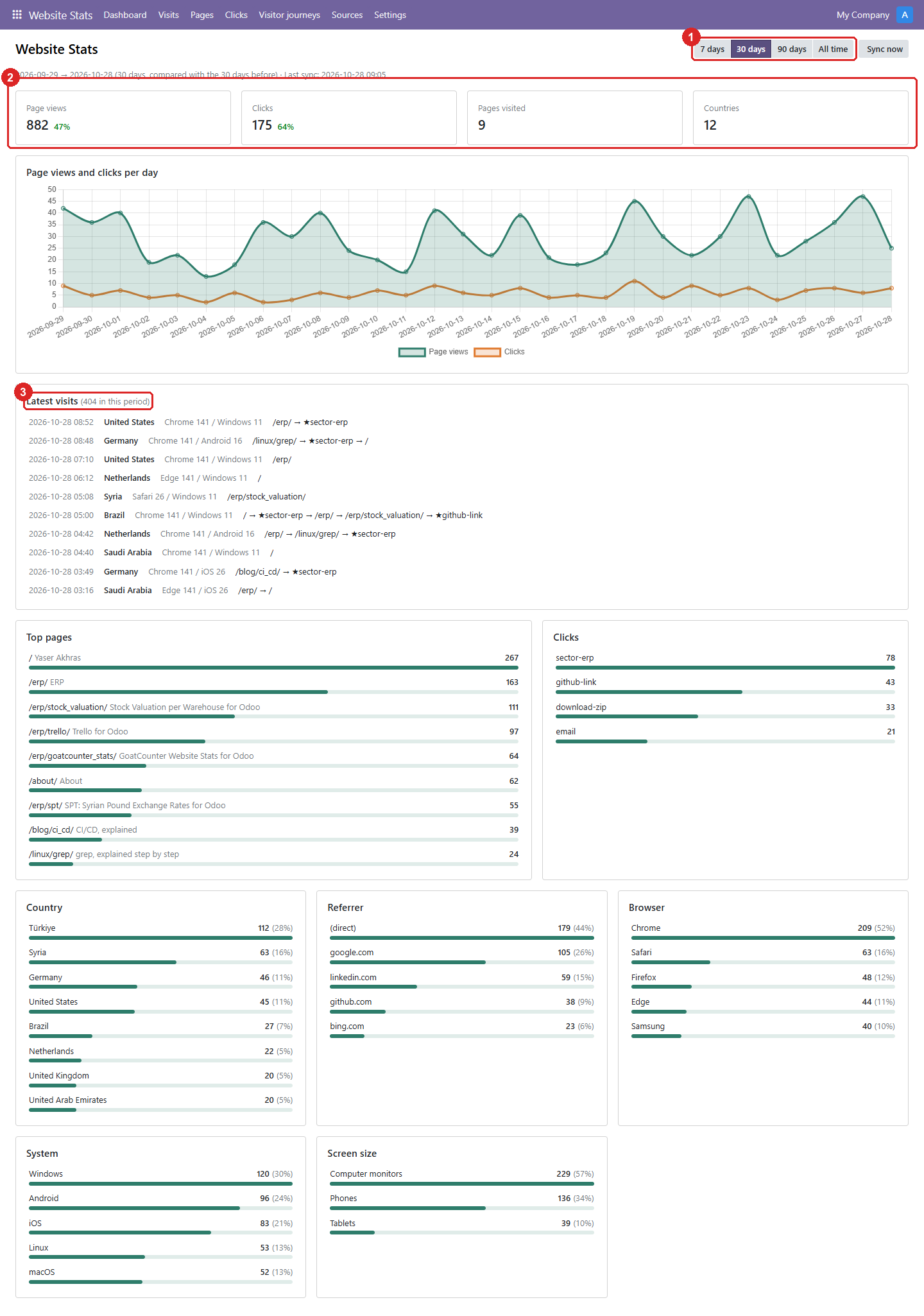
1. The dashboard: every metric of the chosen period on one page.
- The period: 7, 30 or 90 days, or all time. Sync now fetches the latest data.
- Page views, clicks, pages visited and countries. The percentage compares with the period before.
- The latest visits, each with the pages and clicks (★) it went through. Click one to see its timeline.
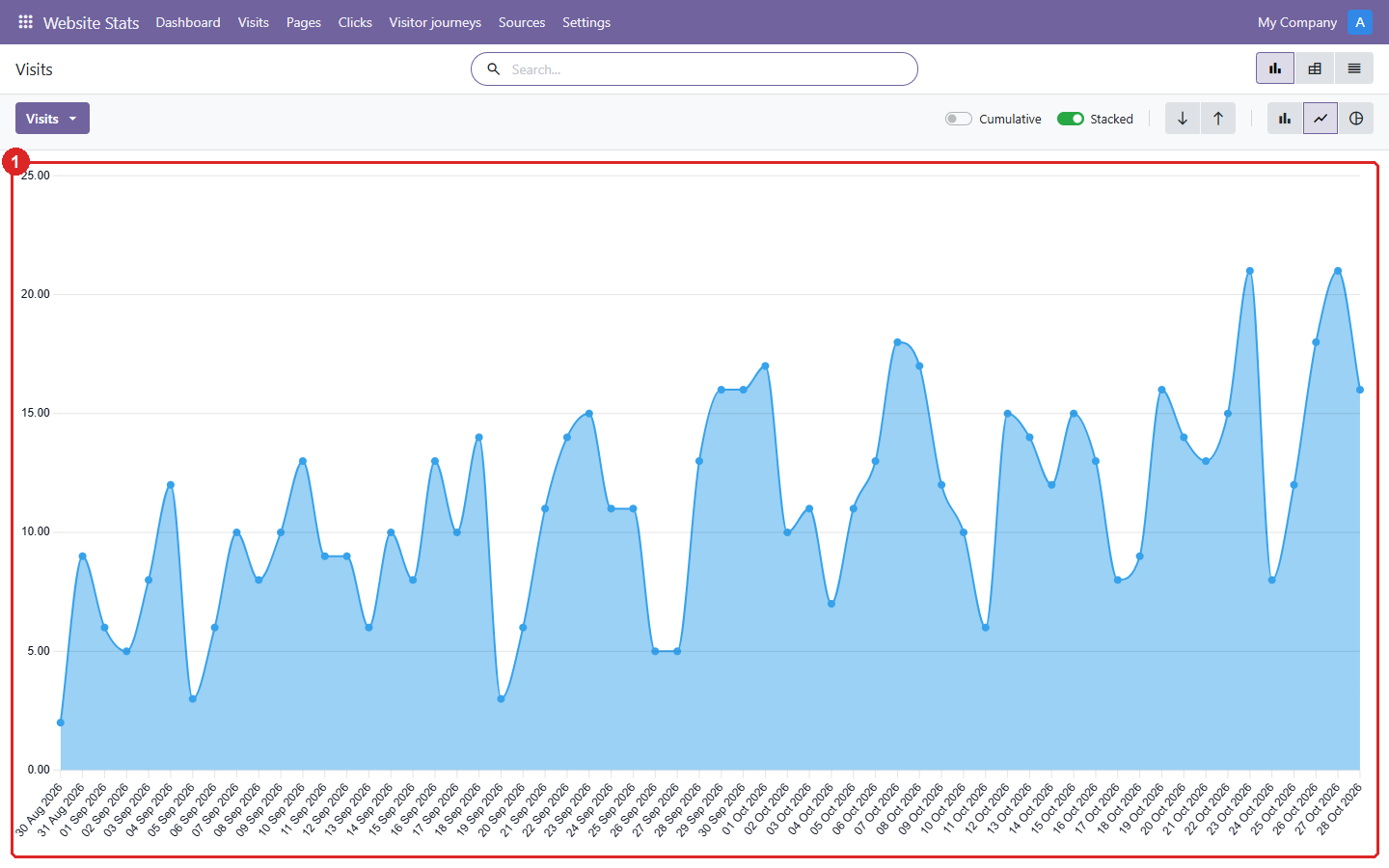
2. Visits: the daily number of visits, as a graph that can also be shown as a pivot or a list.
- One point per day. Odoo’s graph options switch between line, bar and pie, stacked or cumulative.
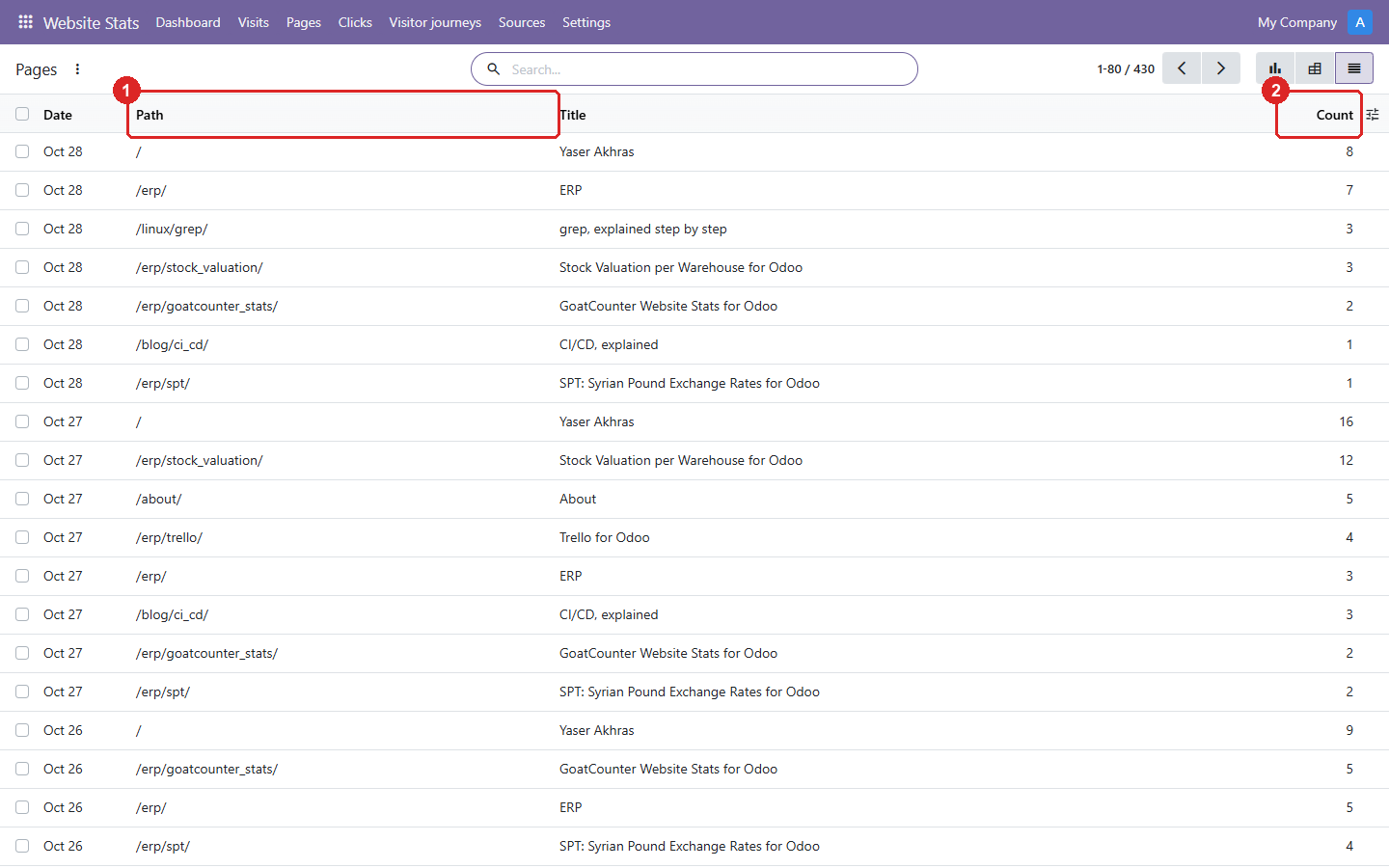
3. Pages: page views per page and per day.
- The page path, with its title next to it.
- Page views that day. Group by path in the search to total a page over the period.
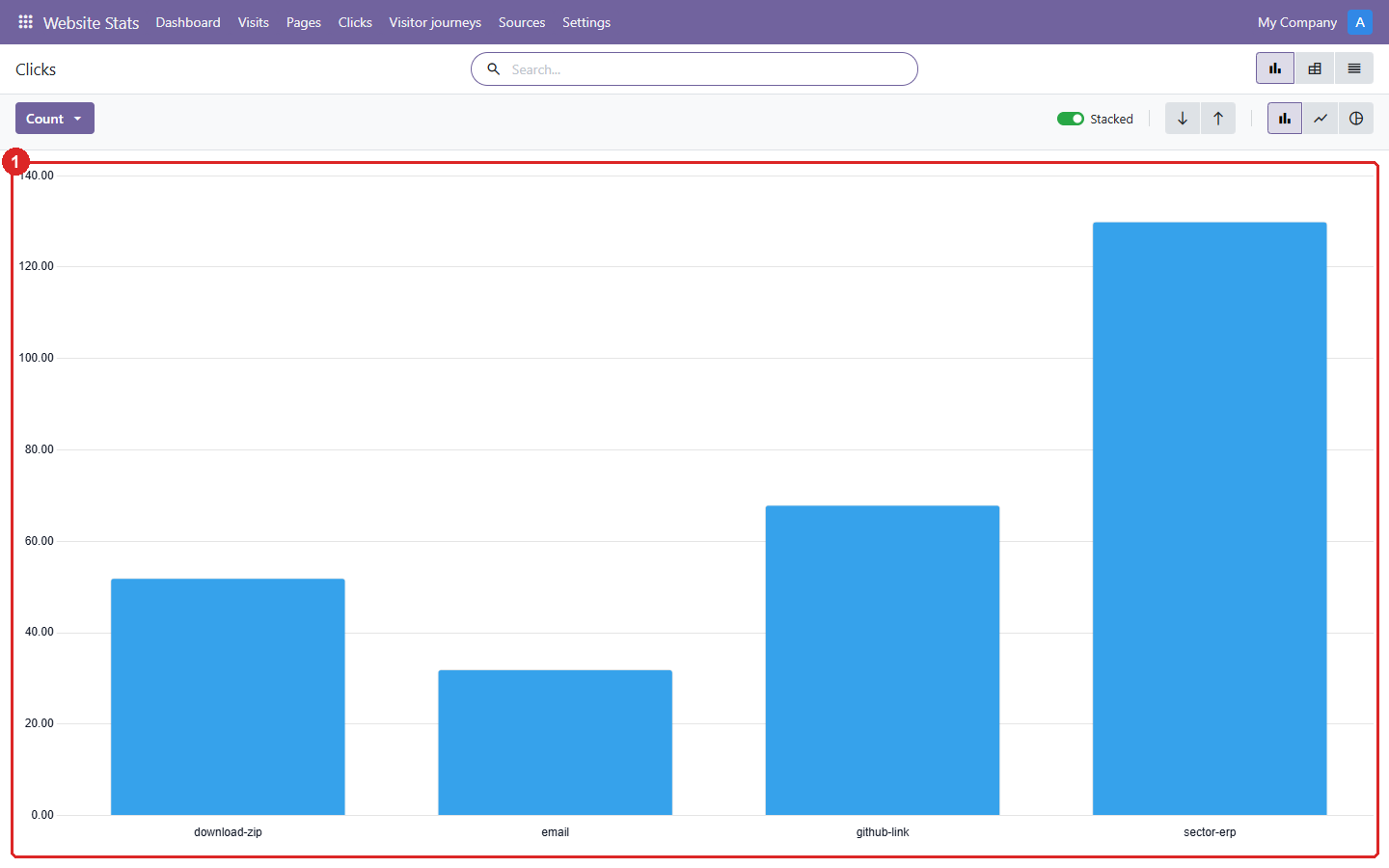
4. Clicks: how often each tracked link or button was clicked.
- One bar per click event, i.e. per
data-goatcounter-clickname on the website.
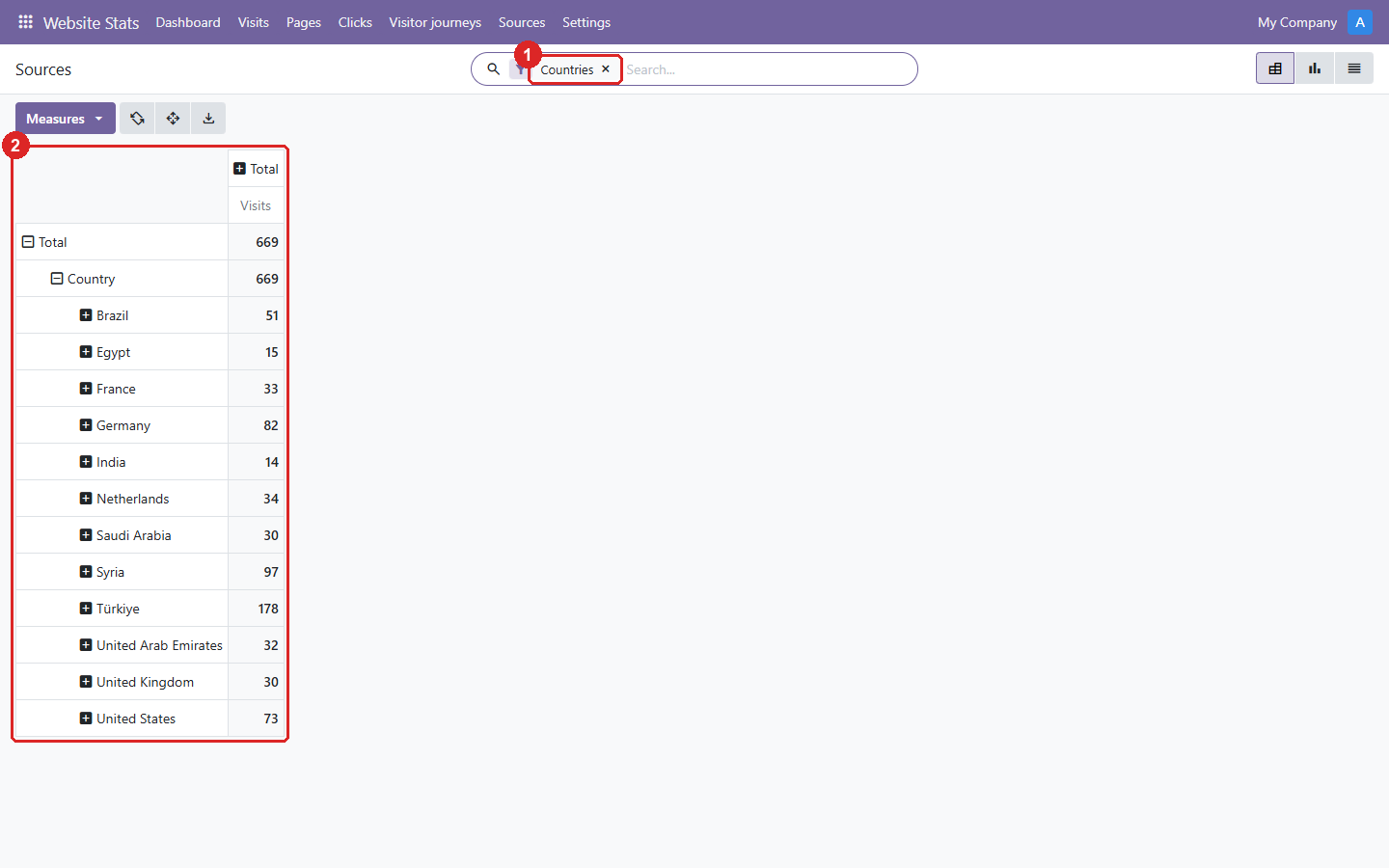
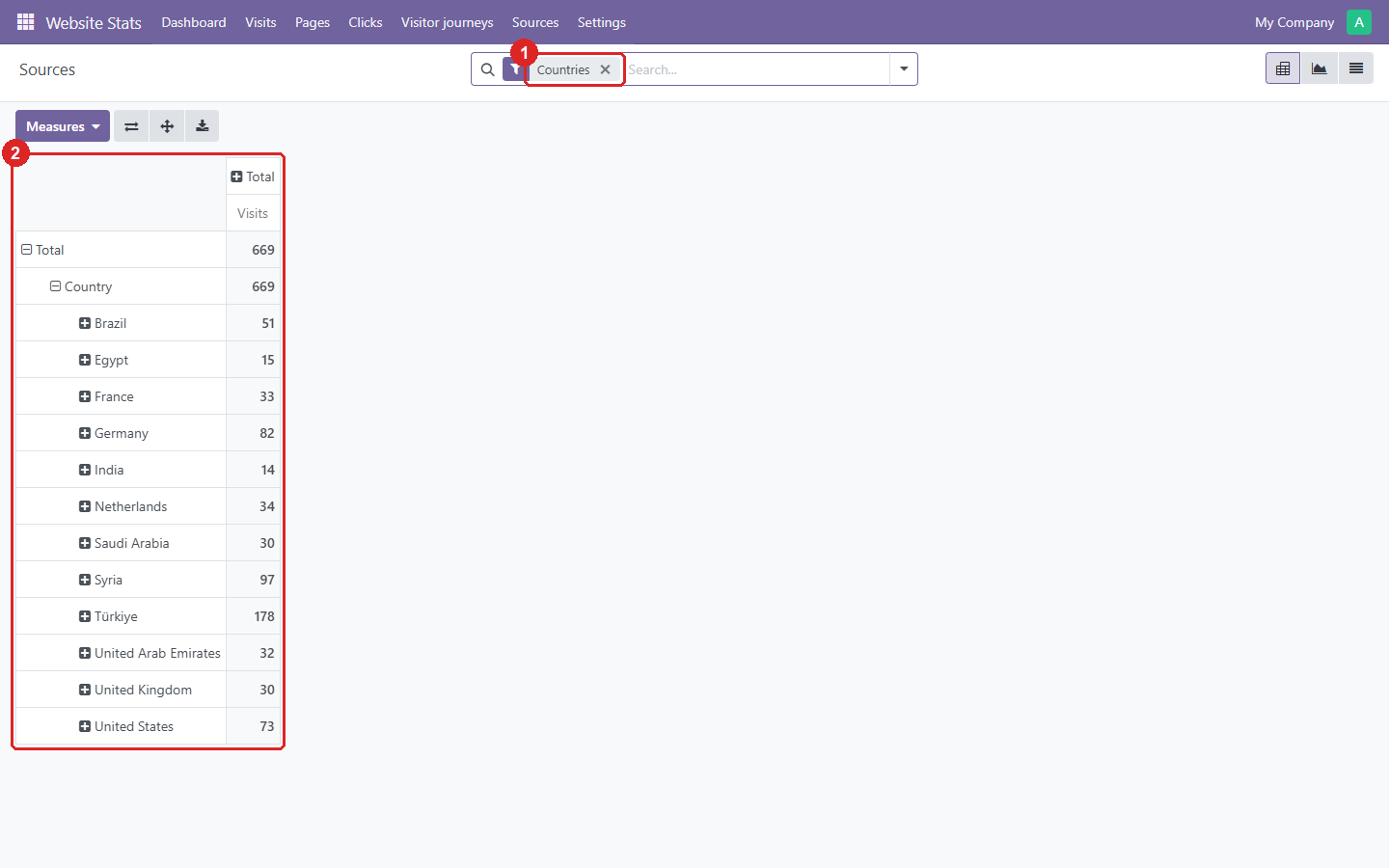
5. Sources: where the visits came from, as a pivot table.
- The search filter picks the source: countries, referrers, browsers, systems or screen sizes.
- Visits per value. Expand a row to split it by day.
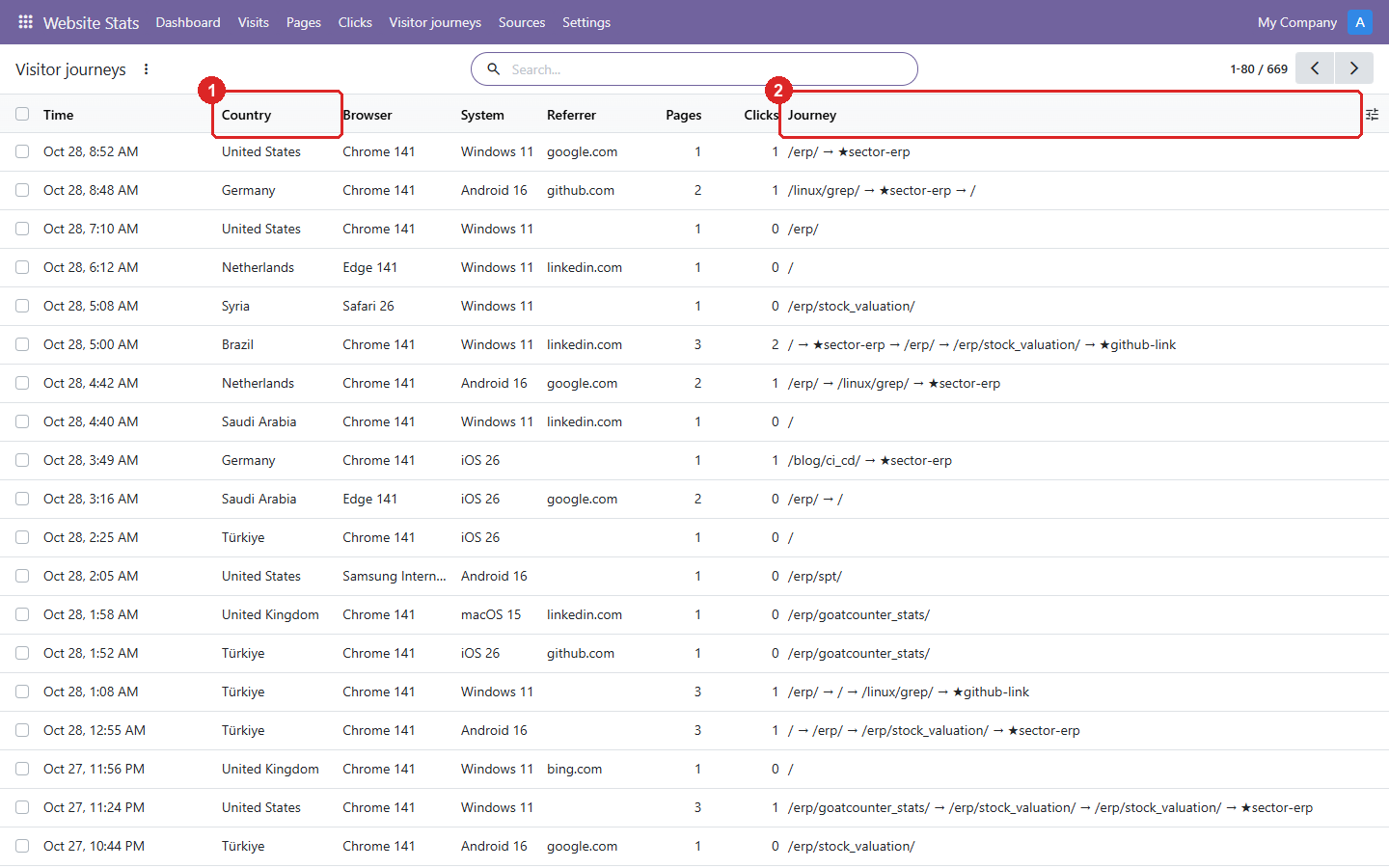
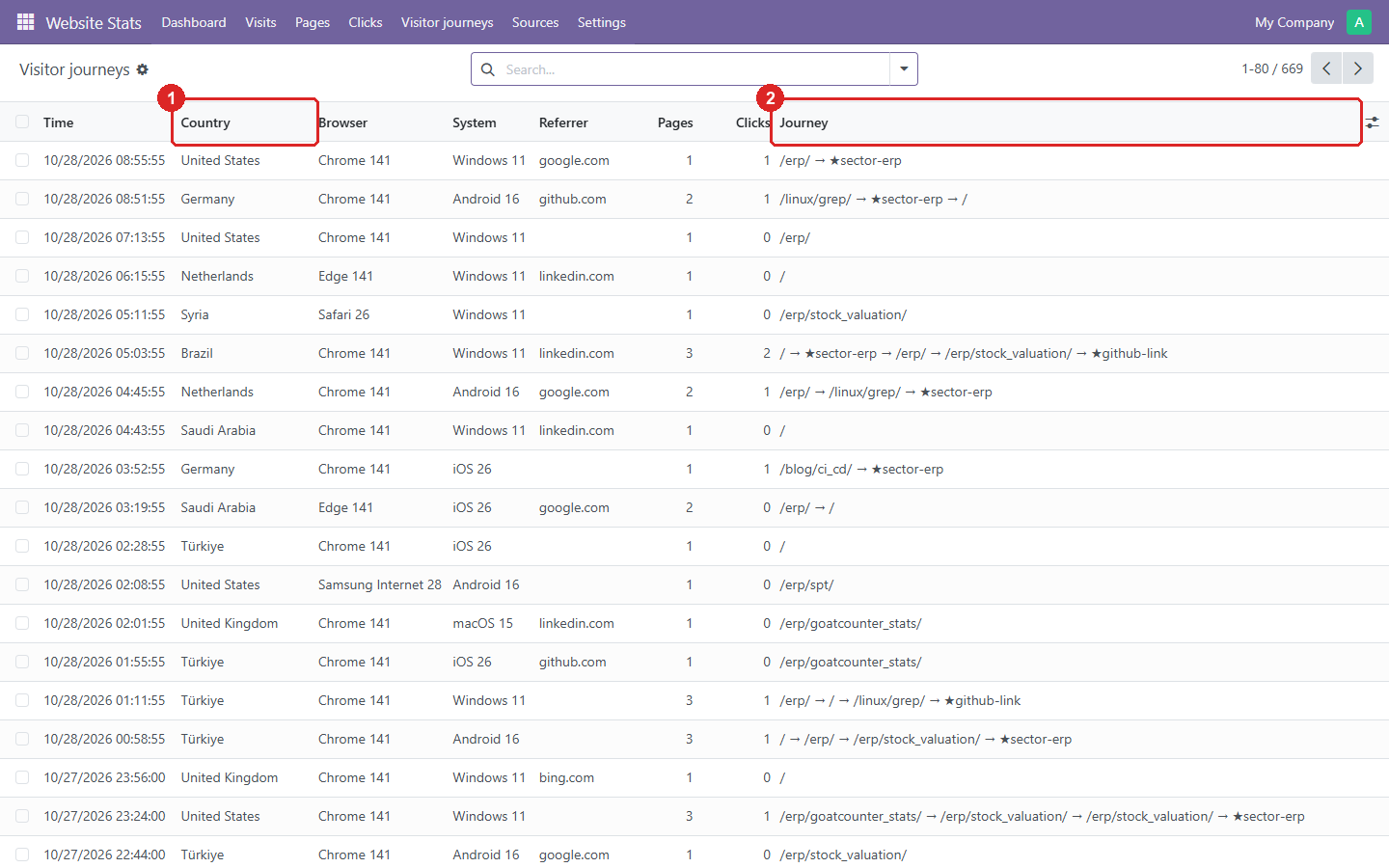
6. Visitor journeys: one row per visit, with the pages and clicks (★) it went through.
- The visitor’s country, from GoatCounter’s location.
- The journey, in order. Search on a page or a click to find the visits that went through it.
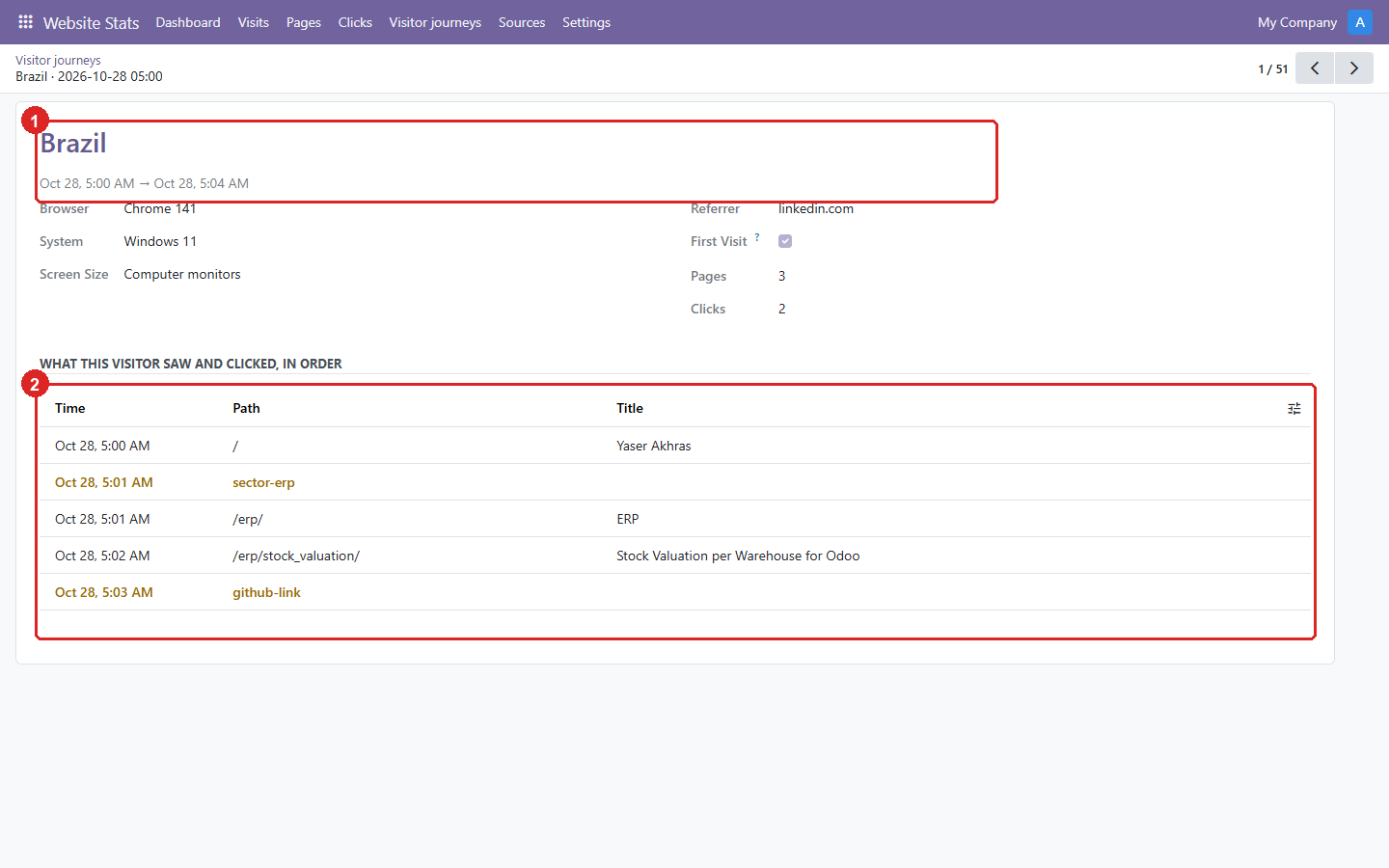
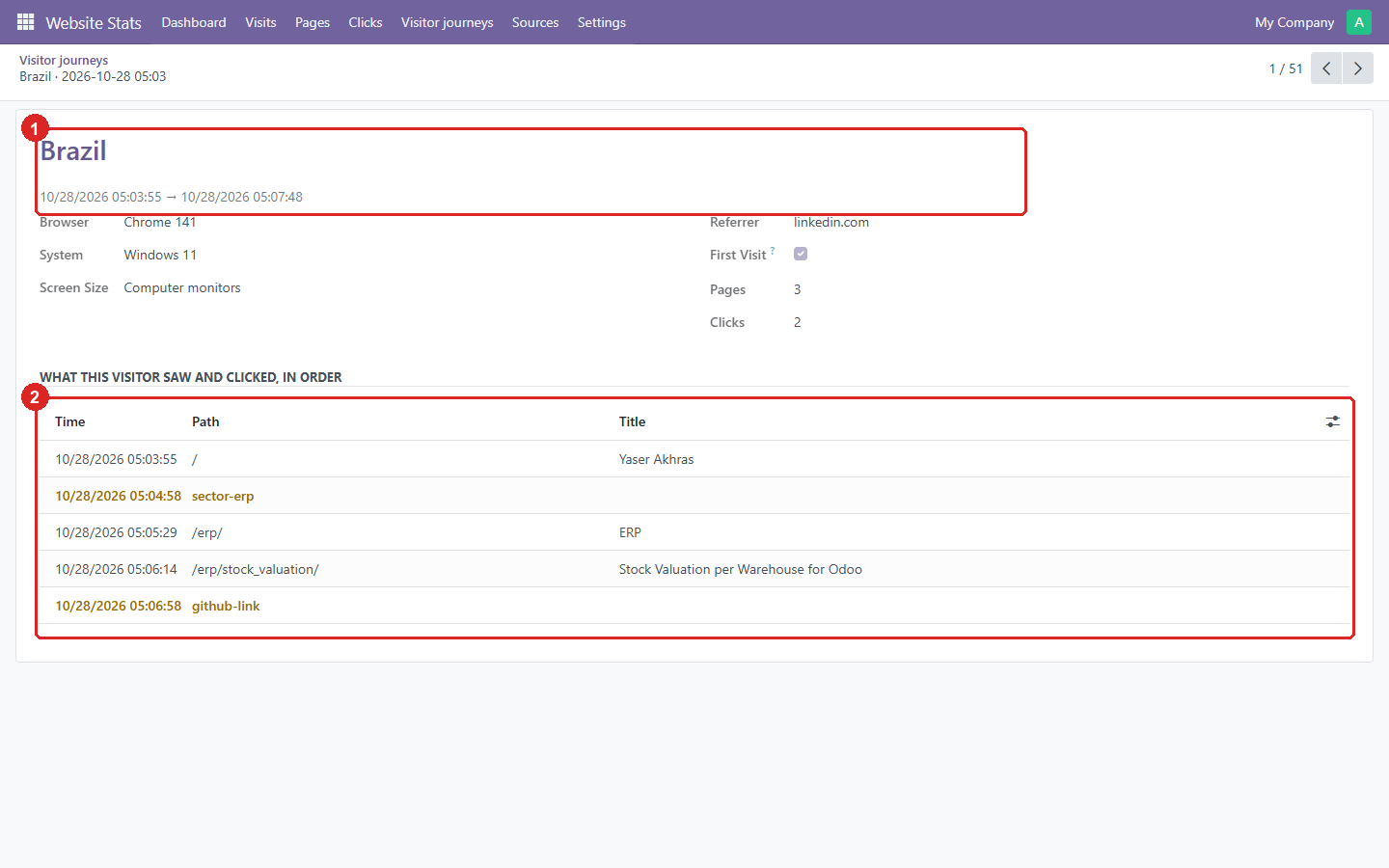
7. One visit from Brazil: what the visitor saw and clicked, in order.
- The country, and when the visit started and ended.
- The timeline. Clicks are highlighted.
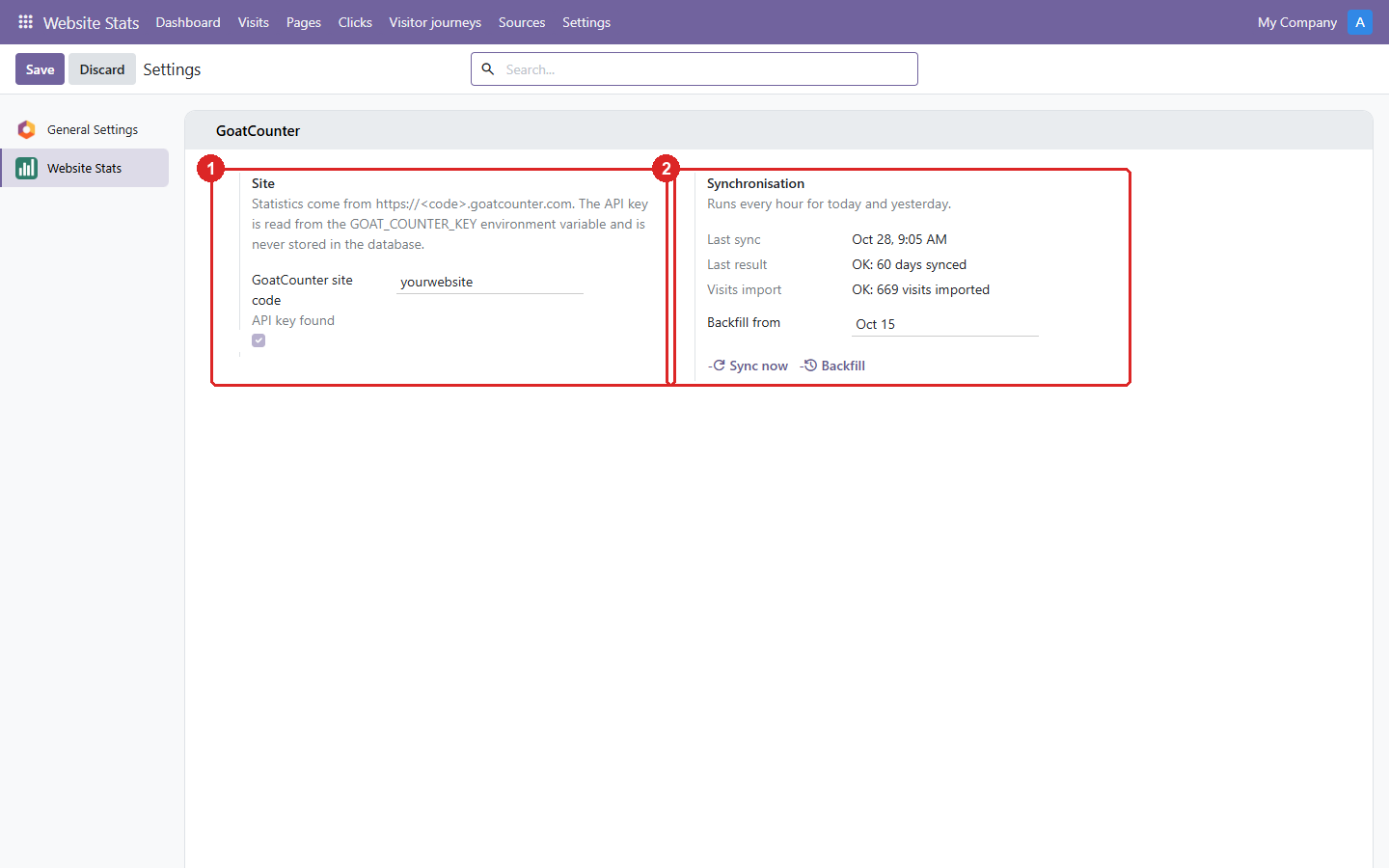
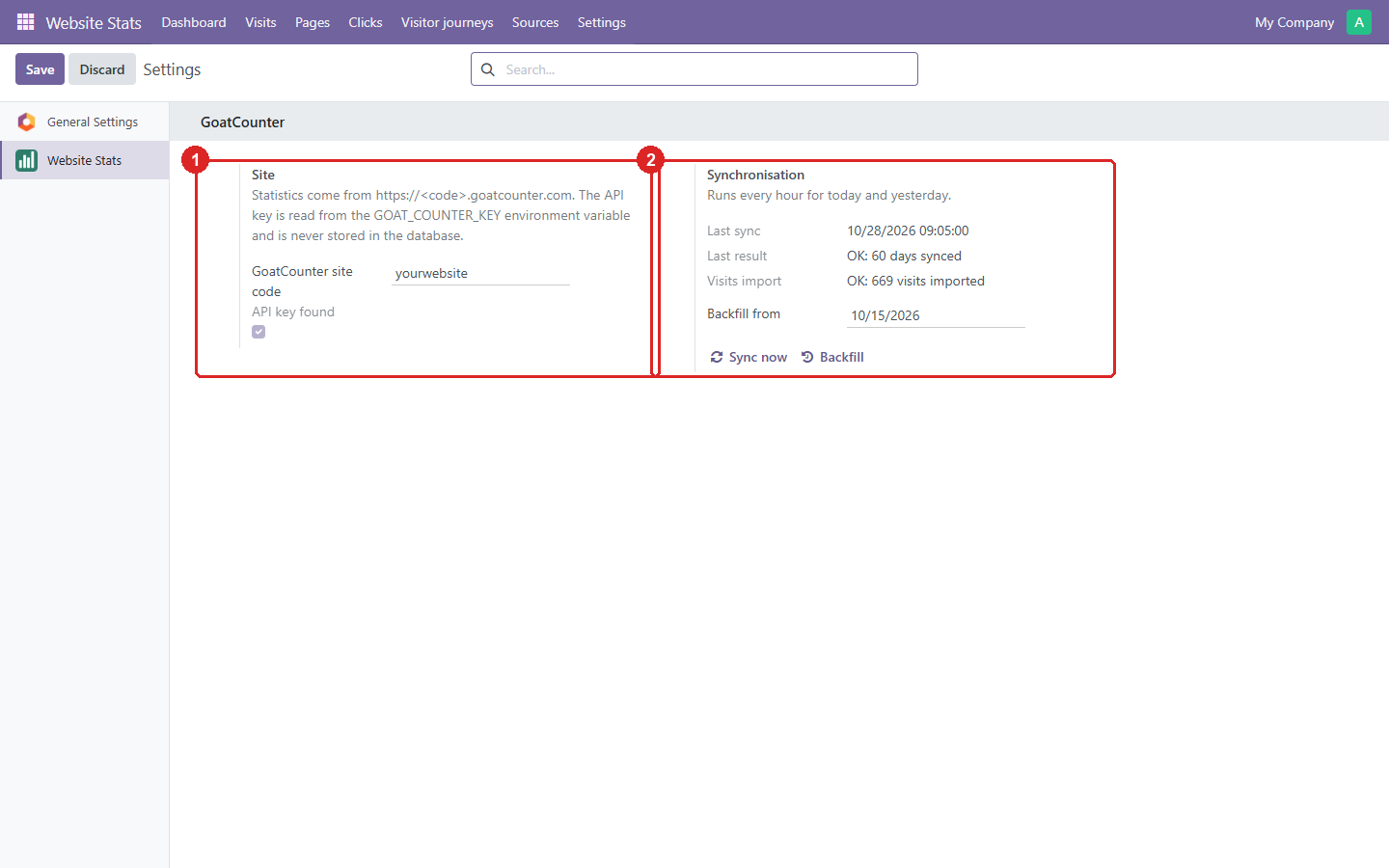
8. Settings: the site, the API key check and the sync results.
- The GoatCounter site code. The API key comes from the
GOAT_COUNTER_KEYenvironment variable and is never stored. - When the last sync ran and what it did. Sync now and Backfill run it by hand.
Odoo 19.0 Download .zip
- Download
- goatcounter_stats-19.0.1.2.3.zip
· 385 KB
· SHA-256
8d651801cdf7… - Install
- Unzip into a folder on your
addons_path, restart Odoo, update the apps list and install. Or:git clone -b 19.0 https://github.com/yakhras/Odoo-GoatCounter-Stats.git - Changes
- Release notes for 19.0.1.2.3
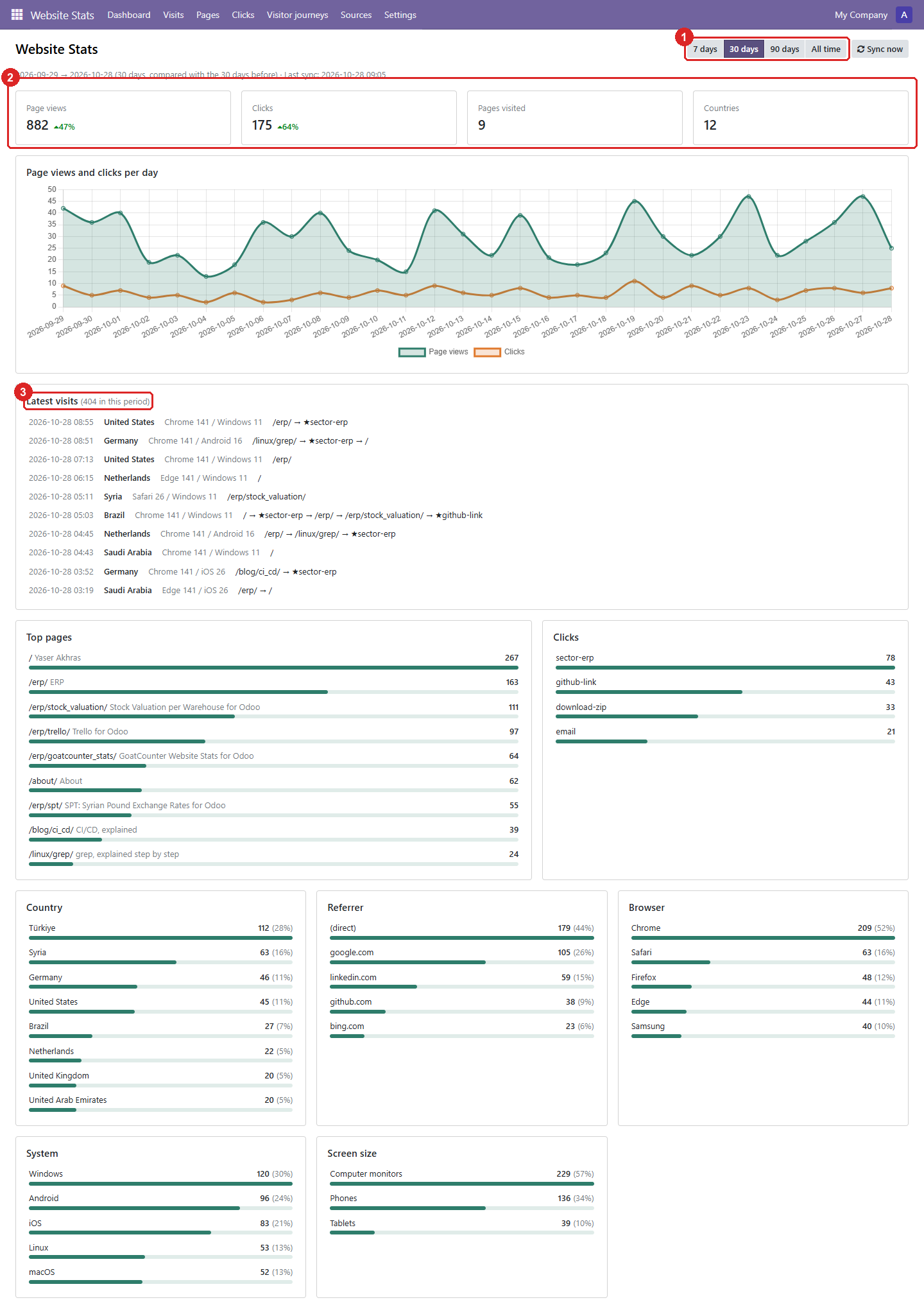
1. The dashboard: every metric of the chosen period on one page.
- The period: 7, 30 or 90 days, or all time. Sync now fetches the latest data.
- Page views, clicks, pages visited and countries. The percentage compares with the period before.
- The latest visits, each with the pages and clicks (★) it went through. Click one to see its timeline.
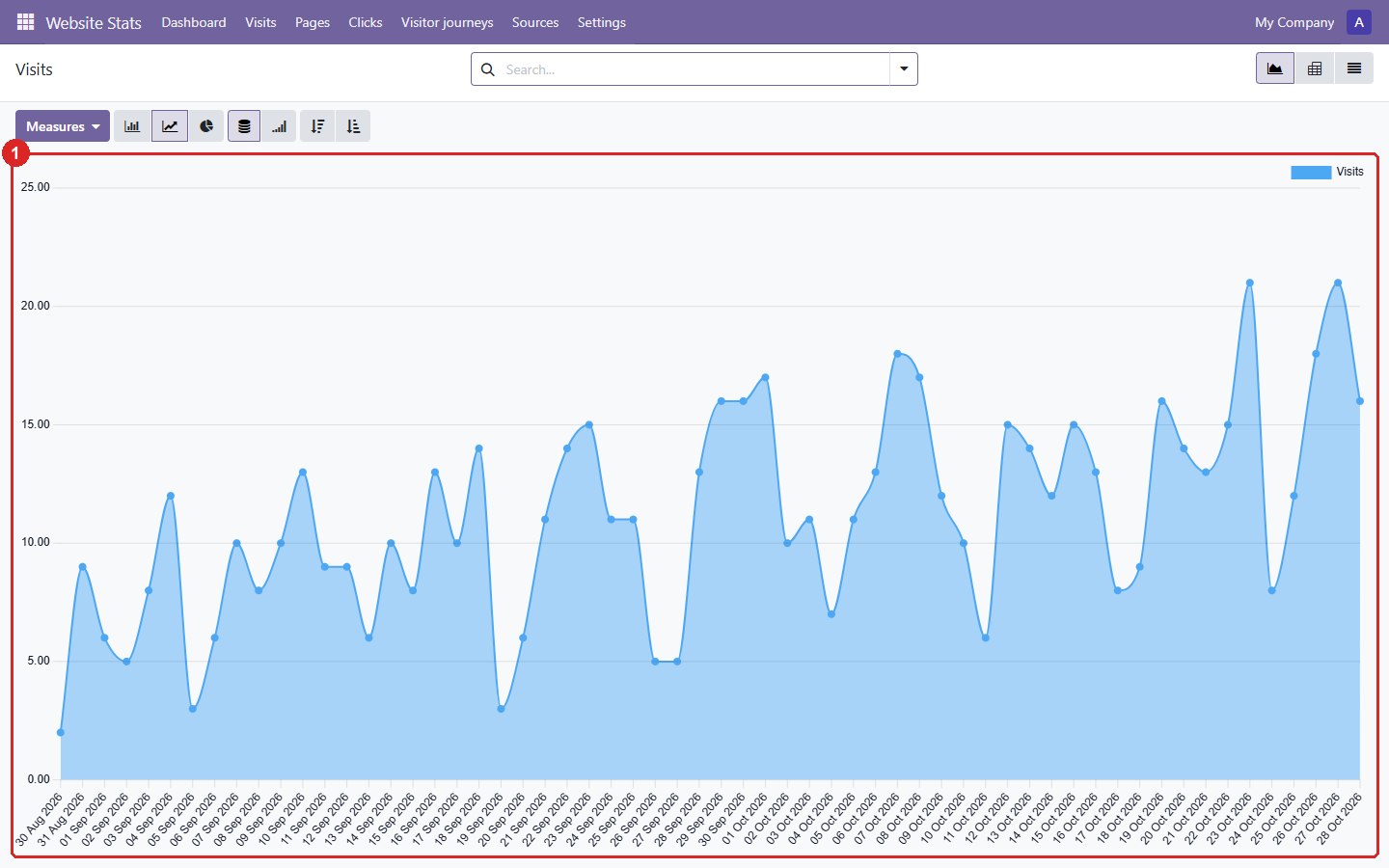
2. Visits: the daily number of visits, as a graph that can also be shown as a pivot or a list.
- One point per day. Odoo’s graph options switch between line, bar and pie, stacked or cumulative.
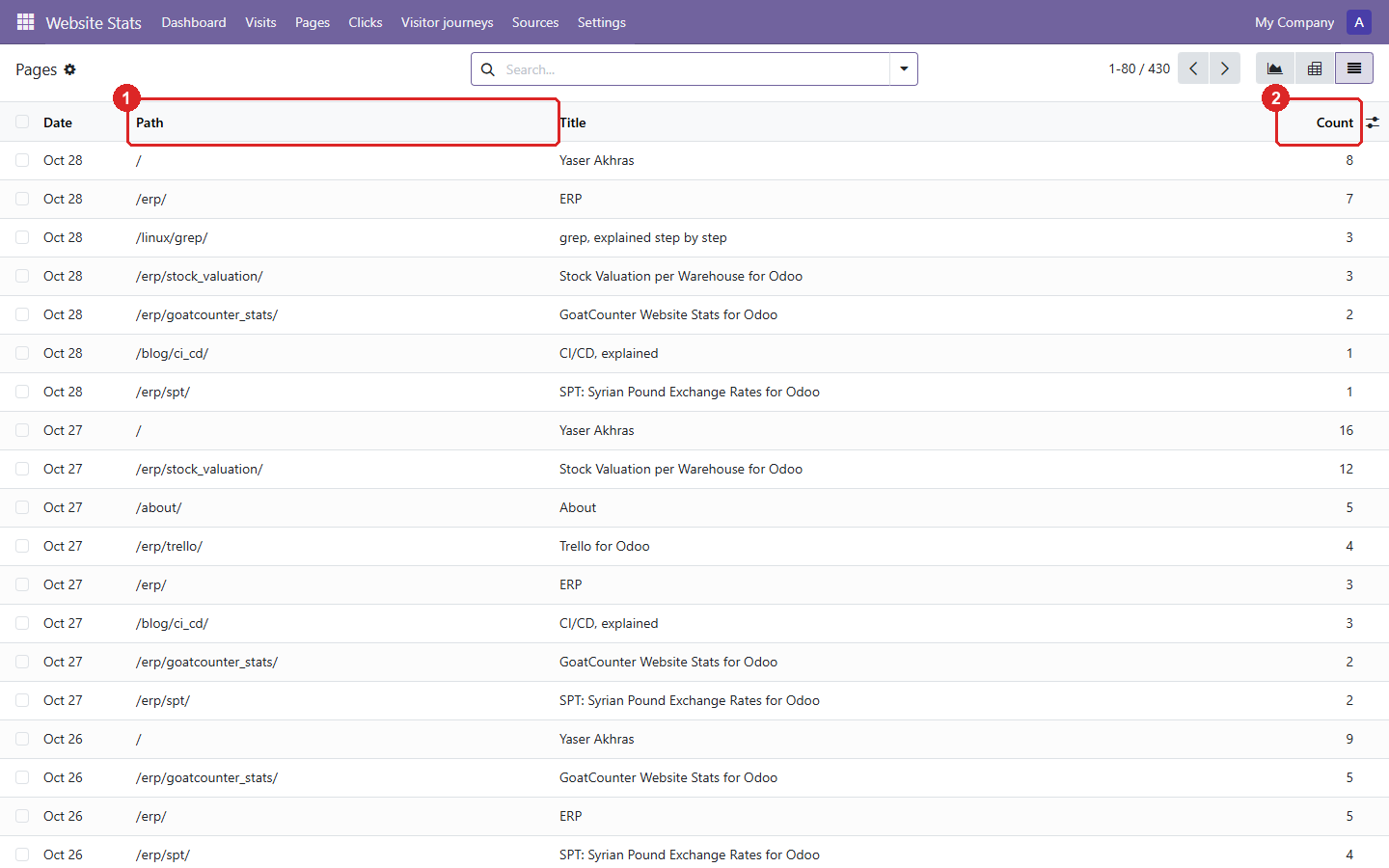
3. Pages: page views per page and per day.
- The page path, with its title next to it.
- Page views that day. Group by path in the search to total a page over the period.
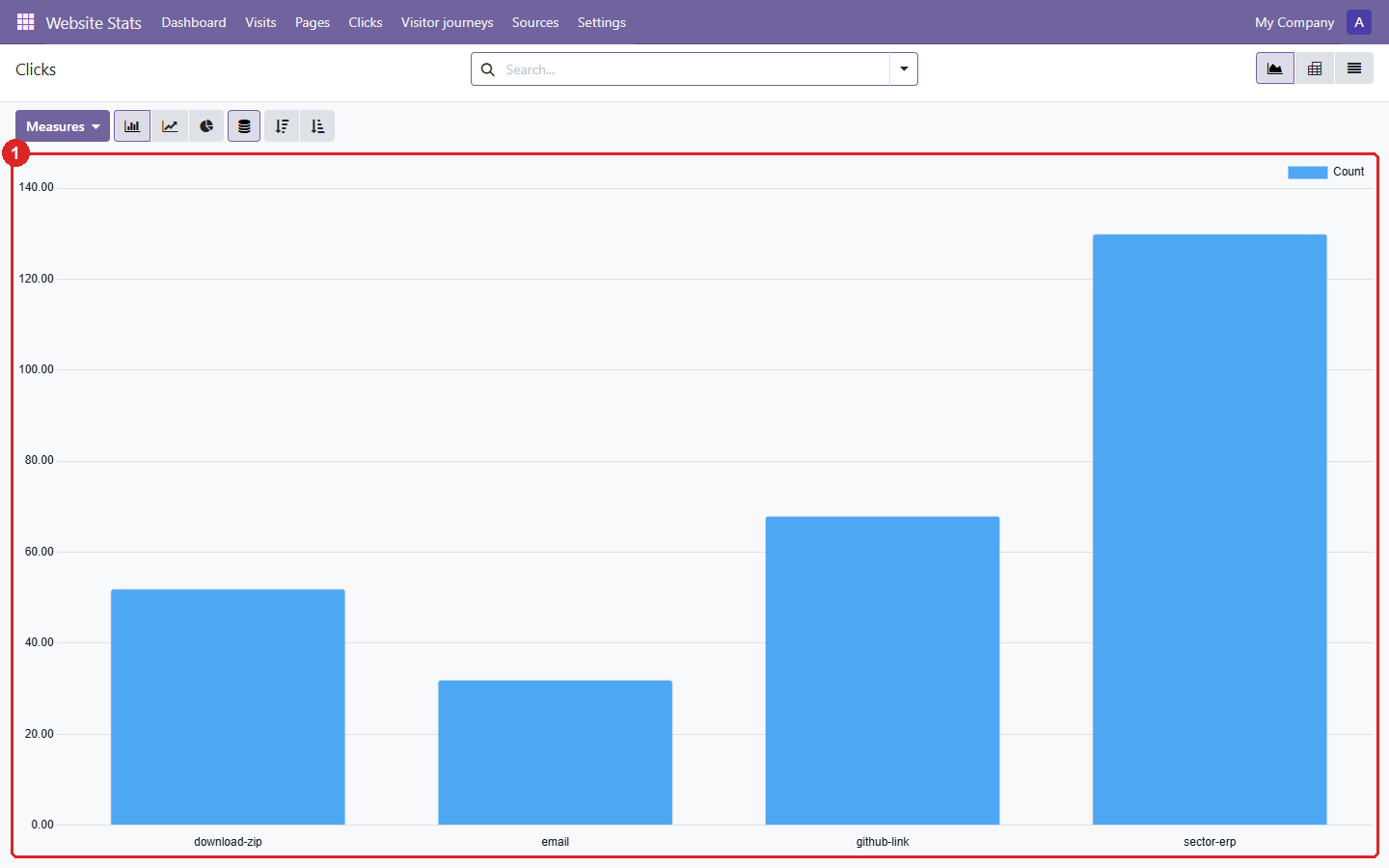
4. Clicks: how often each tracked link or button was clicked.
- One bar per click event, i.e. per
data-goatcounter-clickname on the website.
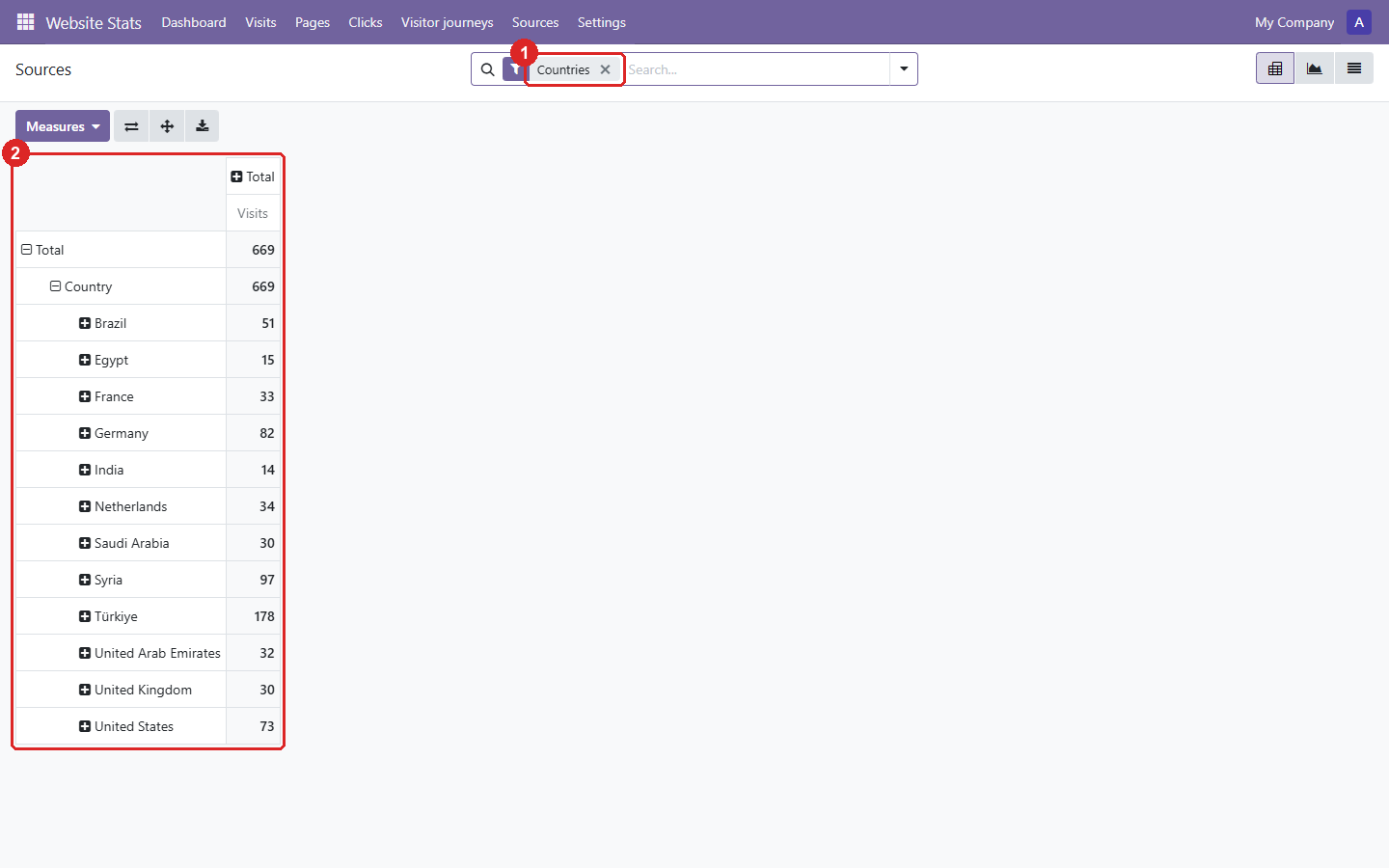
5. Sources: where the visits came from, as a pivot table.
- The search filter picks the source: countries, referrers, browsers, systems or screen sizes.
- Visits per value. Expand a row to split it by day.
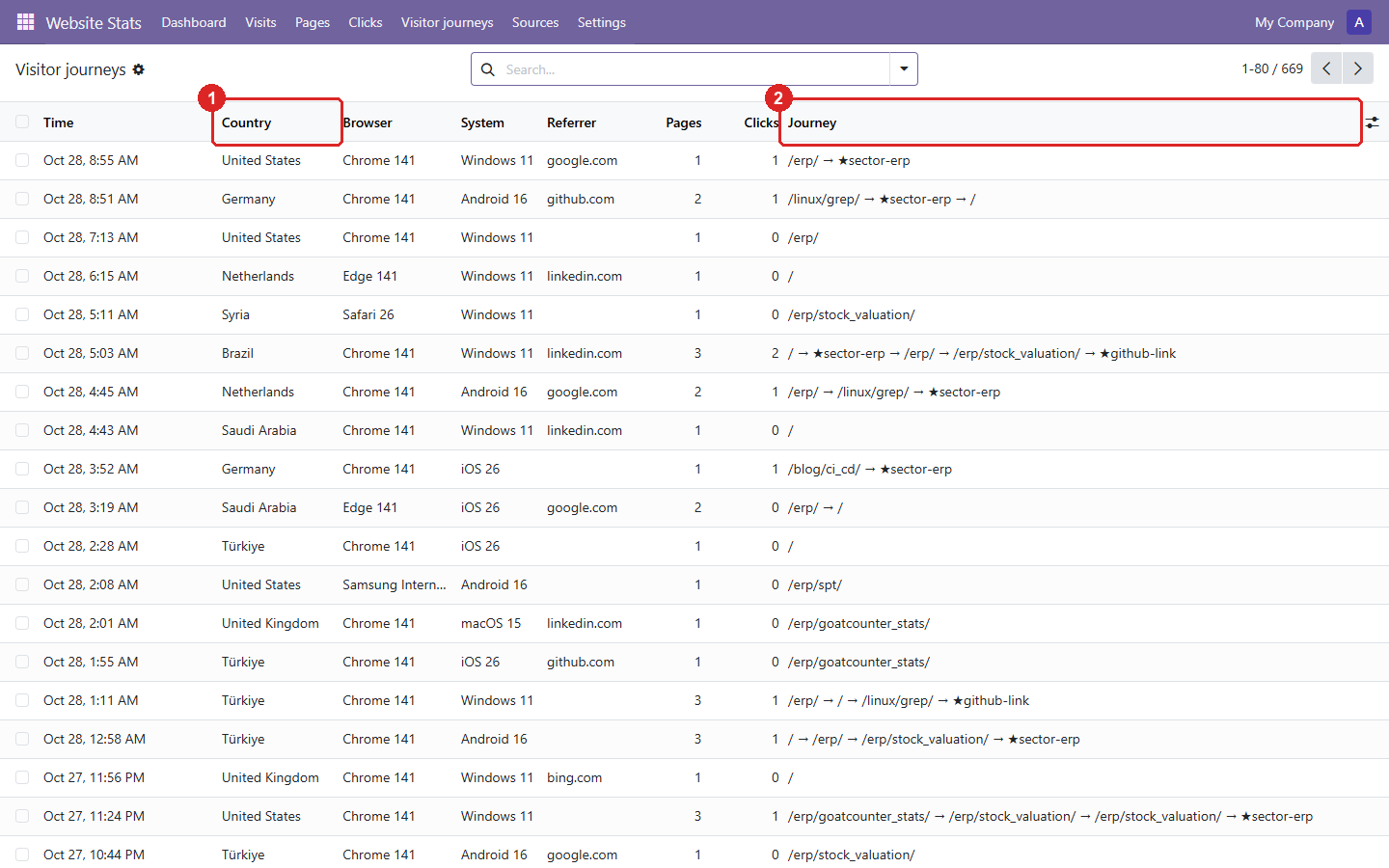
6. Visitor journeys: one row per visit, with the pages and clicks (★) it went through.
- The visitor’s country, from GoatCounter’s location.
- The journey, in order. Search on a page or a click to find the visits that went through it.
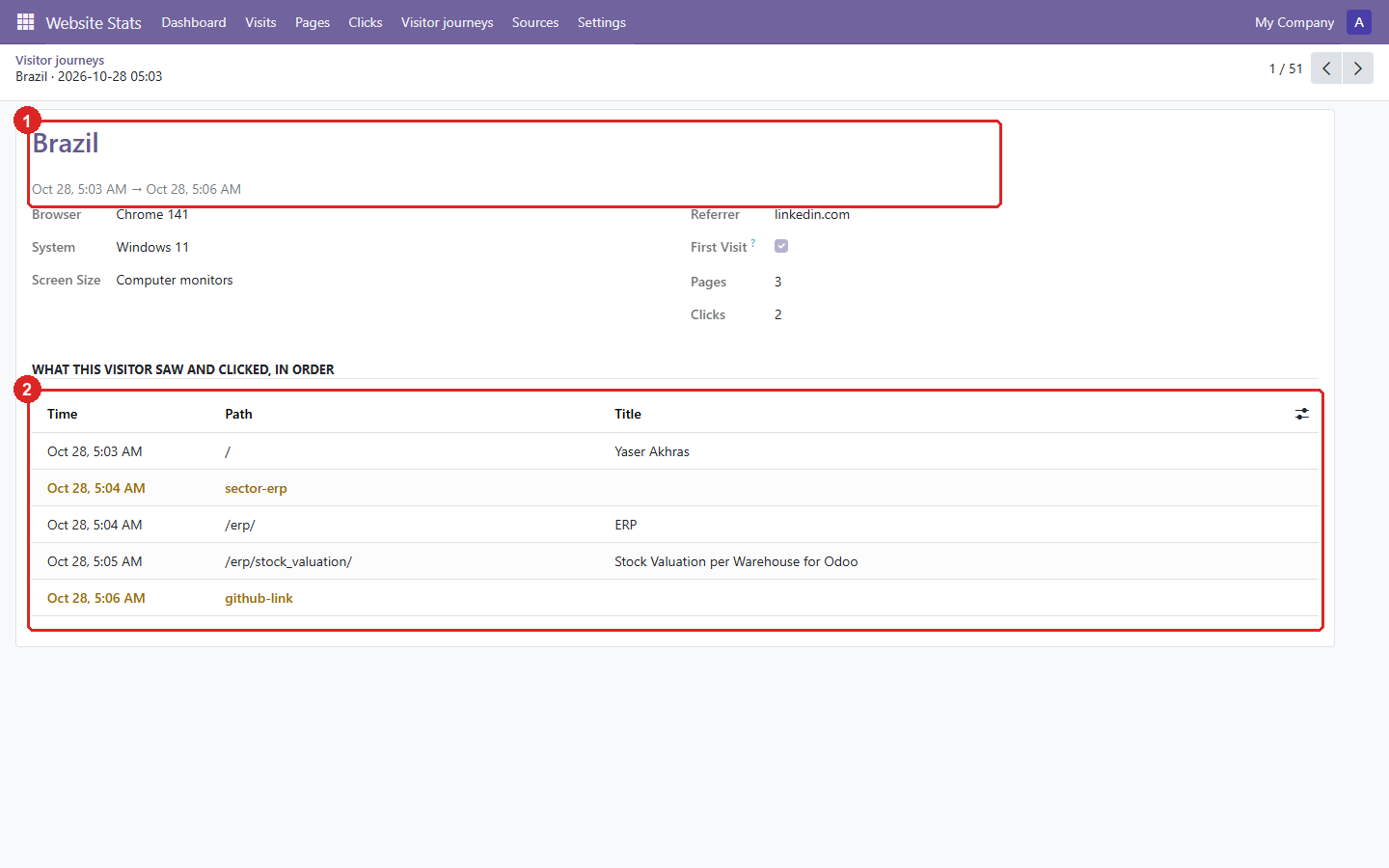
7. One visit from Brazil: what the visitor saw and clicked, in order.
- The country, and when the visit started and ended.
- The timeline. Clicks are highlighted.
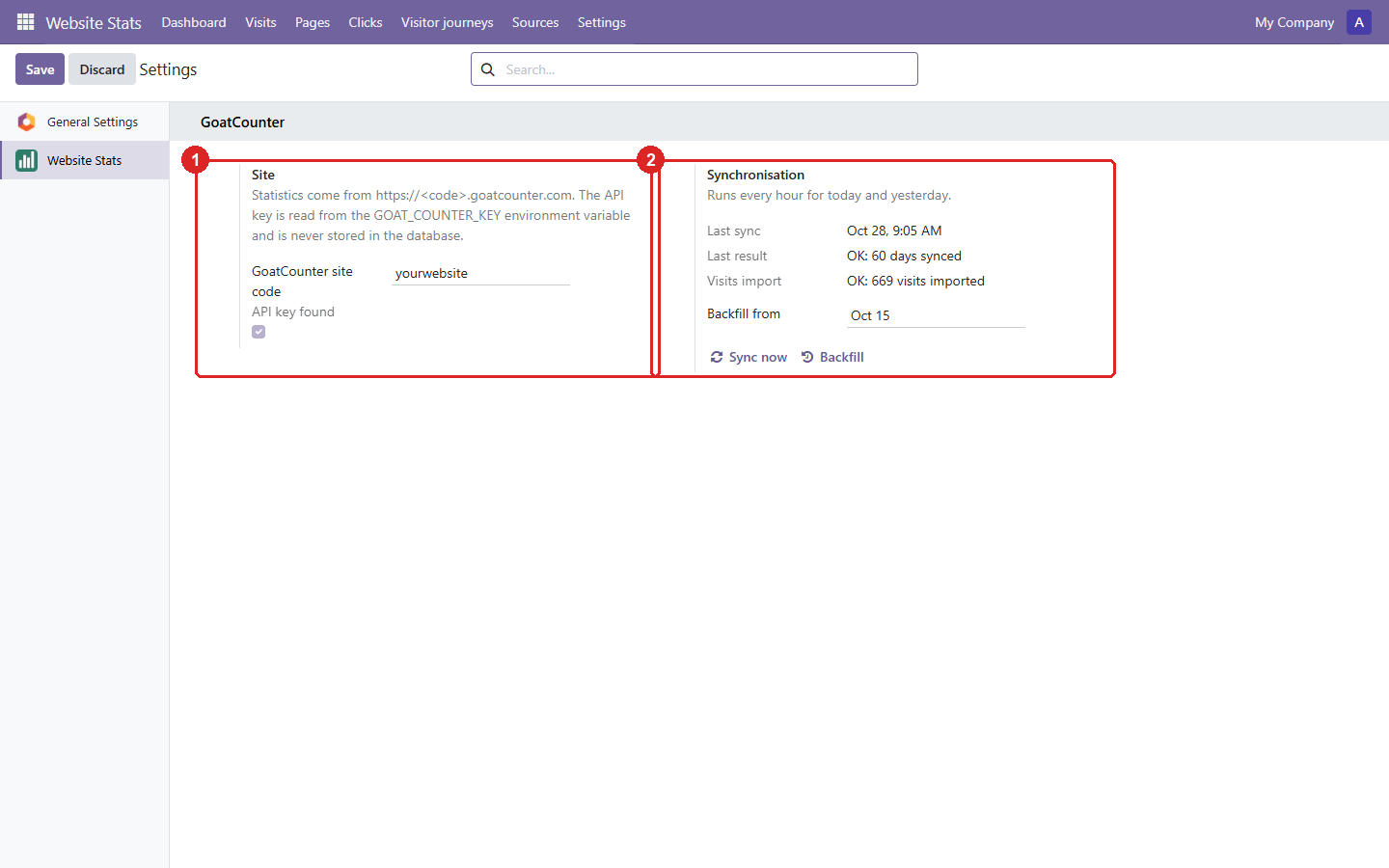
8. Settings: the site, the API key check and the sync results.
- The GoatCounter site code. The API key comes from the
GOAT_COUNTER_KEYenvironment variable and is never stored. - When the last sync ran and what it did. Sync now and Backfill run it by hand.
Odoo 18.0 Download .zip
- Download
- goatcounter_stats-18.0.1.2.2.zip
· 386 KB
· SHA-256
1c8e6d375b3a… - Install
- Unzip into a folder on your
addons_path, restart Odoo, update the apps list and install. Or:git clone -b 18.0 https://github.com/yakhras/Odoo-GoatCounter-Stats.git - Changes
- Release notes for 18.0.1.2.2
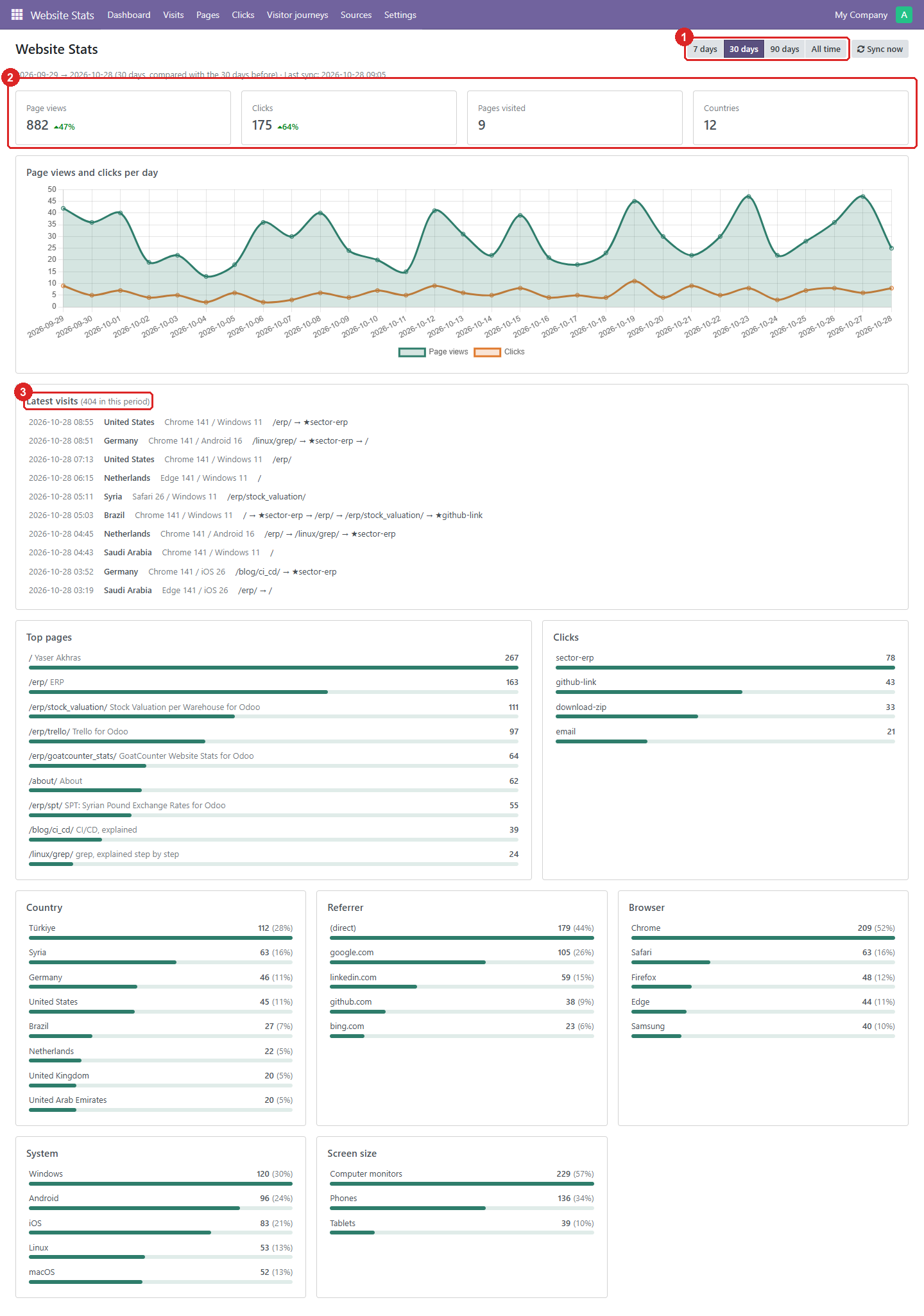
1. The dashboard: every metric of the chosen period on one page.
- The period: 7, 30 or 90 days, or all time. Sync now fetches the latest data.
- Page views, clicks, pages visited and countries. The percentage compares with the period before.
- The latest visits, each with the pages and clicks (★) it went through. Click one to see its timeline.
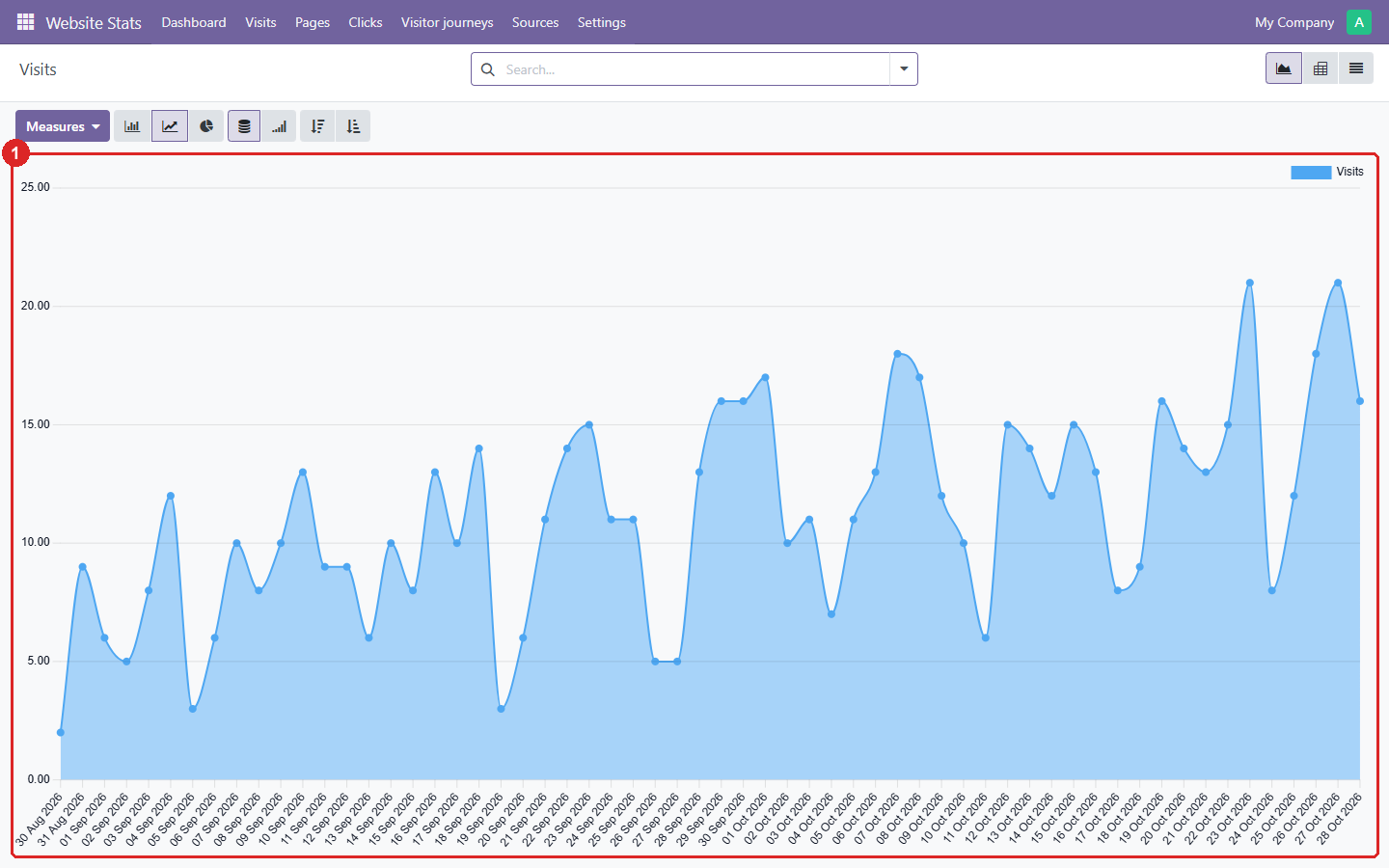
2. Visits: the daily number of visits, as a graph that can also be shown as a pivot or a list.
- One point per day. Odoo’s graph options switch between line, bar and pie, stacked or cumulative.
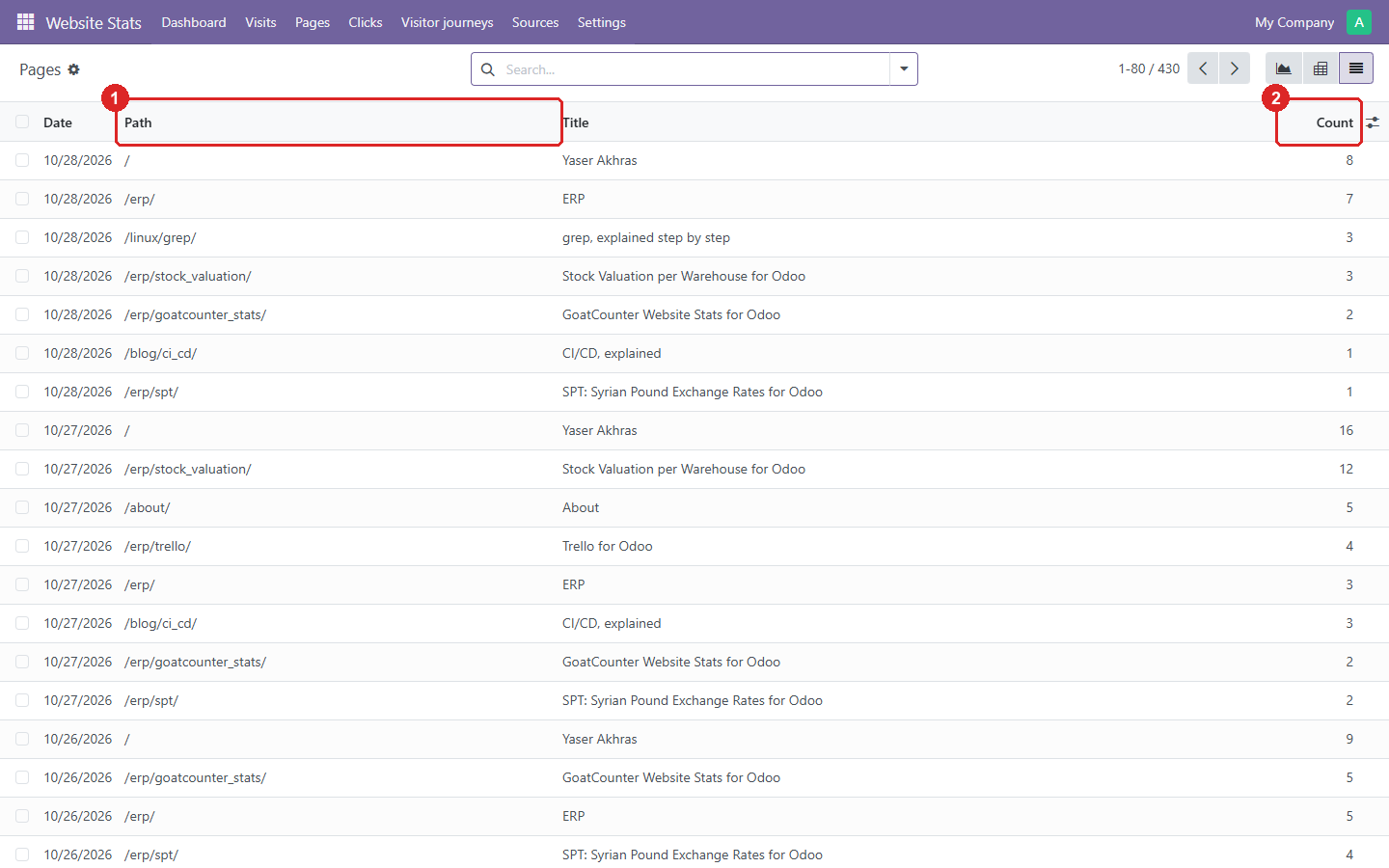
3. Pages: page views per page and per day.
- The page path, with its title next to it.
- Page views that day. Group by path in the search to total a page over the period.
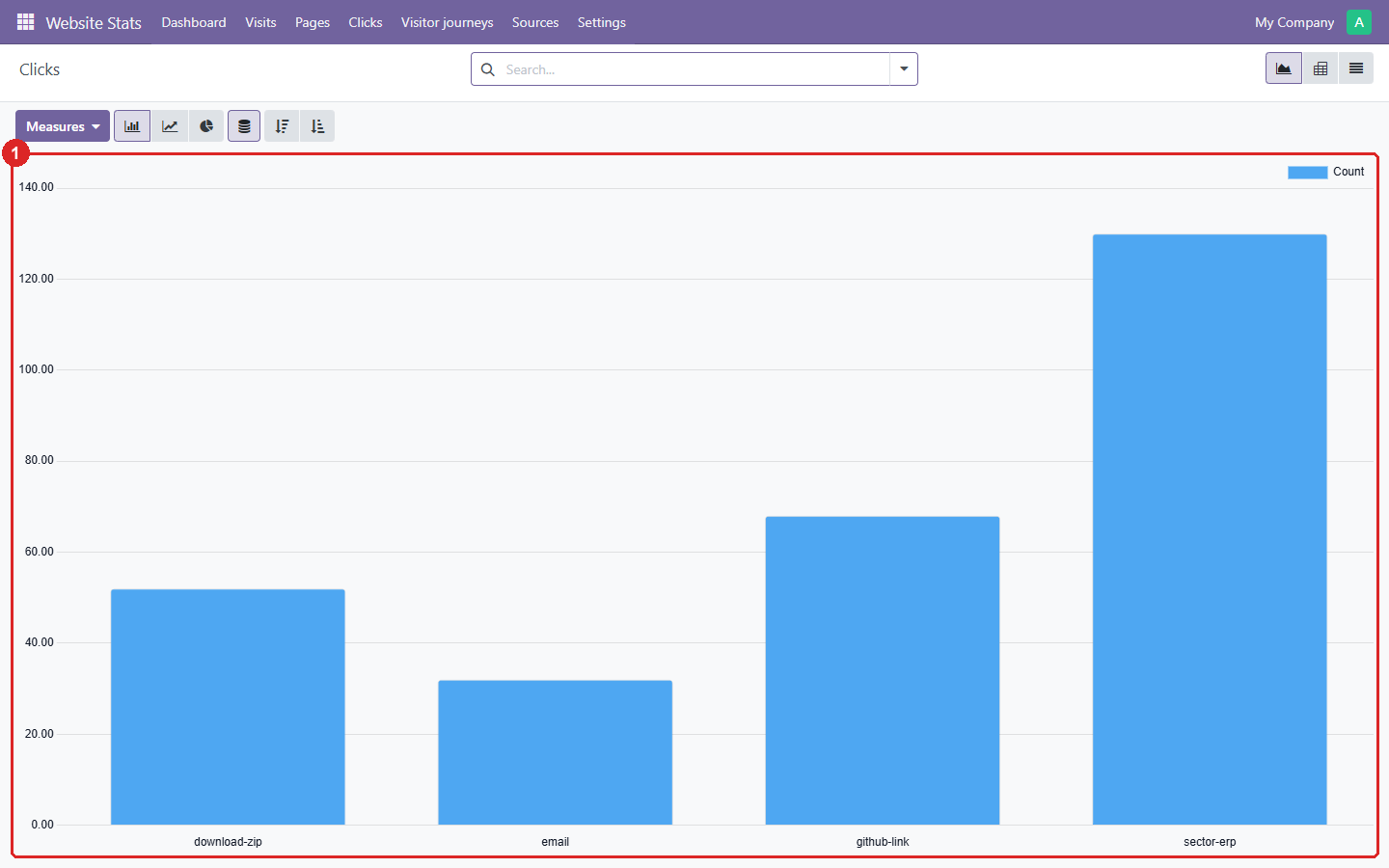
4. Clicks: how often each tracked link or button was clicked.
- One bar per click event, i.e. per
data-goatcounter-clickname on the website.
5. Sources: where the visits came from, as a pivot table.
- The search filter picks the source: countries, referrers, browsers, systems or screen sizes.
- Visits per value. Expand a row to split it by day.
6. Visitor journeys: one row per visit, with the pages and clicks (★) it went through.
- The visitor’s country, from GoatCounter’s location.
- The journey, in order. Search on a page or a click to find the visits that went through it.
7. One visit from Brazil: what the visitor saw and clicked, in order.
- The country, and when the visit started and ended.
- The timeline. Clicks are highlighted.
8. Settings: the site, the API key check and the sync results.
- The GoatCounter site code. The API key comes from the
GOAT_COUNTER_KEYenvironment variable and is never stored. - When the last sync ran and what it did. Sync now and Backfill run it by hand.
Installation
Download the zip for your Odoo version above, or clone its branch. Add the folder to
addons_path and give Odoo the API key as the GOAT_COUNTER_KEY environment variable. The key
needs the Read statistics and Export permissions. Then restart Odoo and install
GoatCounter Website Stats. Full setup steps are in the
repository README.