Odoo API integration that keeps Syrian Pound (SYP) exchange rates up to date from Syrian market rate providers. The supported provider is SP Today, and the design is extensible to other sources.
Source: github.com/yakhras/Odoo-SPT · License: LGPL-3 · Odoo: 20.0, 19.0, 18.0
Features
- Fetches SYP market rates from the SP Today API (Damascus, Aleppo or Homs)
- One rate provider per company (multi-company safe)
- Choice of price side: Buy, Sell or Mid (average). Buy and sell are stored on the rate as well.
- Old / new Syrian pound scale (new = old ÷ 100), converted automatically
- Scheduled updates at a configurable interval (days / weeks / months)
- Manual update: an Update Rates Now button, plus a wizard to update several providers at once. SP Today only serves today’s rates, so past dates can’t be backfilled
- Shows the remaining API quota (monthly limit, remaining requests, reset date)
- Coexists with other currency rate providers without conflicts
- Covered by 89 automated tests, run by GitHub Actions on every push and before every release
Download and screenshots
One card per Odoo version. Each one has its own download, tested on that version, and its own screenshots. The screenshots use generated demo data; the numbers on them match the notes below each one.
Odoo 20.0 Download .zip
- Download
- spt-20.0.1.0.0.zip
· 278 KB
· SHA-256
4d901ffe6fa9… - Install
- Unzip into a folder on your
addons_path, restart Odoo, update the apps list and install. Or:git clone -b 20.0 https://github.com/yakhras/Odoo-SPT.git - Changes
- Release notes for 20.0.1.0.0
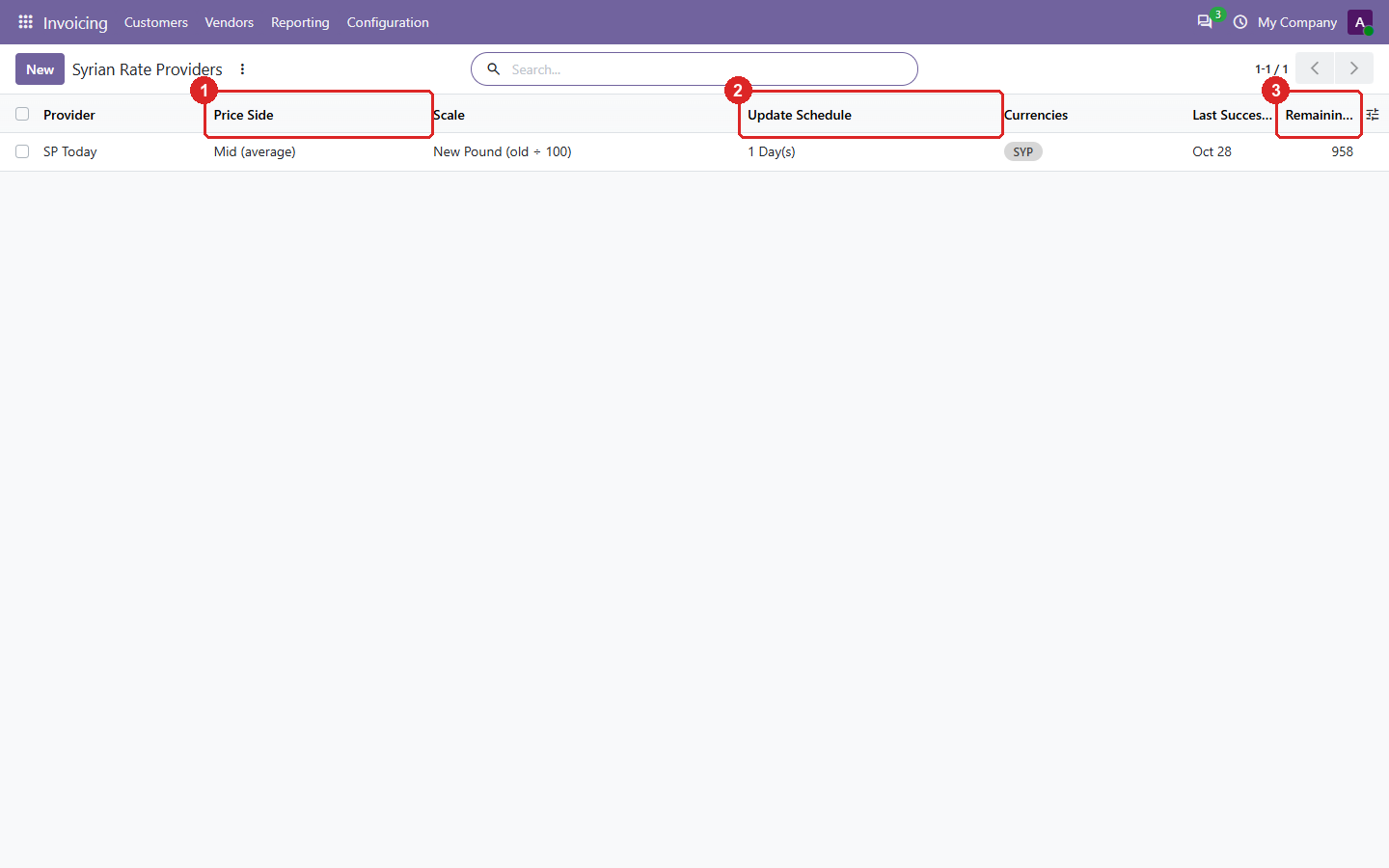
1. Syrian Rate Providers (Invoicing → Configuration → Accounting): one provider per company.
- Which price is used for the rate: buy, sell, or the average of both.
- How often the rates are updated.
- Requests left in the SP Today monthly quota.
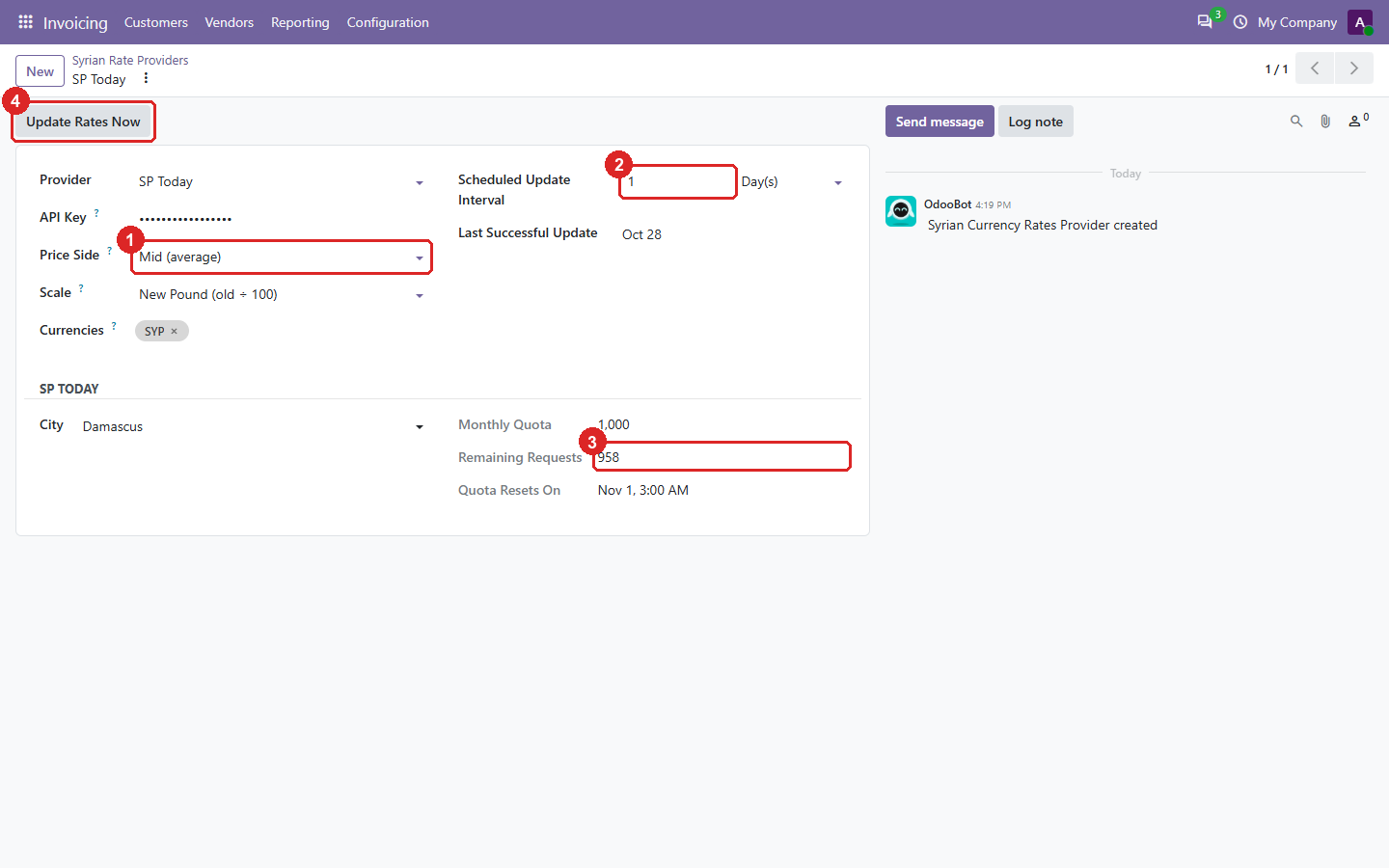
2. One provider: the source, the price and the schedule.
- The price side. Buy and sell are also stored on every rate.
- The update interval, in days, weeks or months.
- The SP Today quota: monthly limit, remaining requests and reset date.
- Update Rates Now fetches today’s rates immediately.
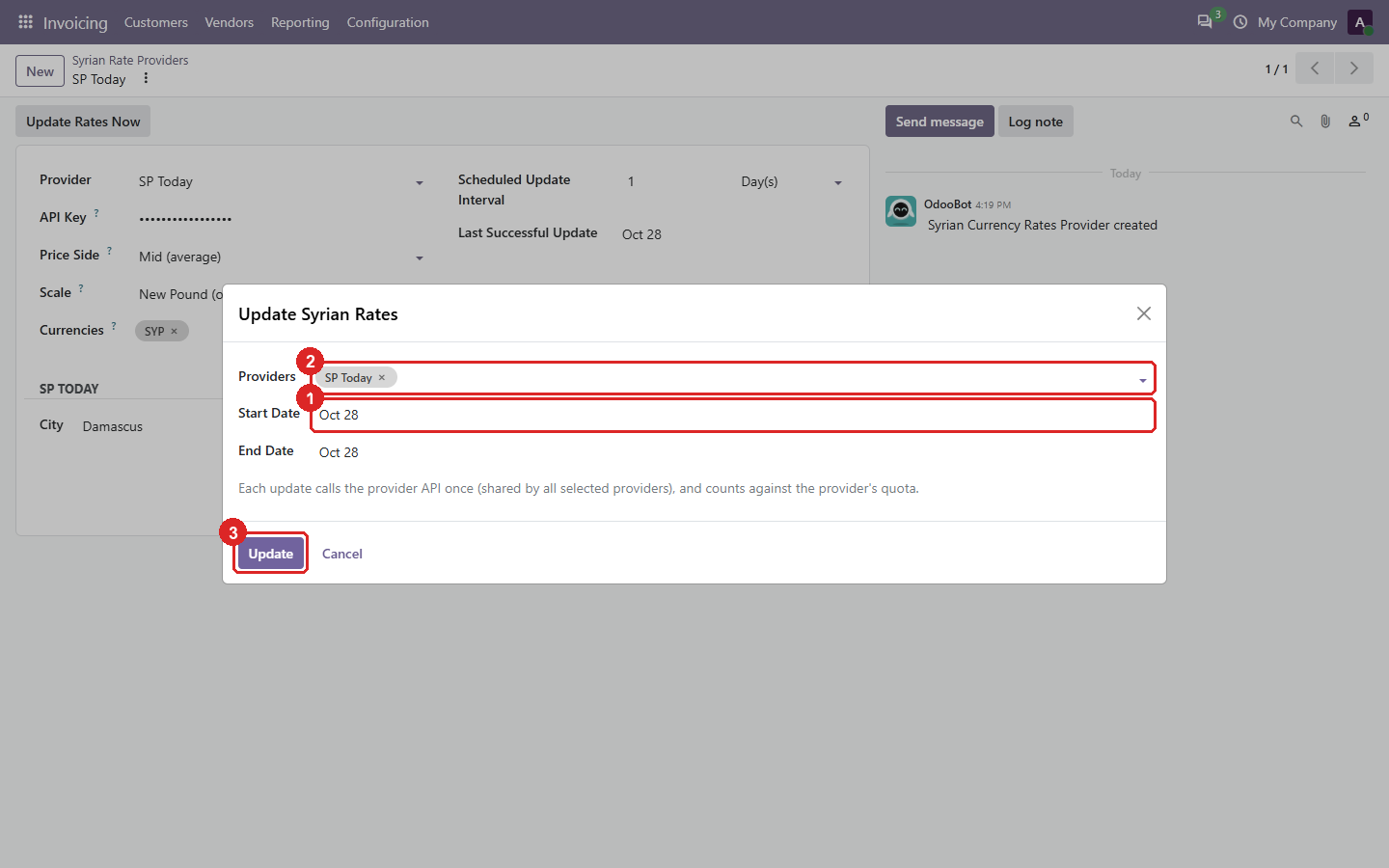
3. The update wizard: update several providers at once.
- The dates. SP Today only serves today’s rates, so past dates can’t be filled in; they matter only for providers that offer history.
- The providers to update. One API call serves all of them.
- Update fetches and stores the rates.
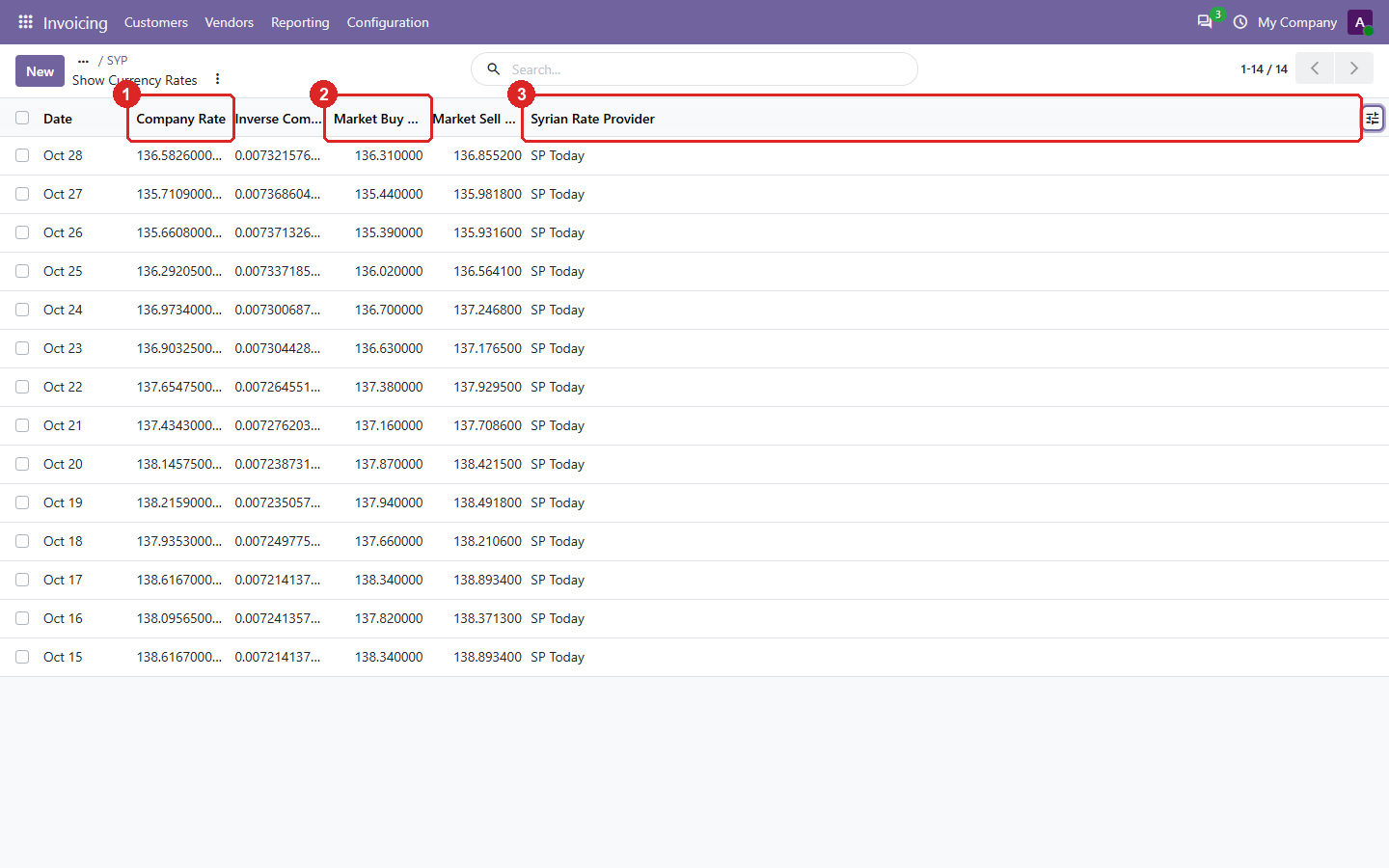
4. The SYP rates the module stored, one per day, with the module’s own columns shown.
- Odoo’s rate: Syrian pounds per unit of the company currency.
- The market buy and sell rates behind it.
- The provider that set the rate. A rate you edit by hand is no longer linked to it.
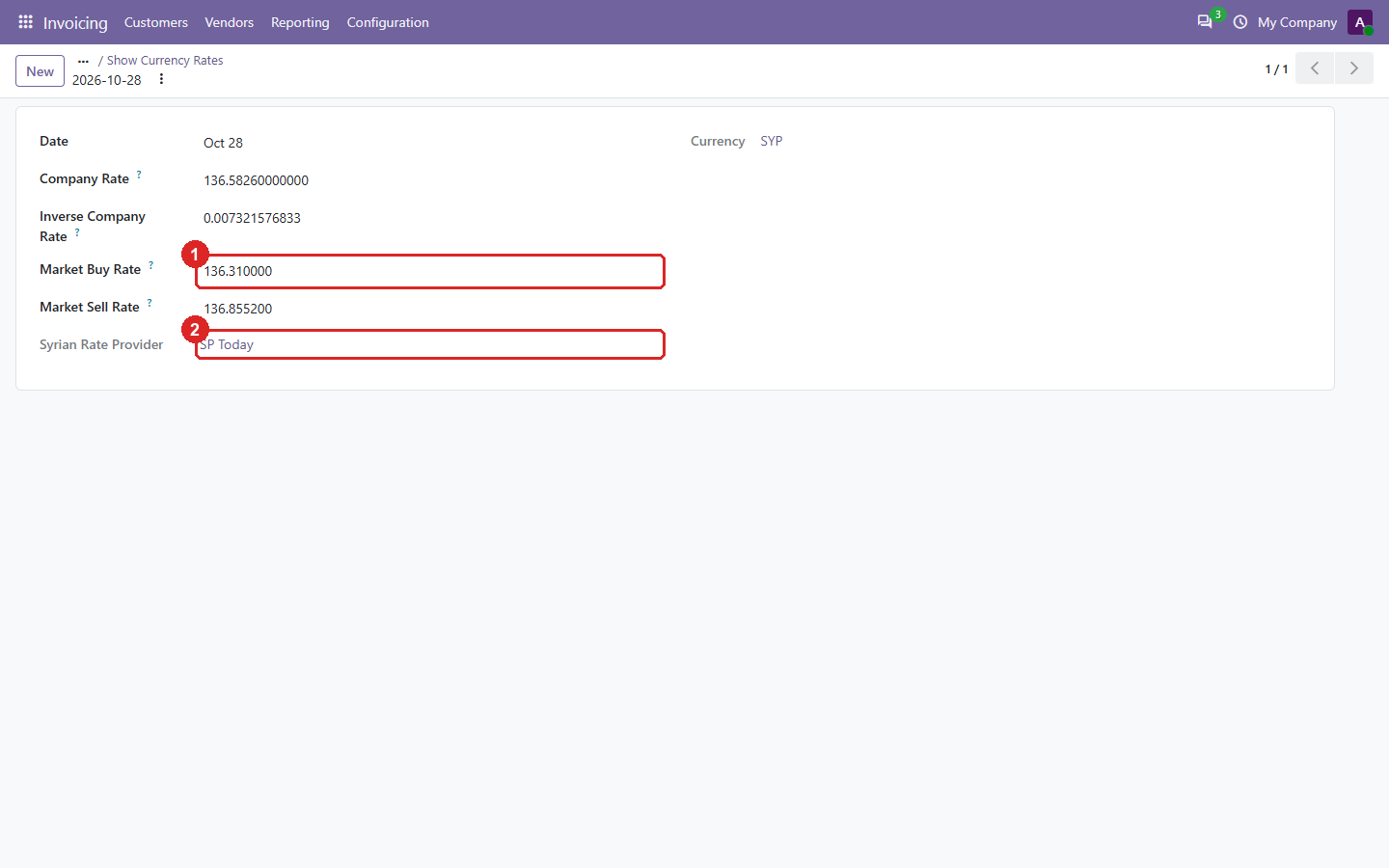
5. One rate, with the market buy/sell values and its provider.
- Market buy (and below it, sell) rate, in the chosen scale.
- The provider that fetched it.
Odoo 19.0 Download .zip
- Download
- spt-19.0.1.0.0.zip
· 279 KB
· SHA-256
48d26ada4031… - Install
- Unzip into a folder on your
addons_path, restart Odoo, update the apps list and install. Or:git clone -b 19.0 https://github.com/yakhras/Odoo-SPT.git - Changes
- Release notes for 19.0.1.0.0
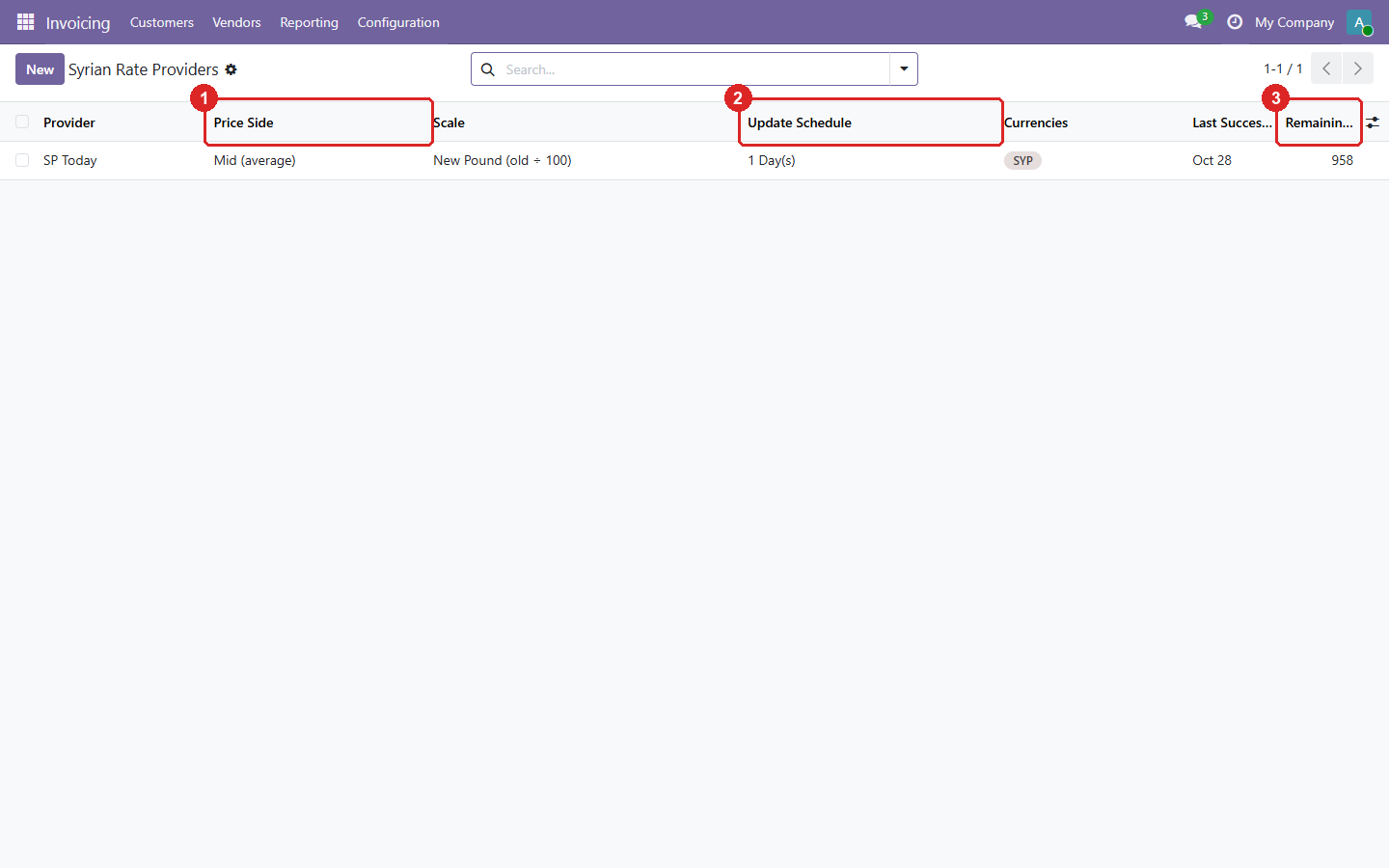
1. Syrian Rate Providers (Invoicing → Configuration → Accounting): one provider per company.
- Which price is used for the rate: buy, sell, or the average of both.
- How often the rates are updated.
- Requests left in the SP Today monthly quota.
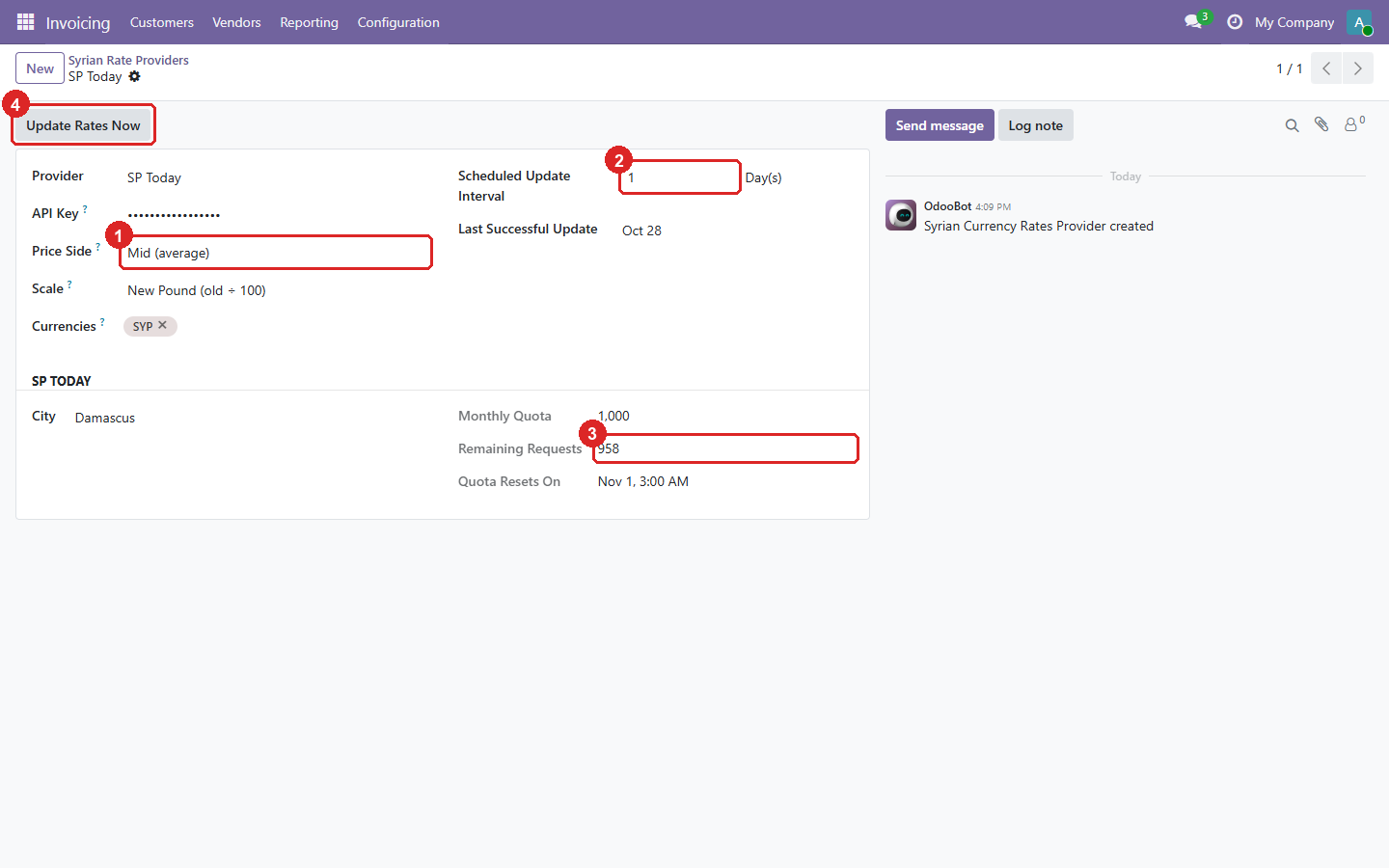
2. One provider: the source, the price and the schedule.
- The price side. Buy and sell are also stored on every rate.
- The update interval, in days, weeks or months.
- The SP Today quota: monthly limit, remaining requests and reset date.
- Update Rates Now fetches today’s rates immediately.
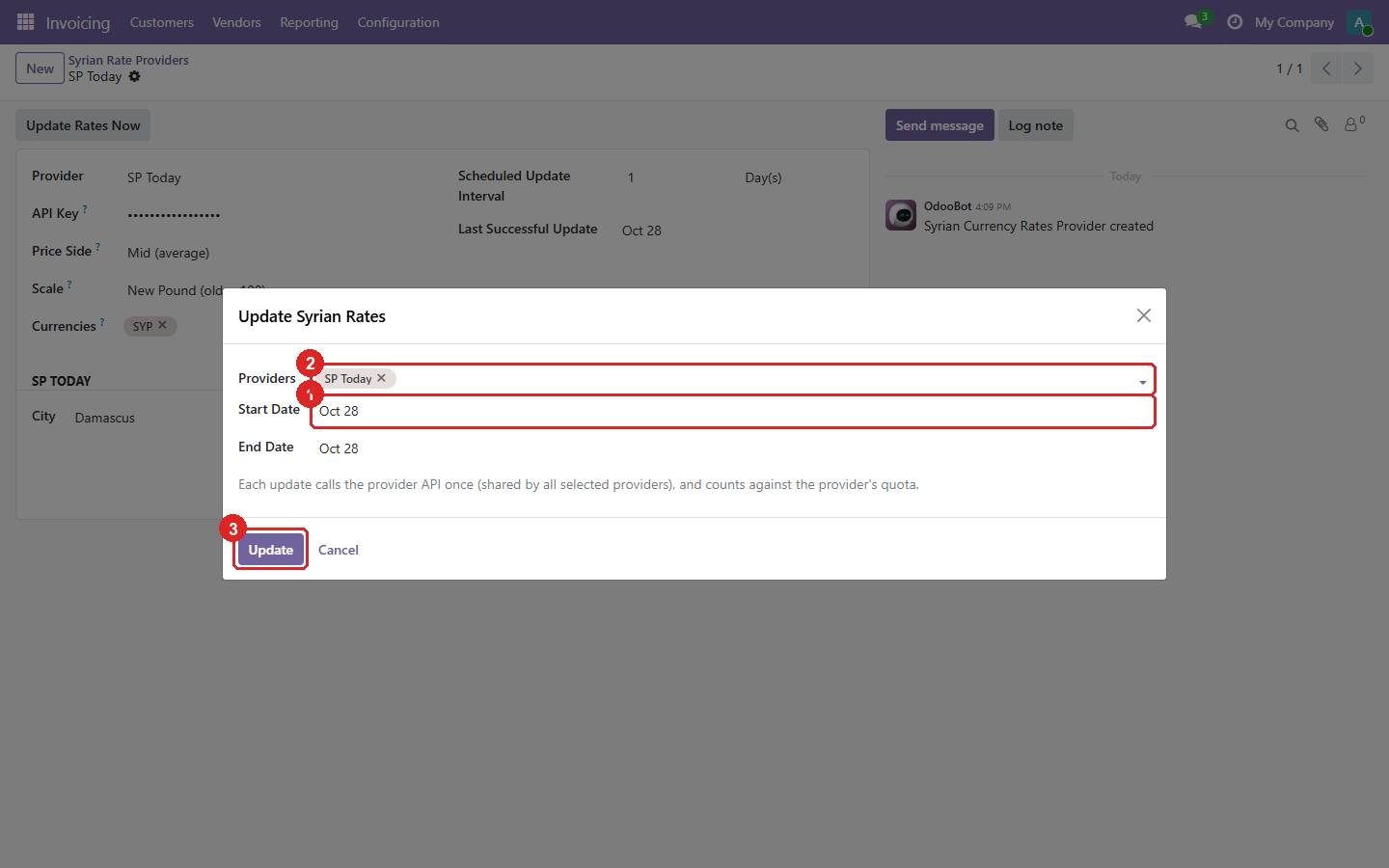
3. The update wizard: update several providers at once.
- The dates. SP Today only serves today’s rates, so past dates can’t be filled in; they matter only for providers that offer history.
- The providers to update. One API call serves all of them.
- Update fetches and stores the rates.
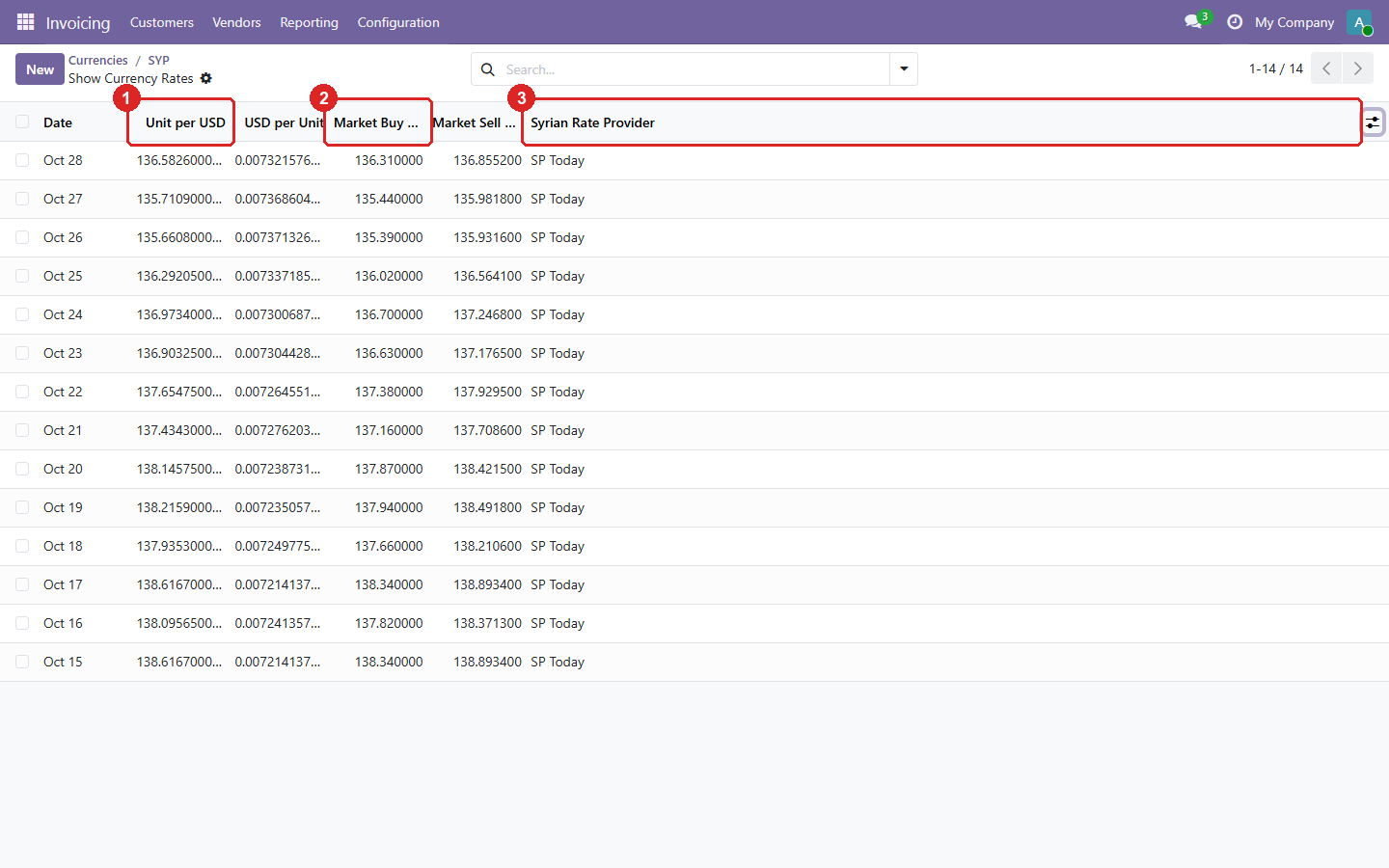
4. The SYP rates the module stored, one per day, with the module’s own columns shown.
- Odoo’s rate: Syrian pounds per unit of the company currency.
- The market buy and sell rates behind it.
- The provider that set the rate. A rate you edit by hand is no longer linked to it.
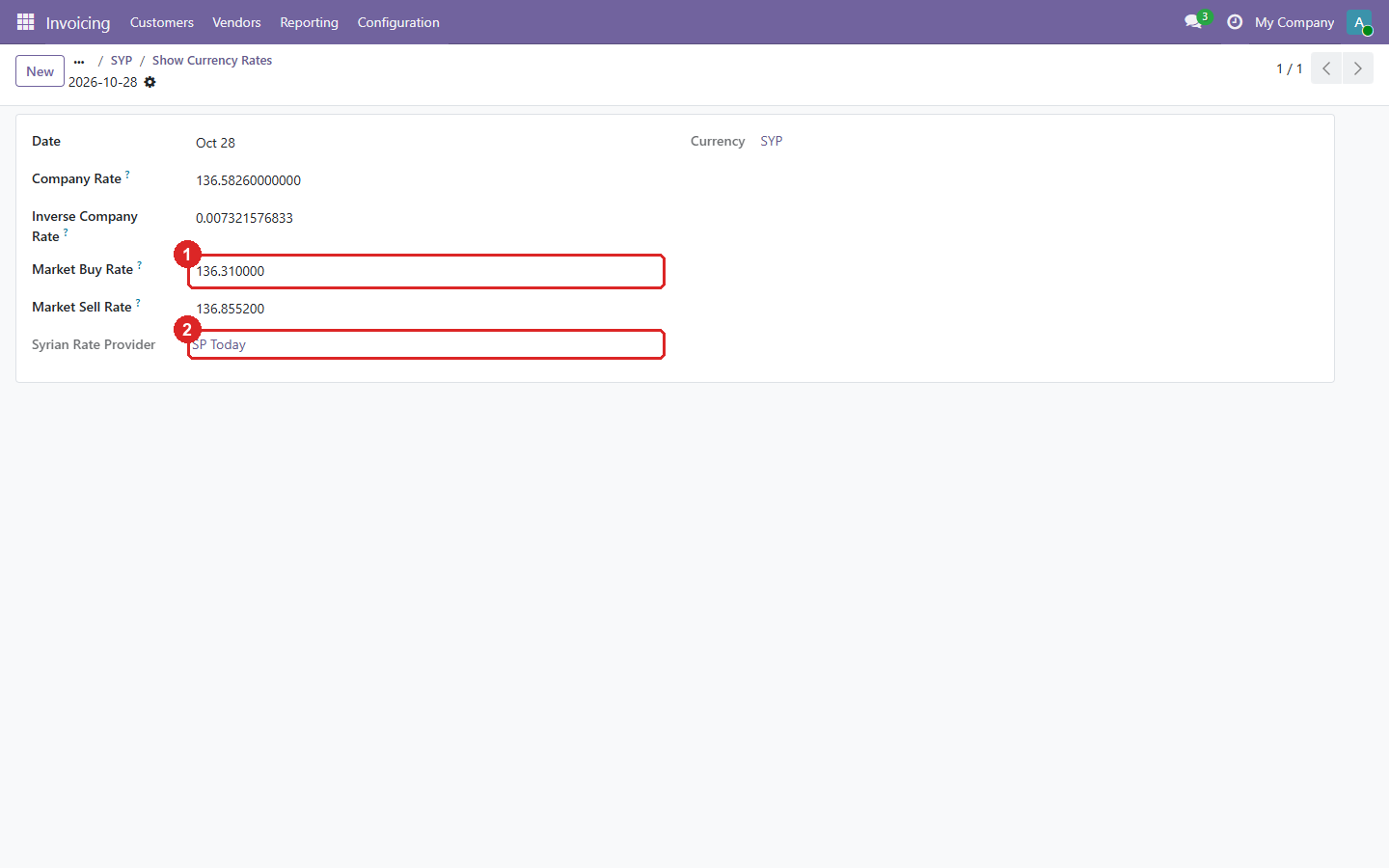
5. One rate, with the market buy/sell values and its provider.
- Market buy (and below it, sell) rate, in the chosen scale.
- The provider that fetched it.
Odoo 18.0 Download .zip
- Download
- spt-18.0.1.0.1.zip
· 279 KB
· SHA-256
3cf46ebc0869… - Install
- Unzip into a folder on your
addons_path, restart Odoo, update the apps list and install. Or:git clone -b 18.0 https://github.com/yakhras/Odoo-SPT.git - Changes
- Release notes for 18.0.1.0.1
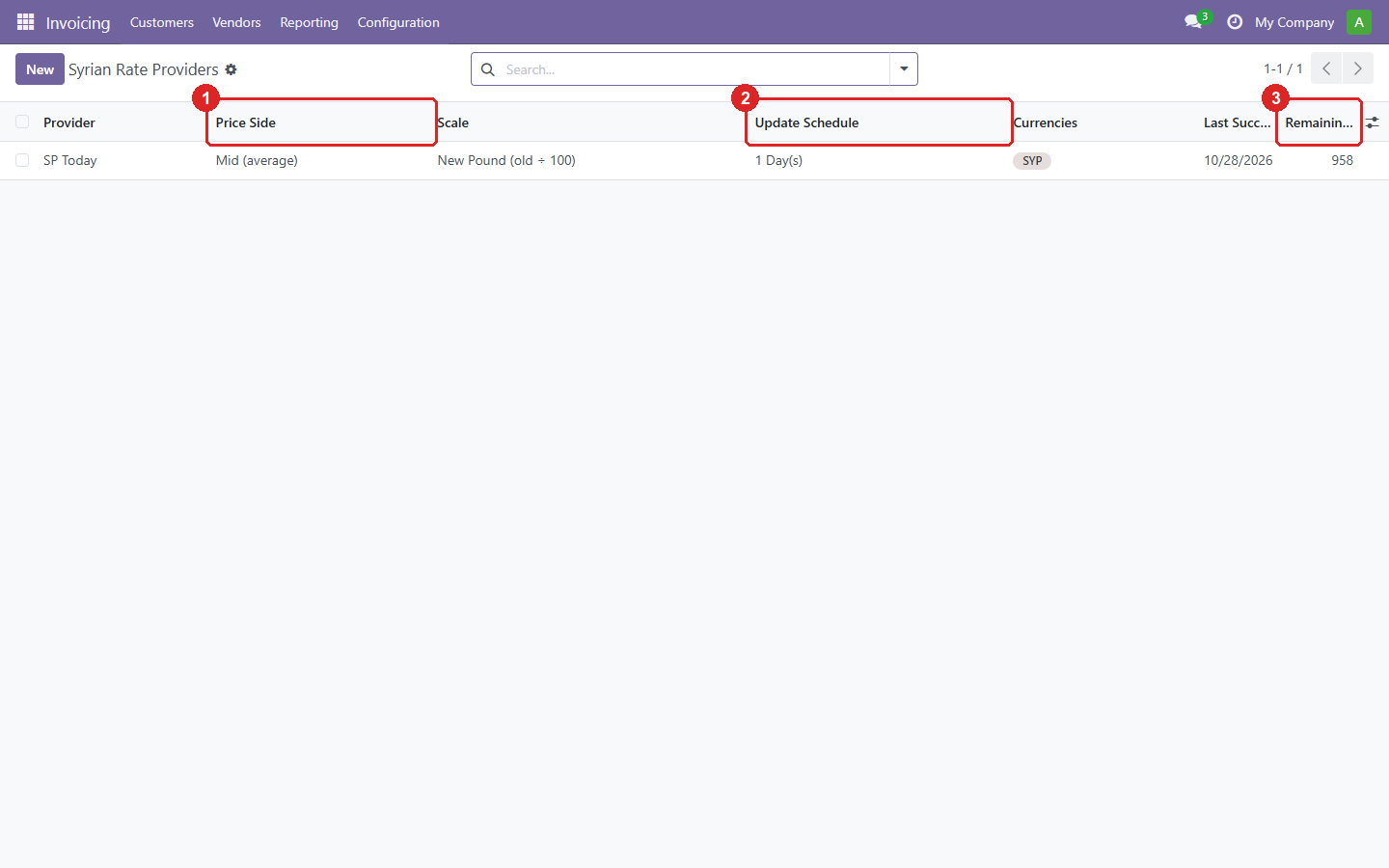
1. Syrian Rate Providers (Invoicing → Configuration → Accounting): one provider per company.
- Which price is used for the rate: buy, sell, or the average of both.
- How often the rates are updated.
- Requests left in the SP Today monthly quota.
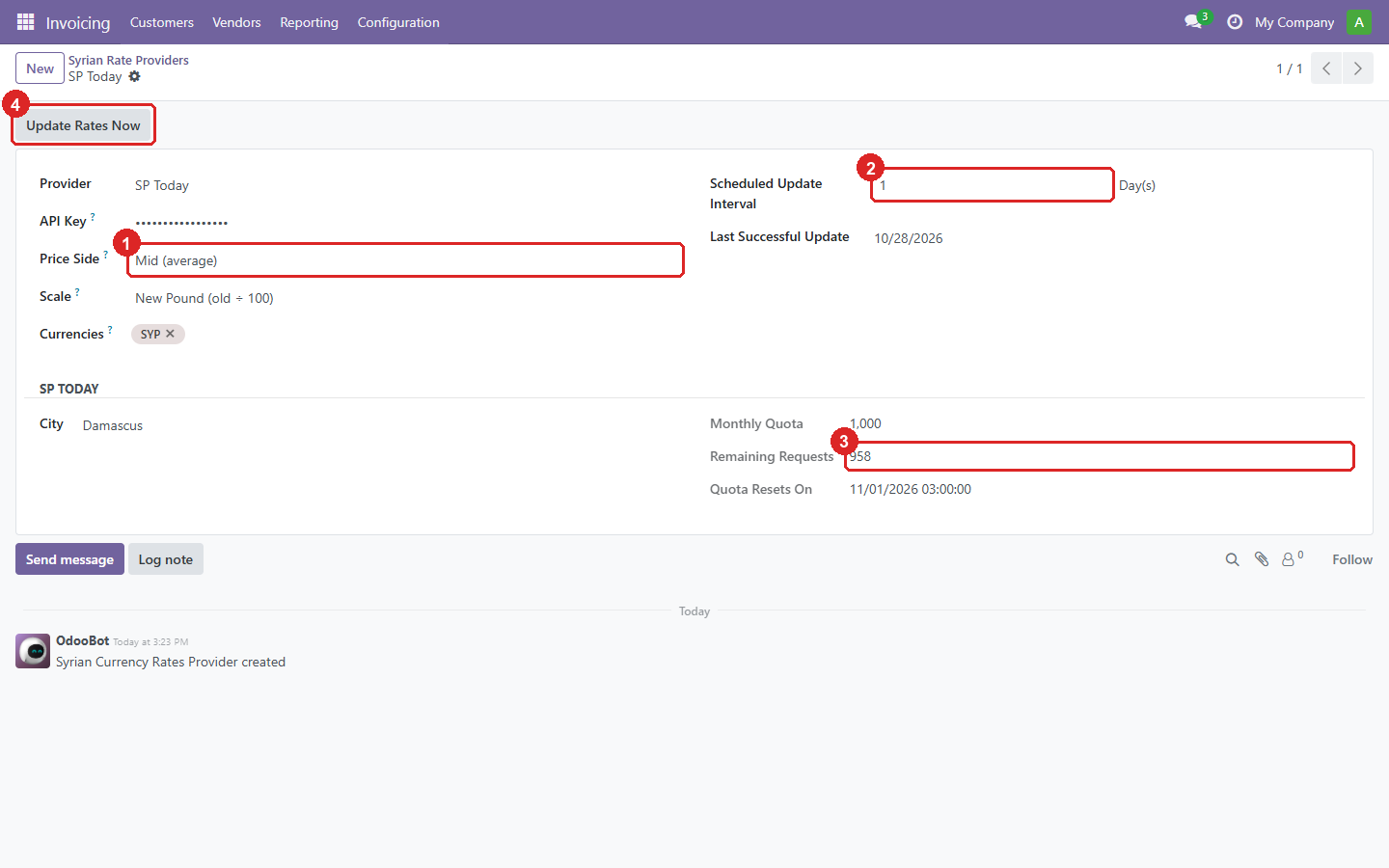
2. One provider: the source, the price and the schedule.
- The price side. Buy and sell are also stored on every rate.
- The update interval, in days, weeks or months.
- The SP Today quota: monthly limit, remaining requests and reset date.
- Update Rates Now fetches today’s rates immediately.
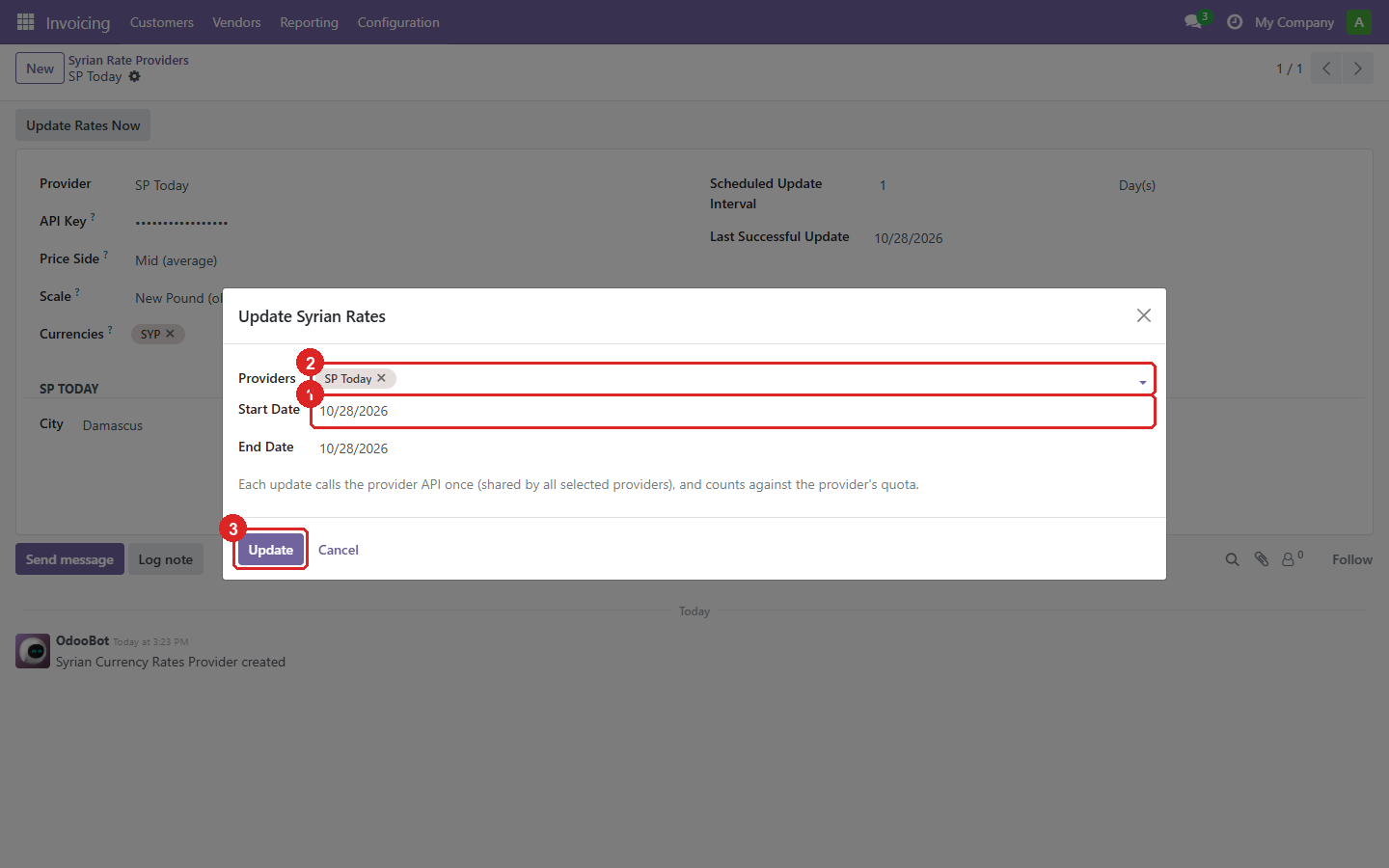
3. The update wizard: update several providers at once.
- The dates. SP Today only serves today’s rates, so past dates can’t be filled in; they matter only for providers that offer history.
- The providers to update. One API call serves all of them.
- Update fetches and stores the rates.
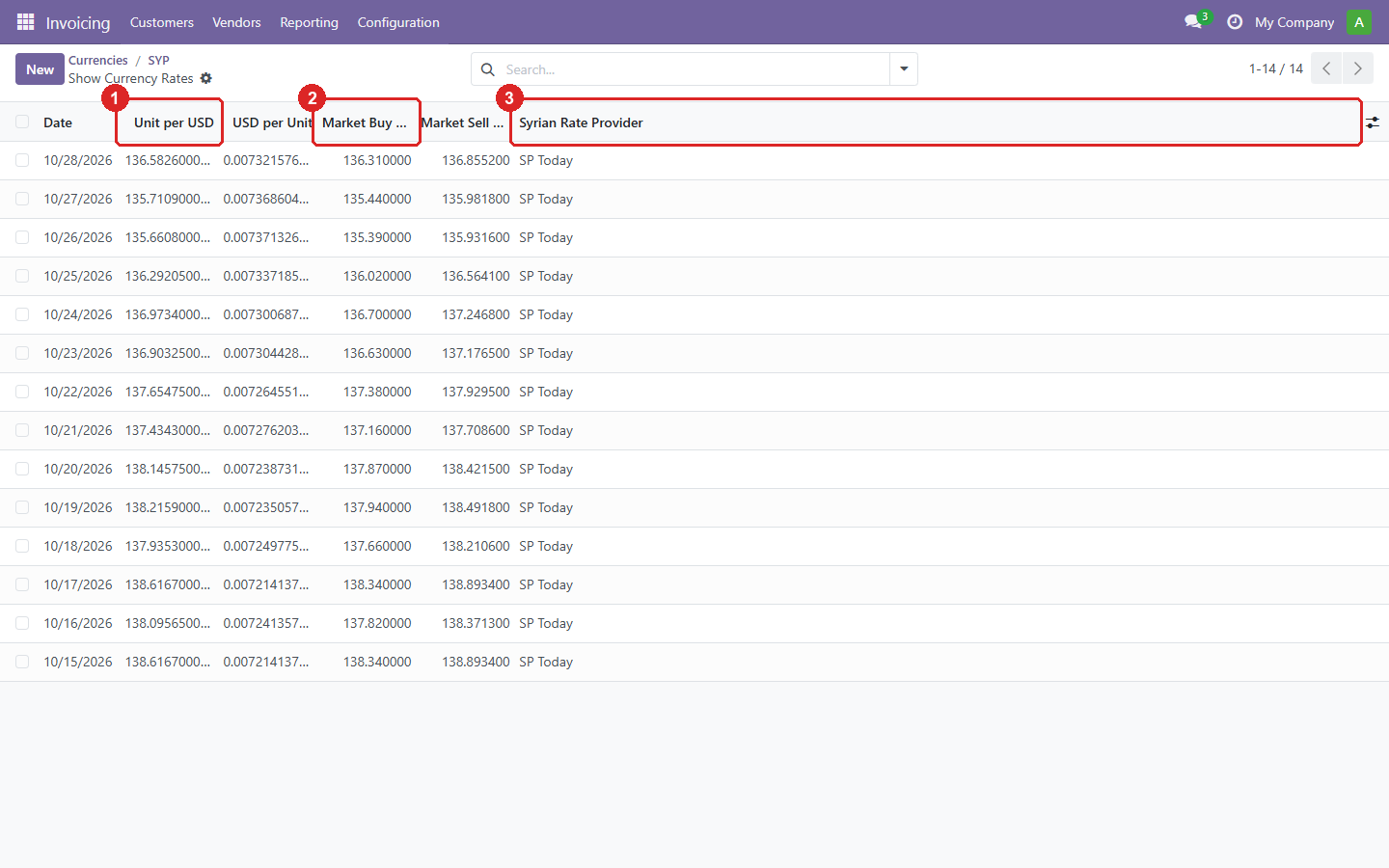
4. The SYP rates the module stored, one per day, with the module’s own columns shown.
- Odoo’s rate: Syrian pounds per unit of the company currency.
- The market buy and sell rates behind it.
- The provider that set the rate. A rate you edit by hand is no longer linked to it.
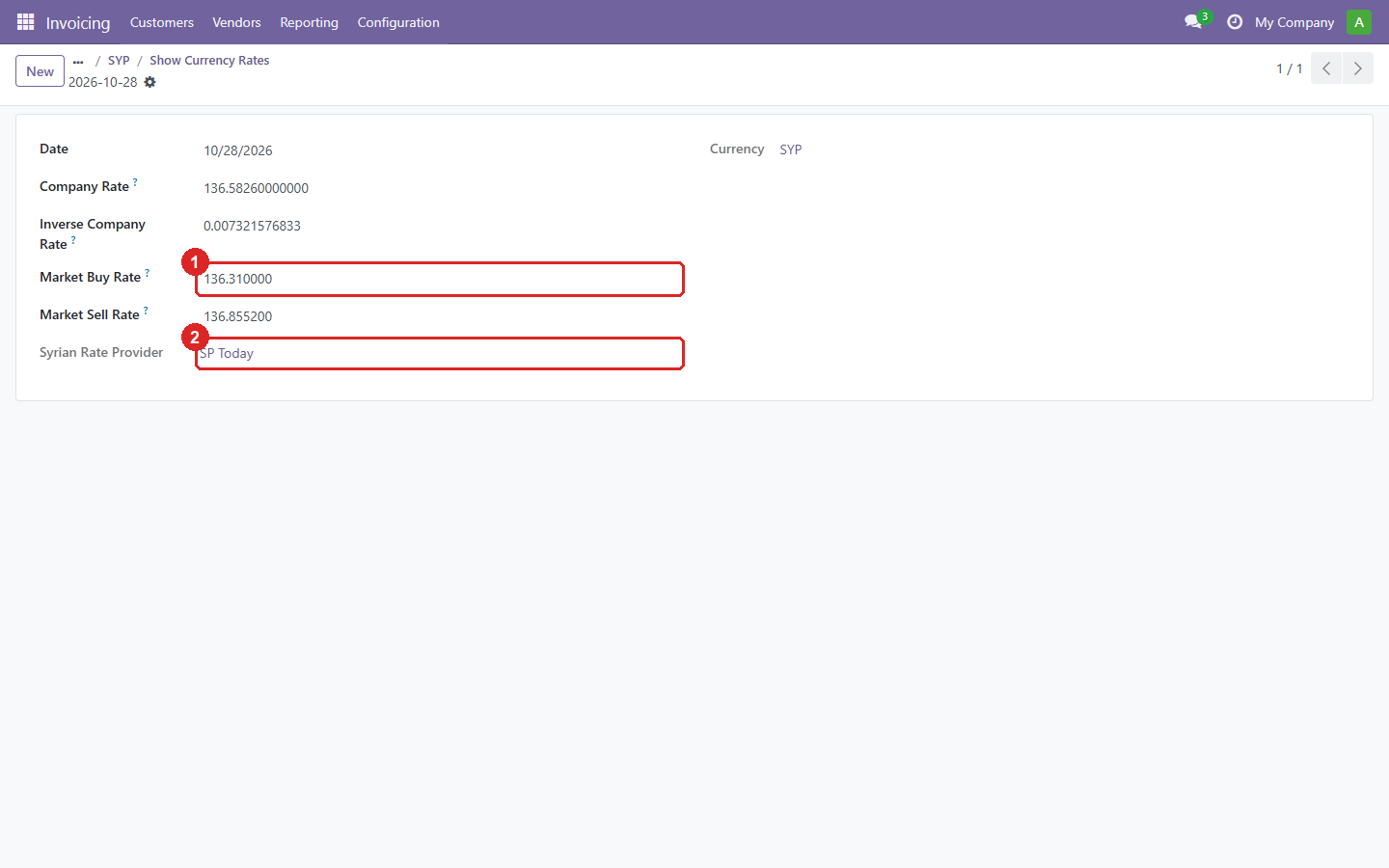
5. One rate, with the market buy/sell values and its provider.
- Market buy (and below it, sell) rate, in the chosen scale.
- The provider that fetched it.
Installation
Download the zip for your Odoo version above, or clone its branch. Add the folder to
addons_path, restart Odoo, update the apps list, and install SPT. Then create a provider
under Invoicing → Configuration → Accounting → Syrian Rate Providers with your SP Today API key. Full
documentation is in the repository README.