An Odoo module that imports Trello boards into Odoo Projects through the Trello REST API. Lists become stages, cards become tasks, and comments, checklists and attachments come along. You decide, board by board and list by list, where everything lands, so nothing is duplicated.
Source: github.com/yakhras/Odoo-Trello · License: AGPL-3 · Odoo: 20.0, 19.0, 18.0
Features
- Each board is either linked to an existing project or creates a new one, and nothing syncs until you confirm. A project can’t be linked to two boards, and no second project is created with the same name
- Each list is merged into an existing stage or creates a new one. A list added in Trello later waits as Unmapped, and its cards are skipped until you map it
- Cards become tasks: description, checklists, deadline, labels as tags, and members as assignees
- A label such as Urgent stars the task. A card whose due date is marked complete, or that sits in a Done list, becomes a Done task. An archived card archives its task
- Comments become notes in the task’s chatter. Uploaded images, audio and documents are copied into Odoo; link attachments and very large files stay as links
- Trello Inbox: by default a sync only lists new, changed and archived cards. You apply or ignore each one, and see exactly which fields changed, so nothing reaches your tasks unseen. It can be turned off per board
- Your Odoo edits are kept: rename a task or move it to another project, and it stays linked to its card. A sync only overwrites what changed in Trello since the last sync
- Nothing is ever deleted, and the sync polls Trello every 15 minutes, so it also works on an Odoo server the internet can’t reach
- Covered by 48 automated tests, run by GitHub Actions on every push and before every release
The sync runs one way, from Trello to Odoo.
Download and screenshots
One card per Odoo version. Each one has its own download, tested on that version, and its own screenshots. The screenshots use generated demo data; the numbers on them match the notes below each one.
Odoo 20.0 Download .zip
- Download
- trello-20.0.1.3.0.zip
· 423 KB
· SHA-256
87b3b8254240… - Install
- Unzip into a folder on your
addons_path, restart Odoo, update the apps list and install. Or:git clone -b 20.0 https://github.com/yakhras/Odoo-Trello.git - Changes
- Release notes for 20.0.1.3.0
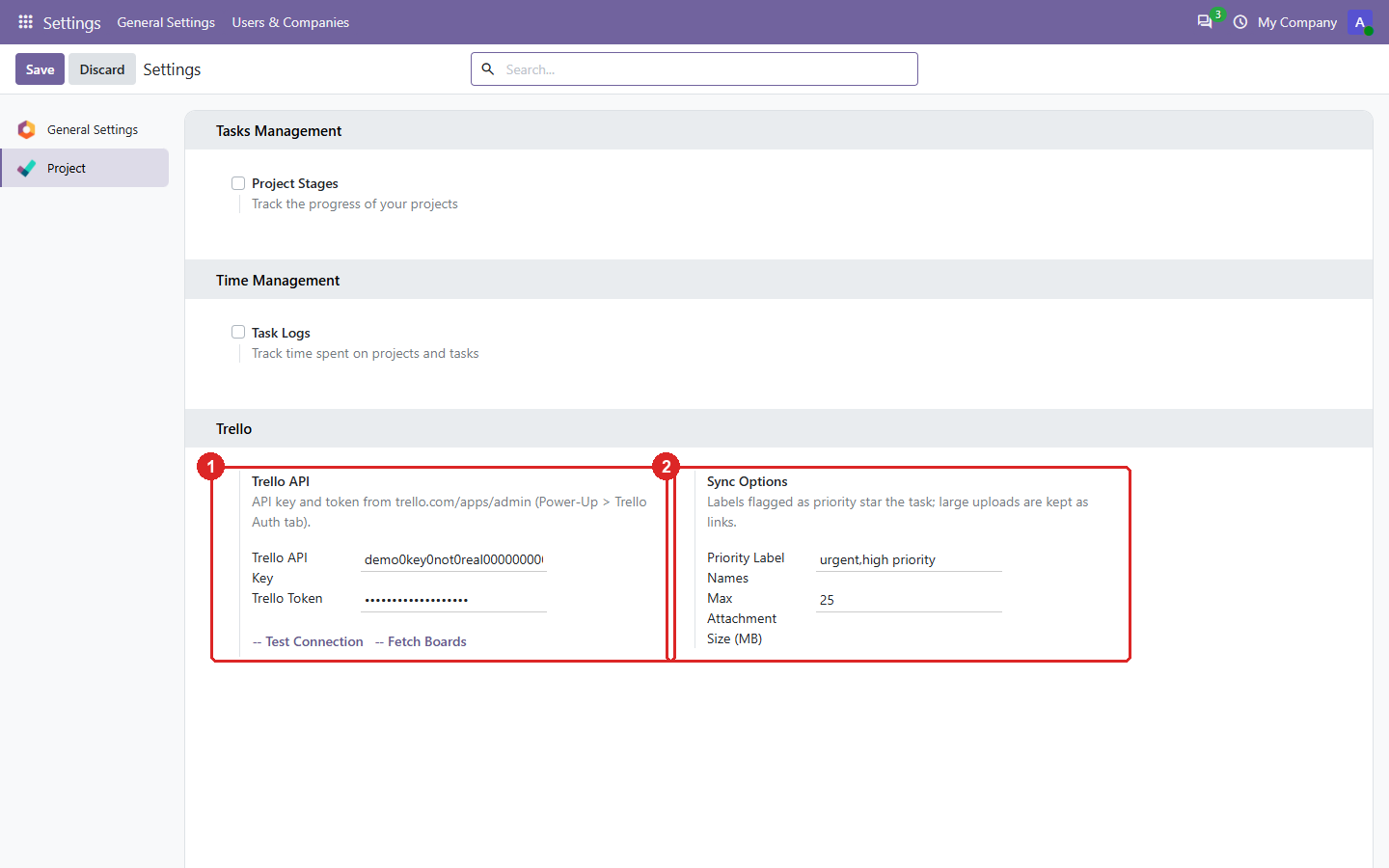
1. Settings: the Trello connection and the sync options.
- The API key and a read-only token. Test Connection checks them; Fetch Boards lists your Trello boards.
- Which labels star a task (e.g. Urgent), and the size above which an upload stays a link to Trello.
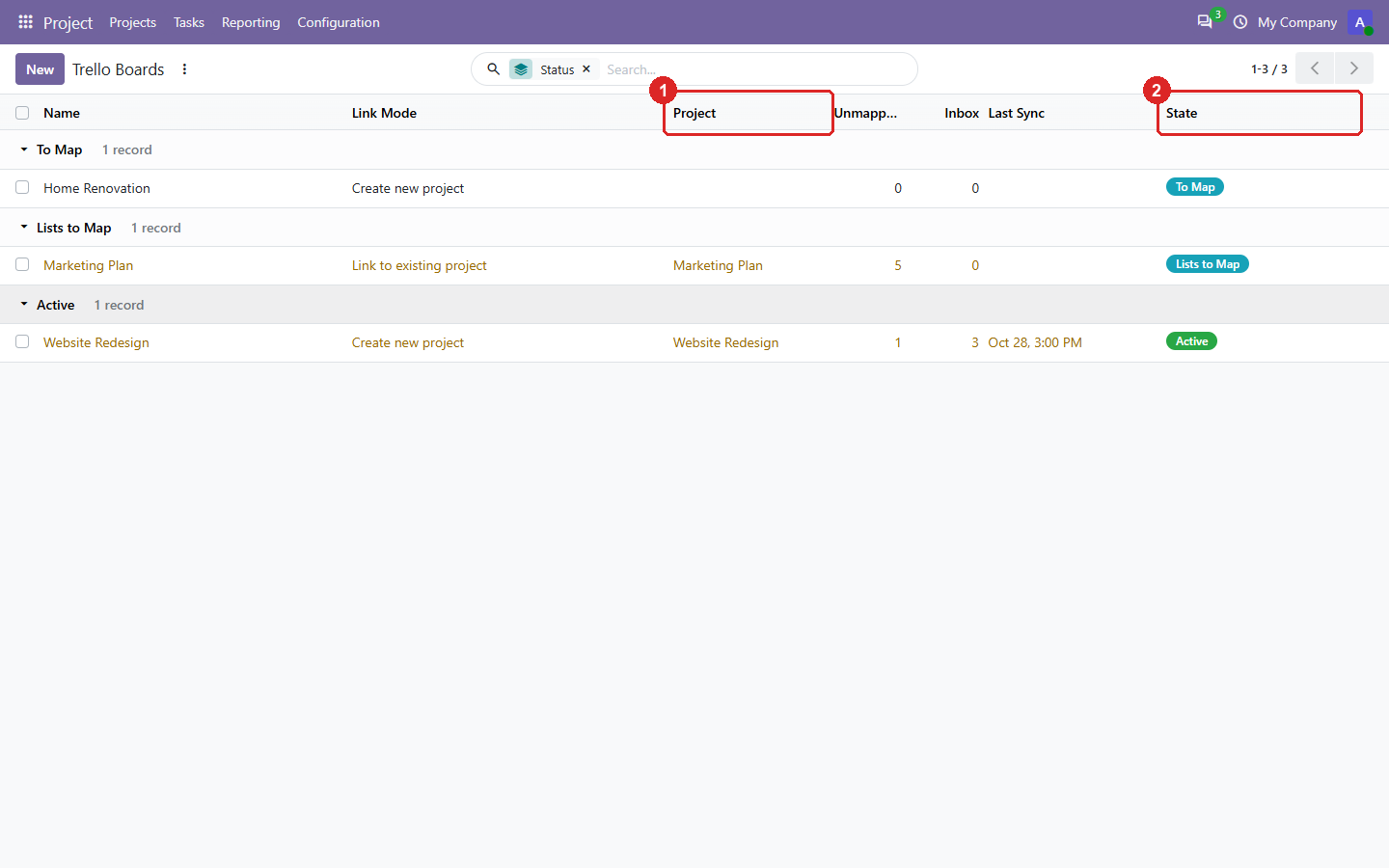
2. Boards: every Trello board, grouped by how far it is set up.
- The Odoo project each board is linked to.
- The status: lists to map, active, or paused.
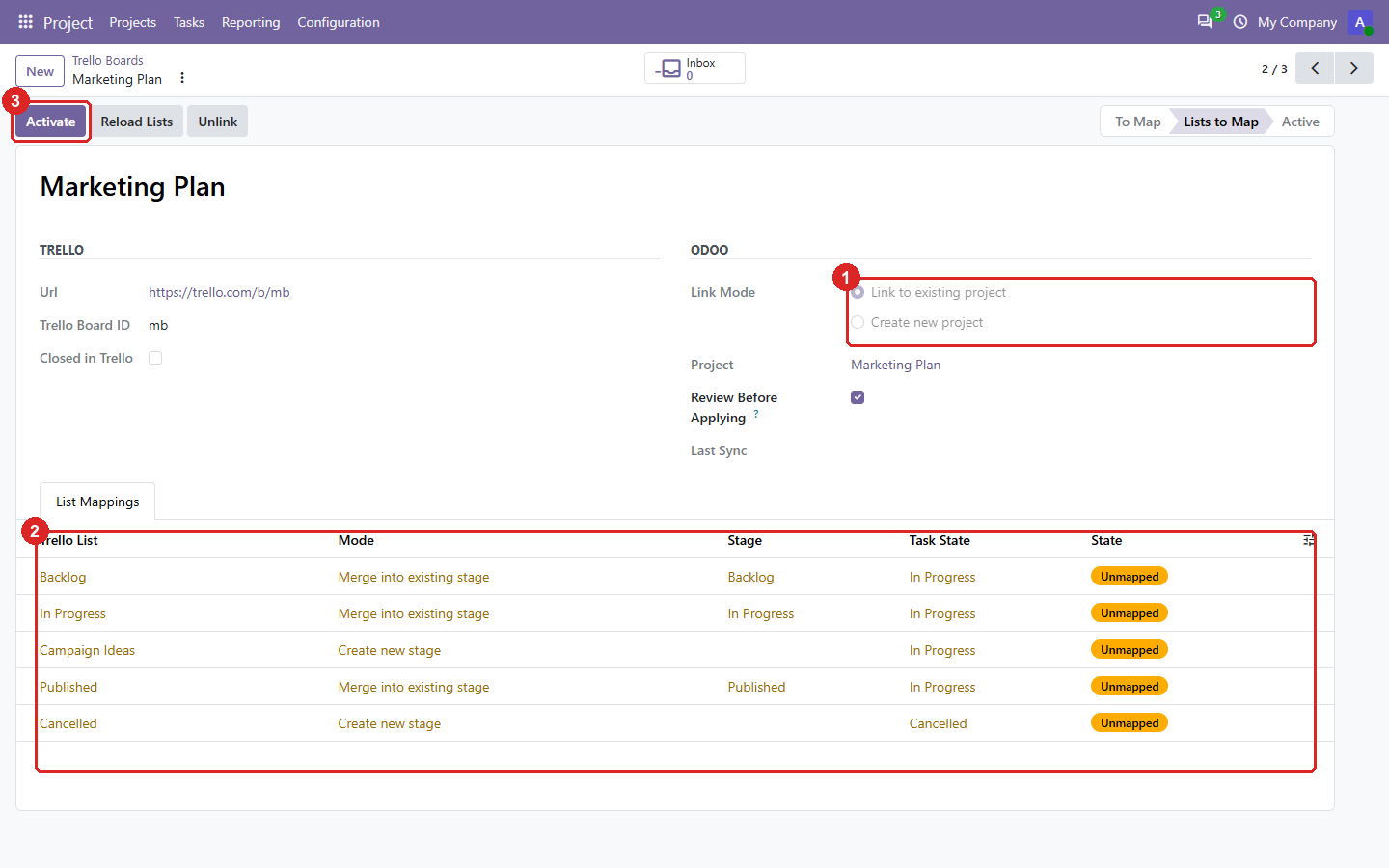
3. Setting up a board: link it to a project, then map each Trello list to a stage.
- Link to an existing project, or create a new one. A project can only be linked to one board.
- Each list is merged into an existing stage of the project or creates a new one.
- Activate starts the sync.
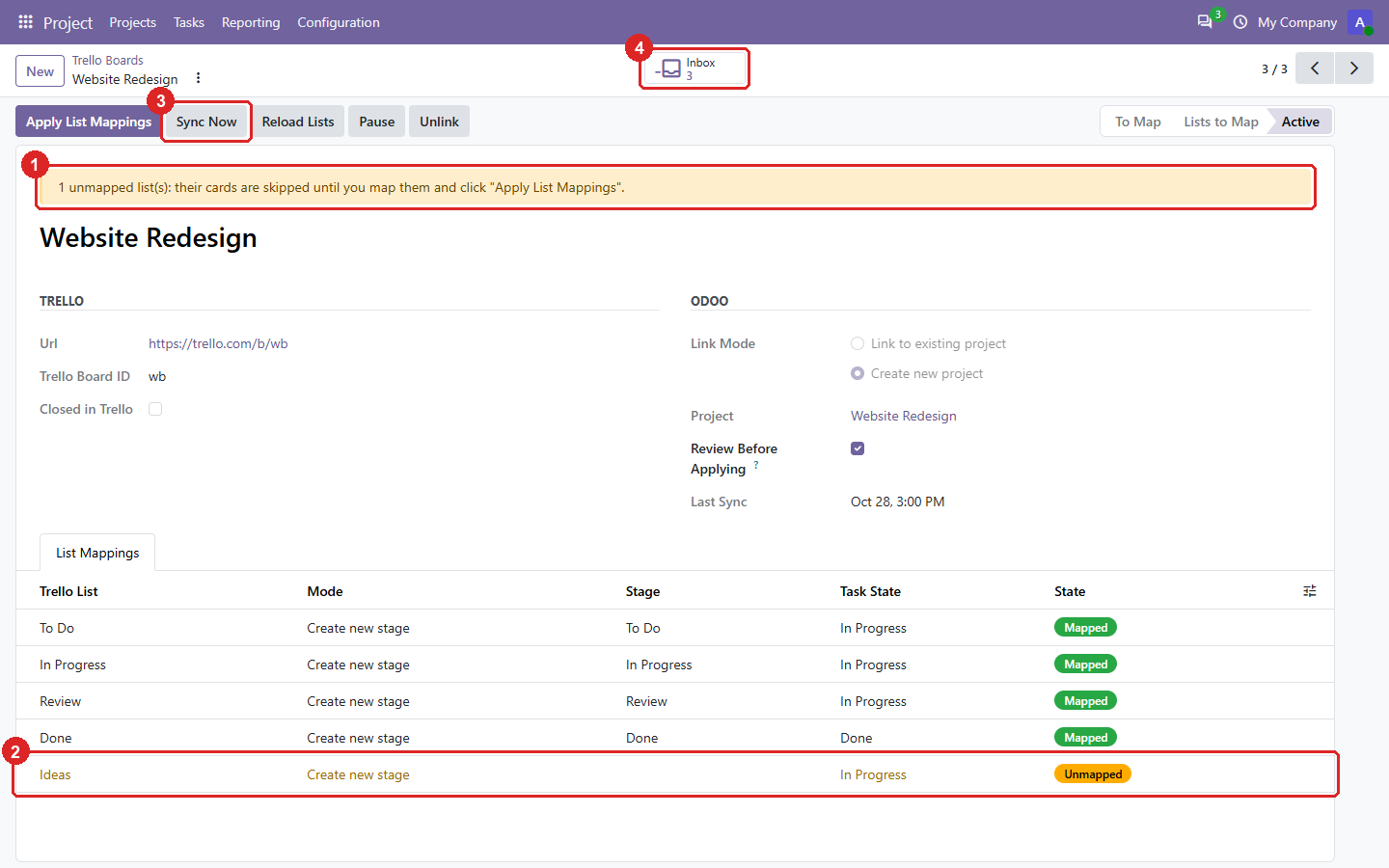
4. An active board, with a list added in Trello later.
- The new list waits as Unmapped: its cards are skipped until you map it.
- The unmapped list, highlighted in the mapping table.
- Sync Now runs the sync without waiting for the 15-minute schedule.
- The board’s Inbox: what the last syncs fetched and is waiting for your review.
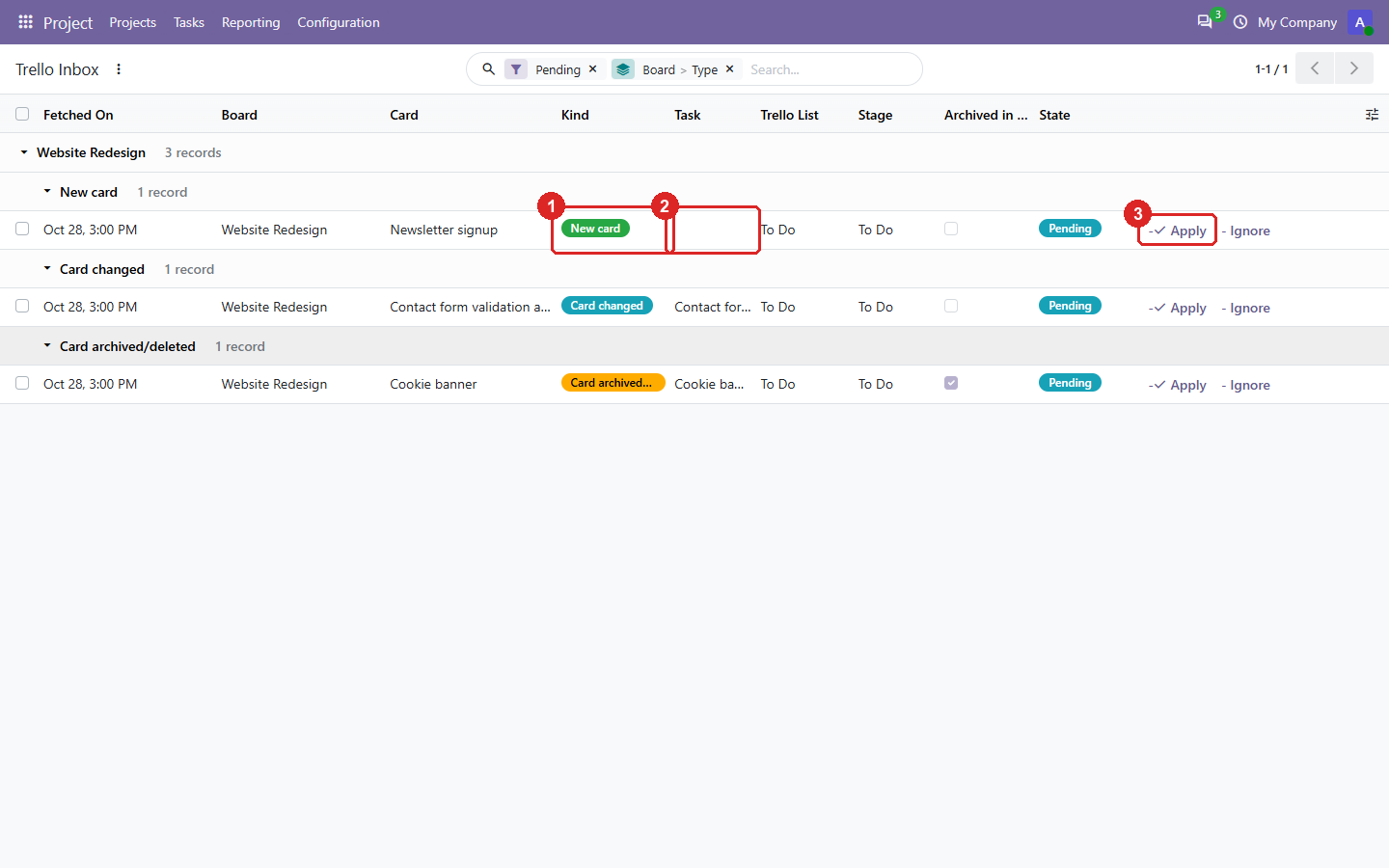
5. The Trello Inbox: new, changed and archived cards wait here until you decide.
- What happened in Trello: a new card, a changed card, or an archived/deleted one.
- The task it concerns. For a new card you can pick an existing task to link instead of creating one.
- Apply writes it to the task; Ignore keeps the task as it is.
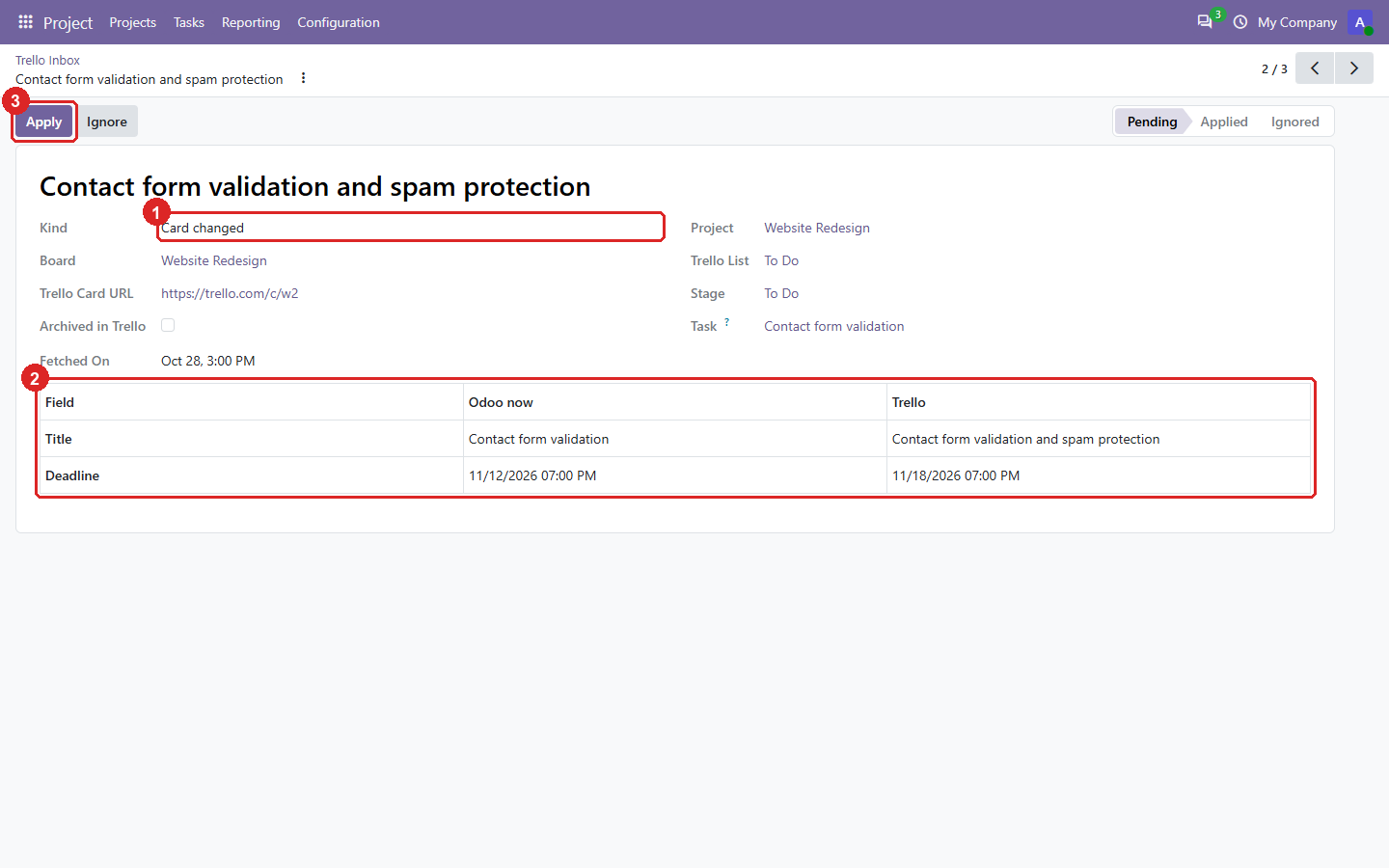
6. One changed card: exactly which fields changed, with the value in Odoo and in Trello.
- The kind of change.
- Each changed field, side by side. Dates are shown in your timezone.
- Apply writes only these fields.
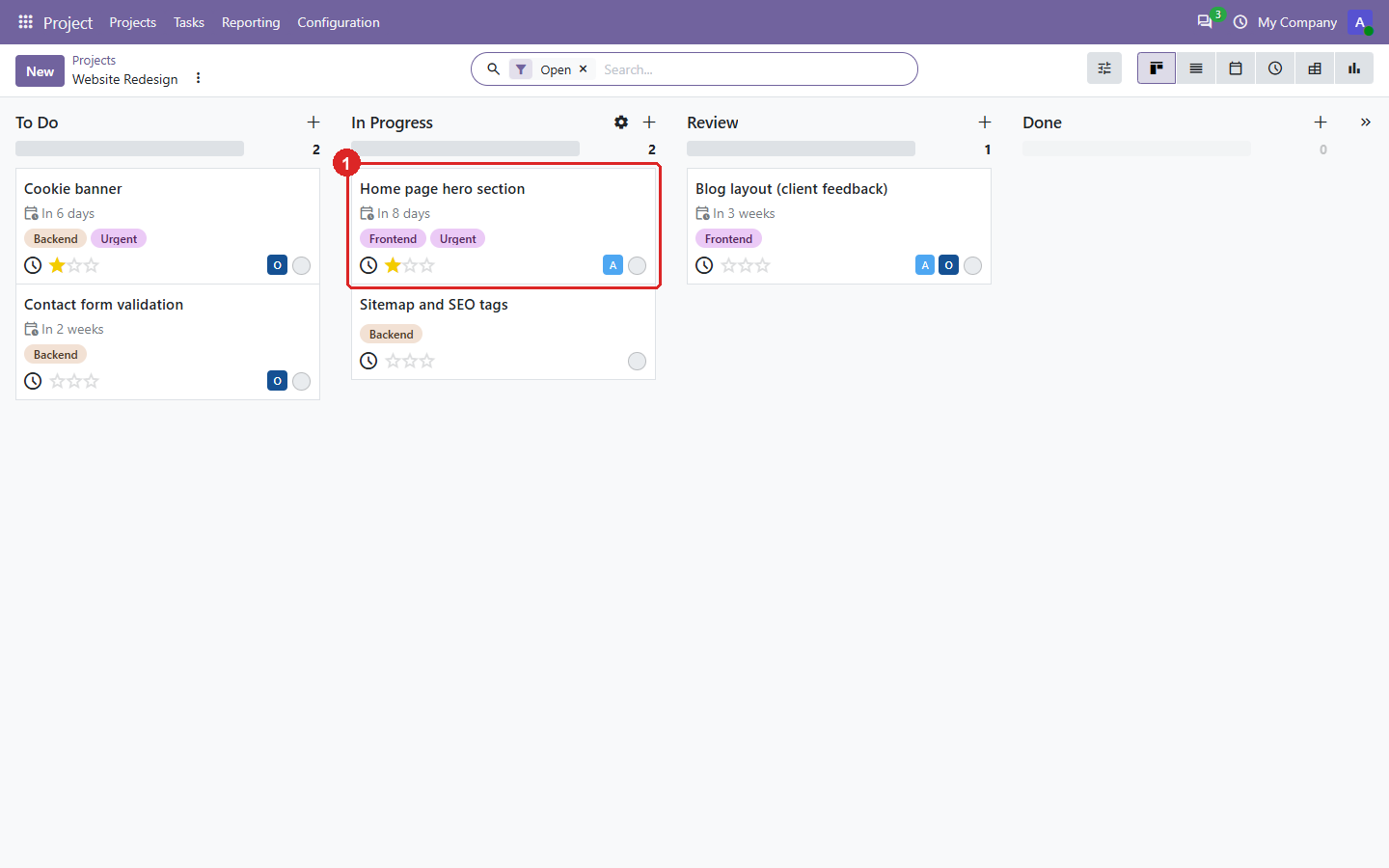
7. The imported tasks: lists became stages, labels became tags, and Urgent gives the star.
- A card in In Progress, with its labels, deadline, assignee and star.
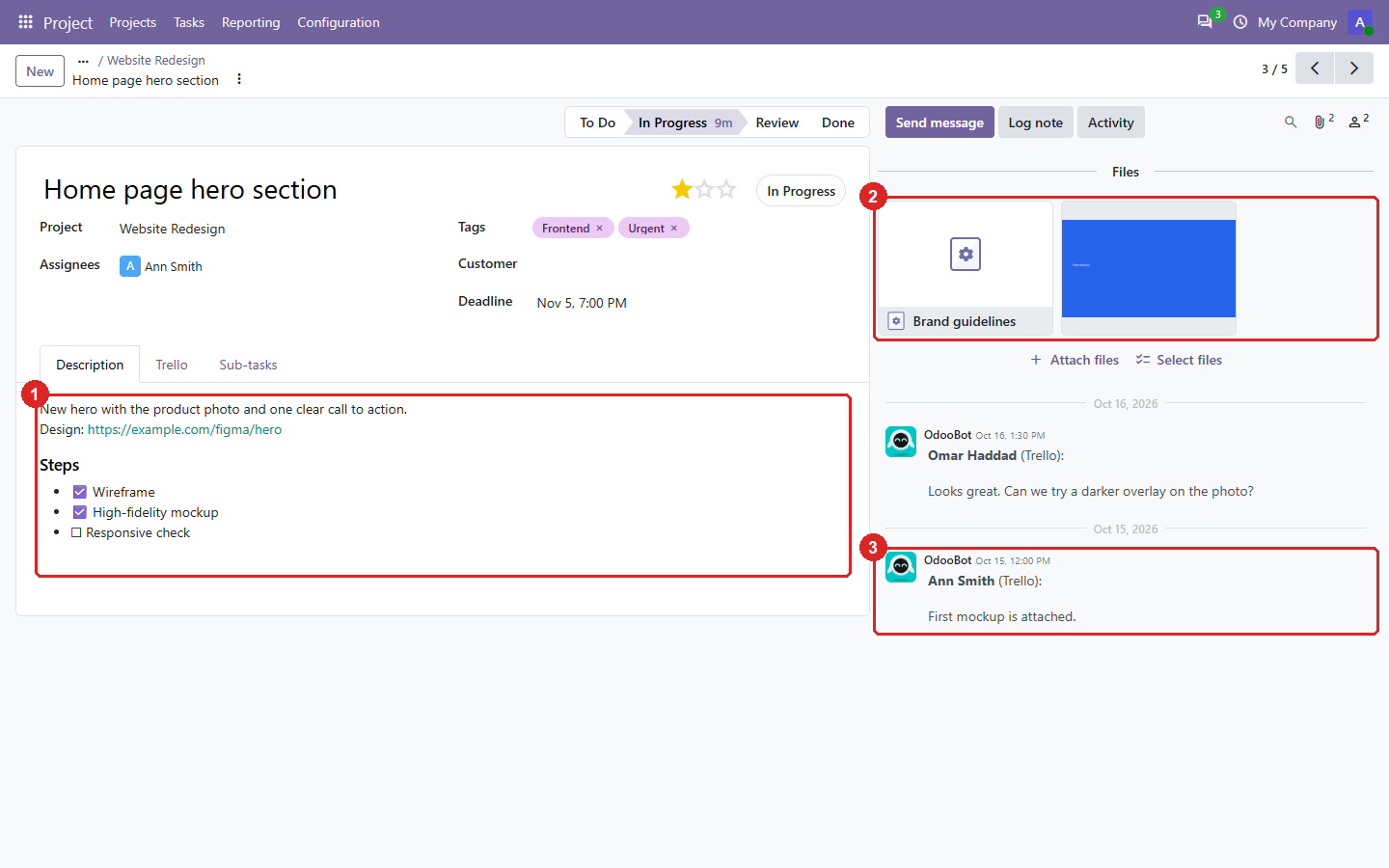
8. One task, with everything the card had.
- The description, with the card’s checklist as check boxes.
- Attachments: the uploaded image is copied into Odoo, the link stays a link.
- The Trello comments, as notes in the chatter, with their author and date.
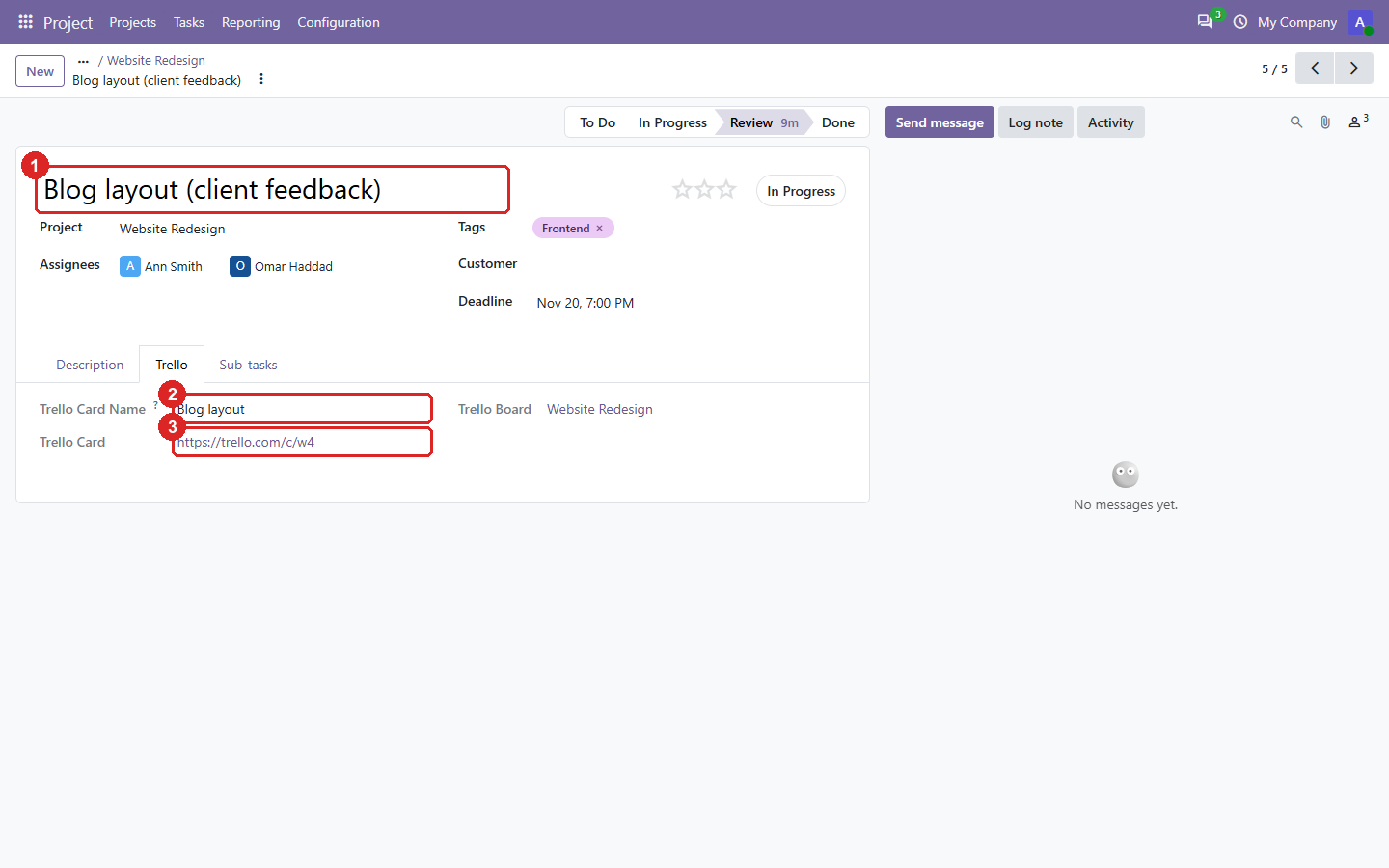
9. The Trello tab of a task renamed in Odoo: it stays linked to its card.
- The task’s name in Odoo.
- The card’s name in Trello.
- The link to the card.
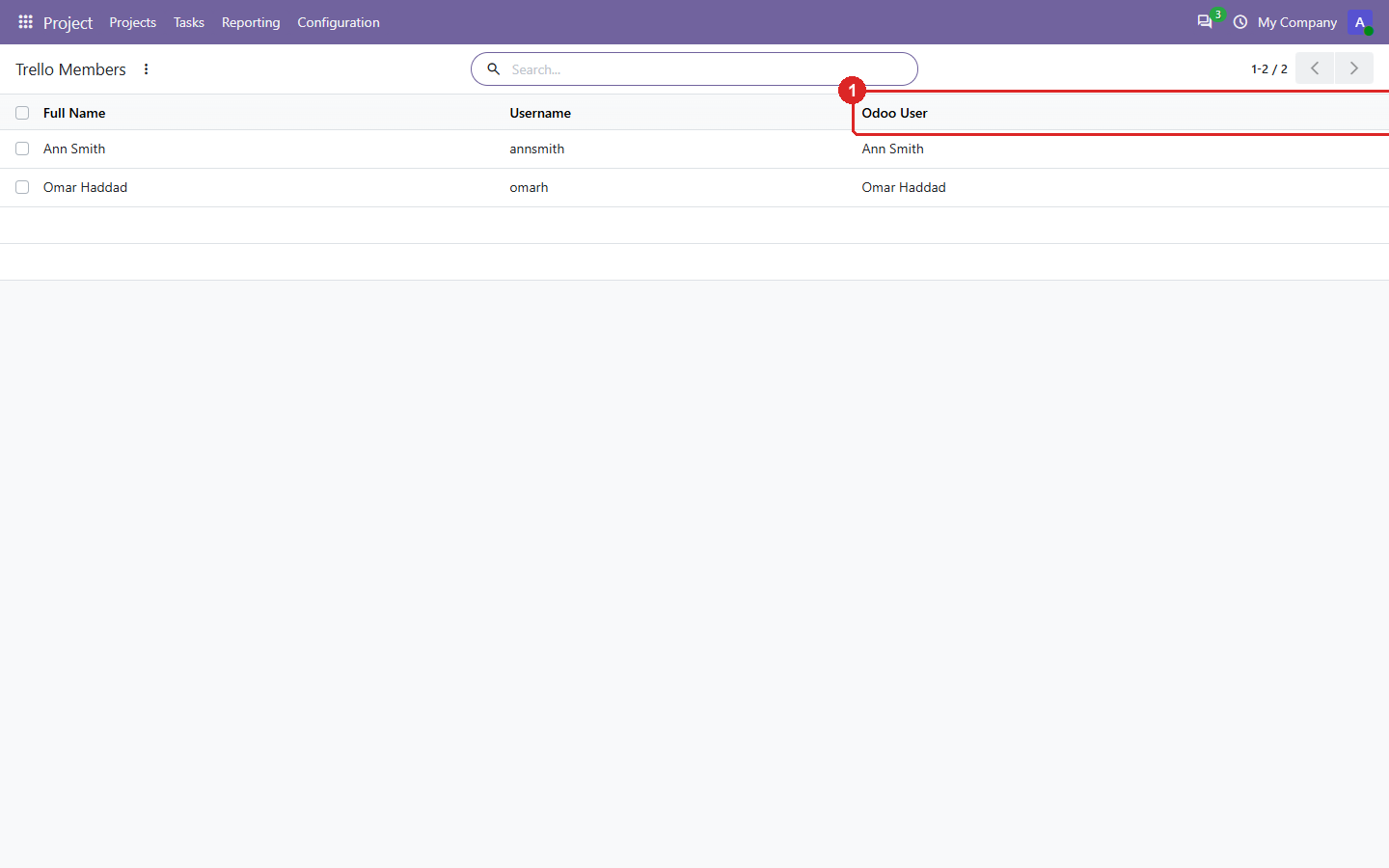
10. Members: link each Trello member to an Odoo user, so tasks get assignees.
- The Odoo user. Members are matched by name automatically when possible.
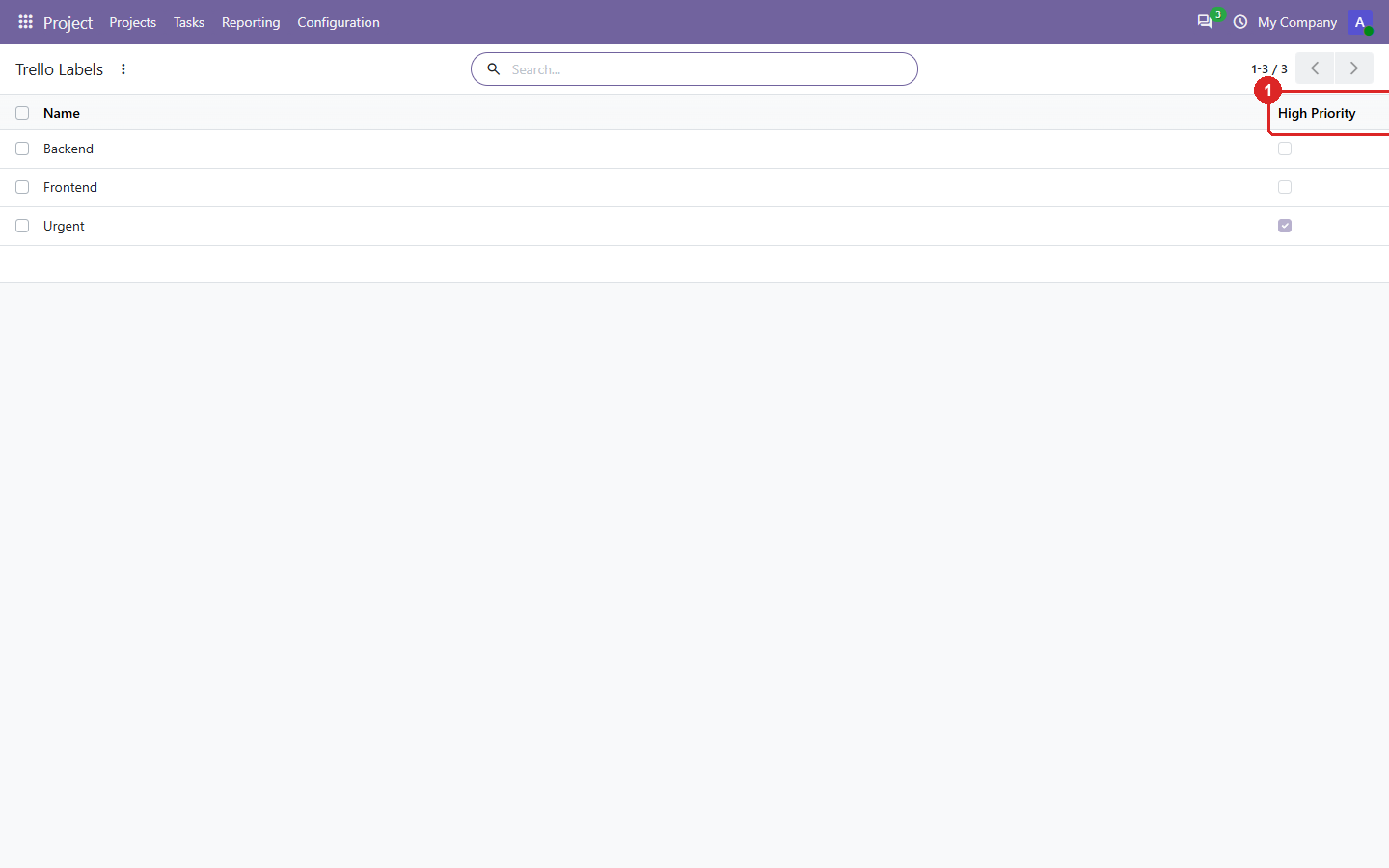
11. Labels: the tags created from Trello labels.
- Whether a label stars the task, from the priority label names in Settings.
Odoo 19.0 Download .zip
- Download
- trello-19.0.1.3.0.zip
· 423 KB
· SHA-256
f395d31992a7… - Install
- Unzip into a folder on your
addons_path, restart Odoo, update the apps list and install. Or:git clone -b 19.0 https://github.com/yakhras/Odoo-Trello.git - Changes
- Release notes for 19.0.1.3.0
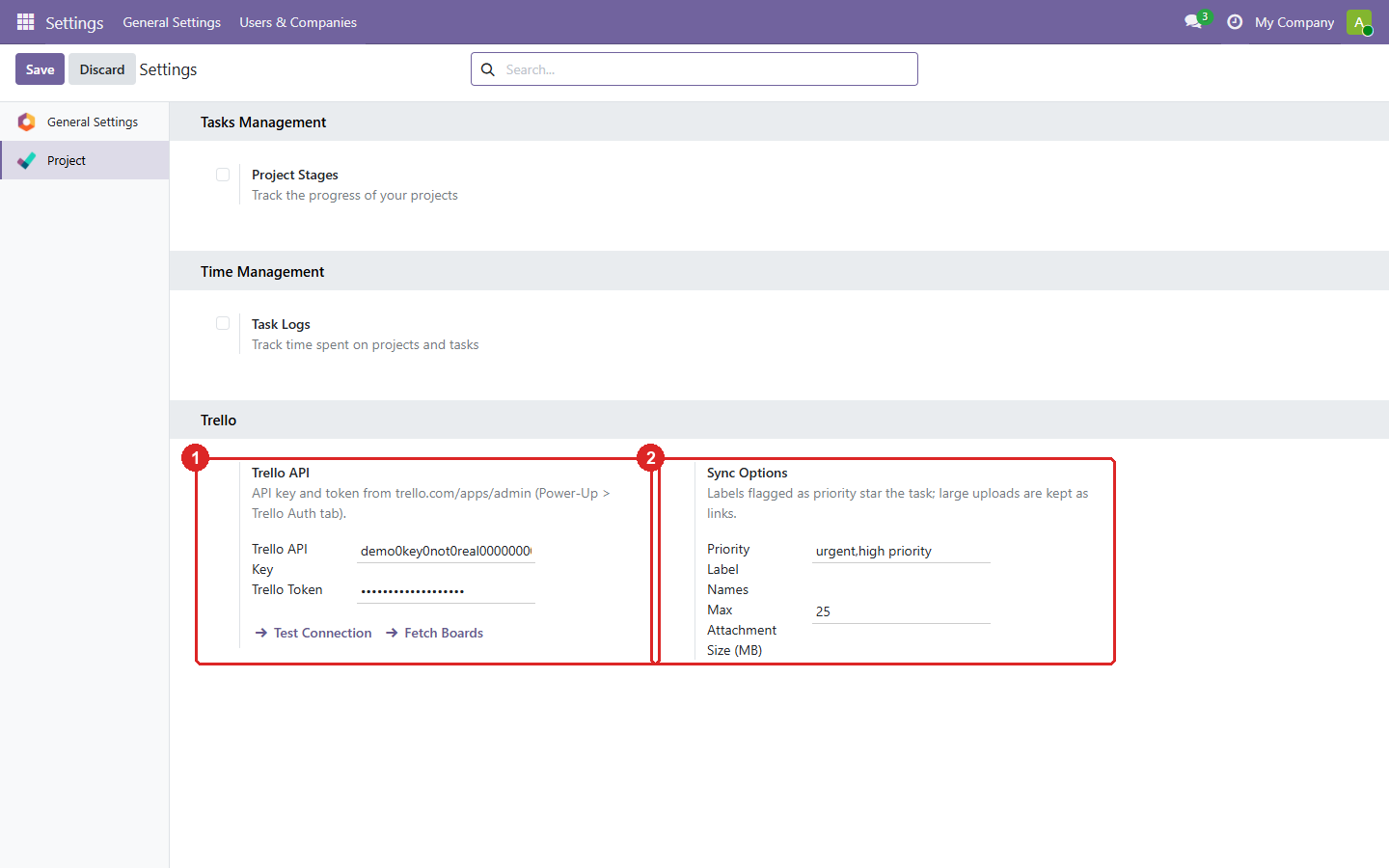
1. Settings: the Trello connection and the sync options.
- The API key and a read-only token. Test Connection checks them; Fetch Boards lists your Trello boards.
- Which labels star a task (e.g. Urgent), and the size above which an upload stays a link to Trello.
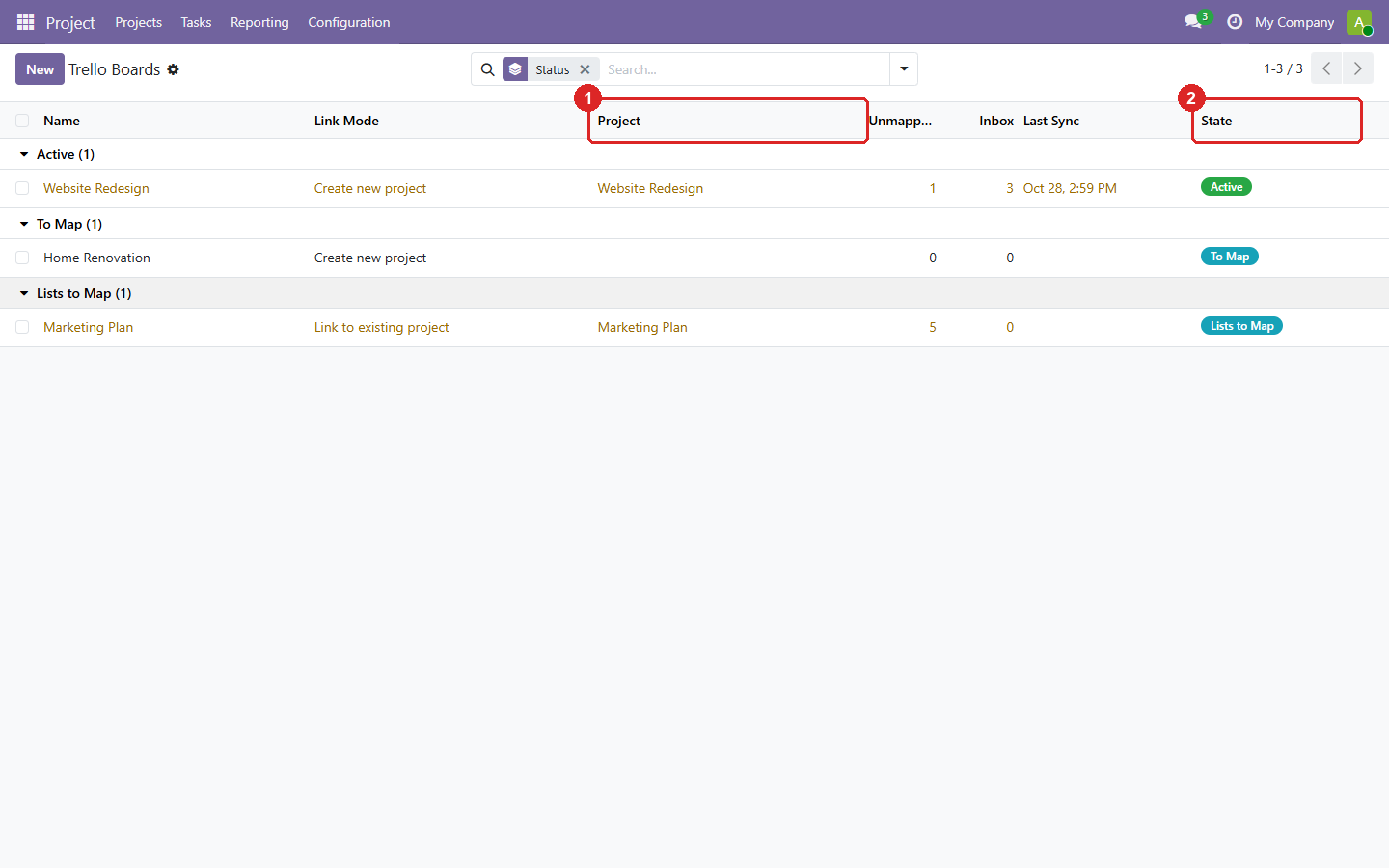
2. Boards: every Trello board, grouped by how far it is set up.
- The Odoo project each board is linked to.
- The status: lists to map, active, or paused.
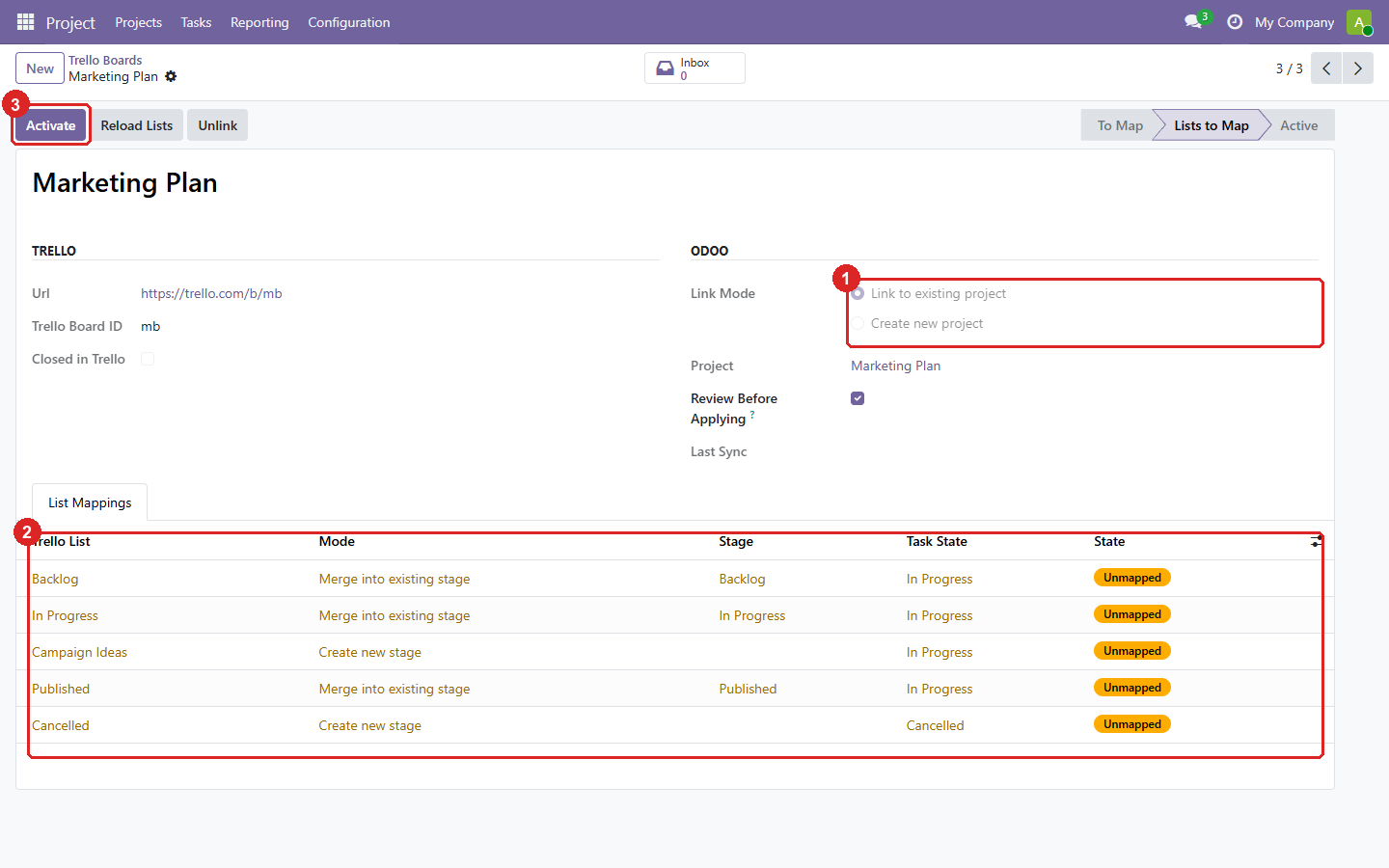
3. Setting up a board: link it to a project, then map each Trello list to a stage.
- Link to an existing project, or create a new one. A project can only be linked to one board.
- Each list is merged into an existing stage of the project or creates a new one.
- Activate starts the sync.
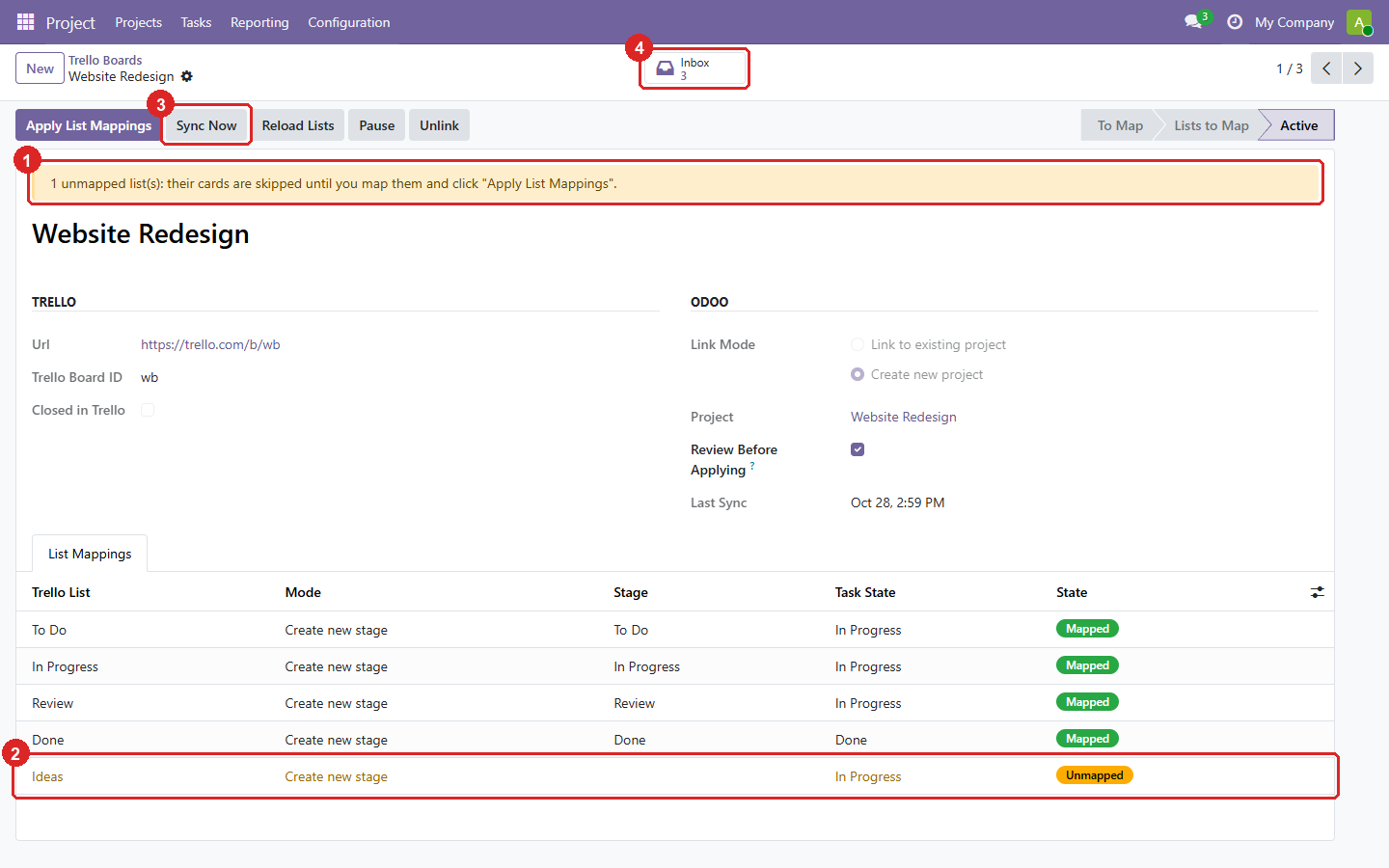
4. An active board, with a list added in Trello later.
- The new list waits as Unmapped: its cards are skipped until you map it.
- The unmapped list, highlighted in the mapping table.
- Sync Now runs the sync without waiting for the 15-minute schedule.
- The board’s Inbox: what the last syncs fetched and is waiting for your review.
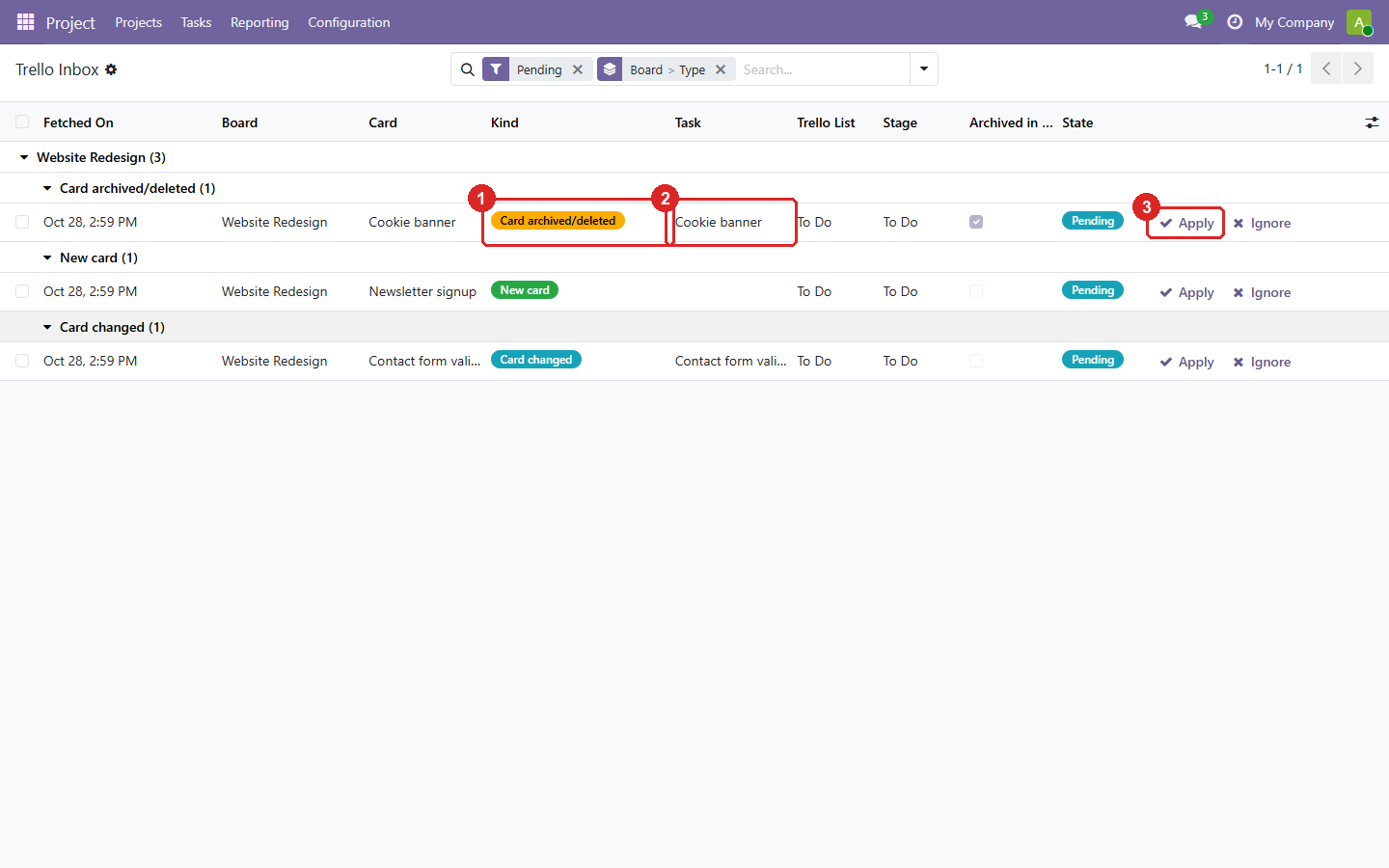
5. The Trello Inbox: new, changed and archived cards wait here until you decide.
- What happened in Trello: a new card, a changed card, or an archived/deleted one.
- The task it concerns. For a new card you can pick an existing task to link instead of creating one.
- Apply writes it to the task; Ignore keeps the task as it is.
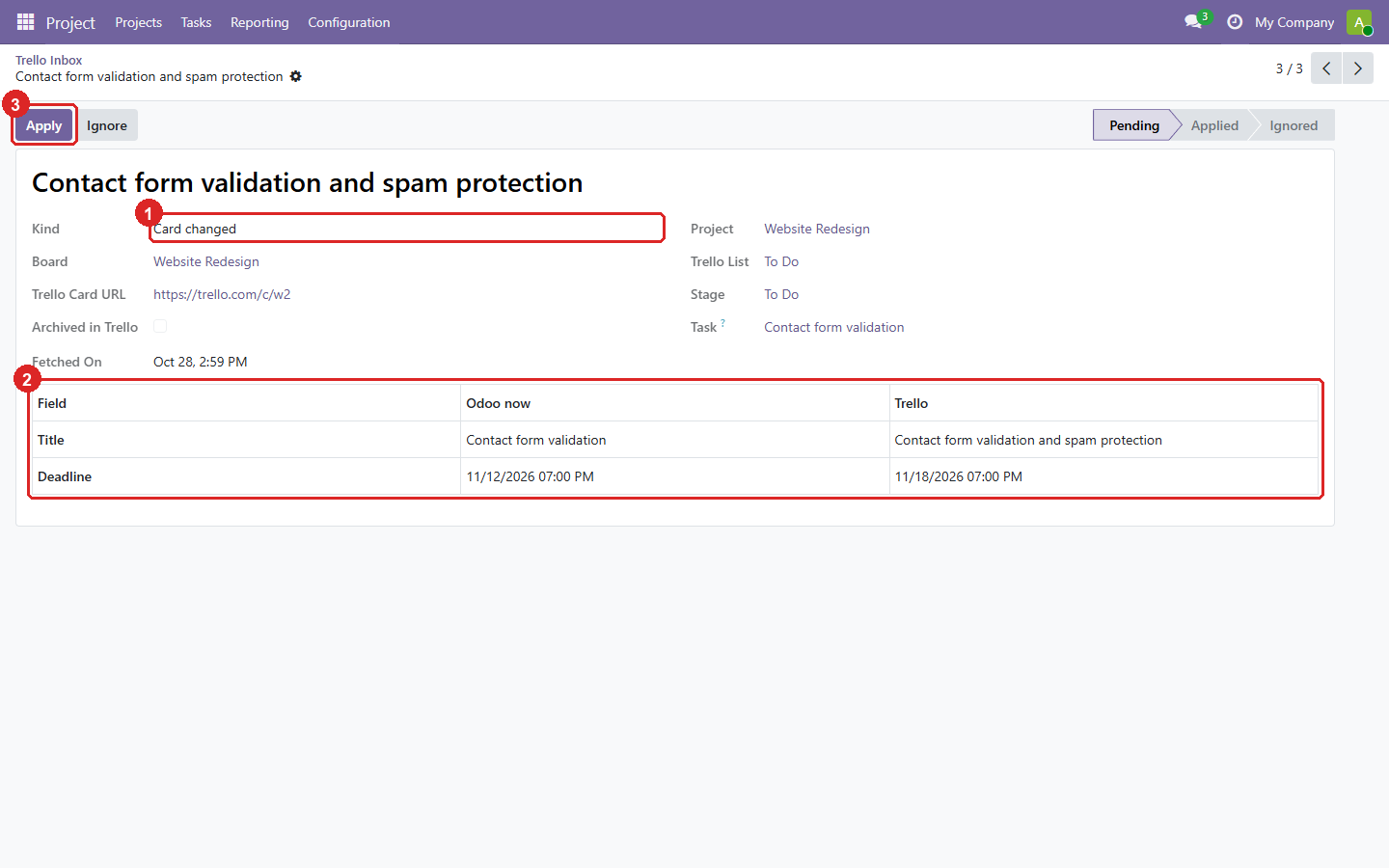
6. One changed card: exactly which fields changed, with the value in Odoo and in Trello.
- The kind of change.
- Each changed field, side by side. Dates are shown in your timezone.
- Apply writes only these fields.
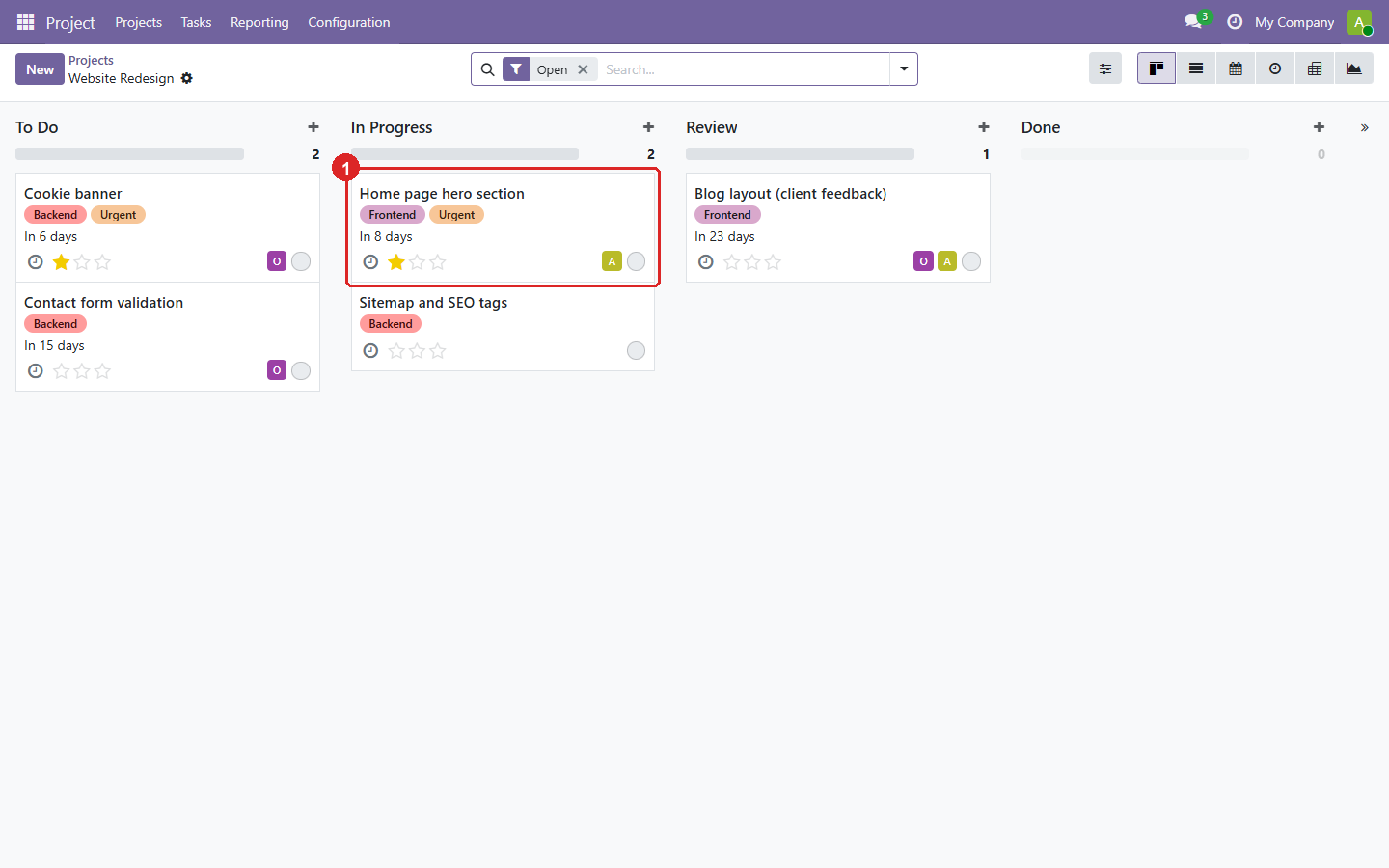
7. The imported tasks: lists became stages, labels became tags, and Urgent gives the star.
- A card in In Progress, with its labels, deadline, assignee and star.
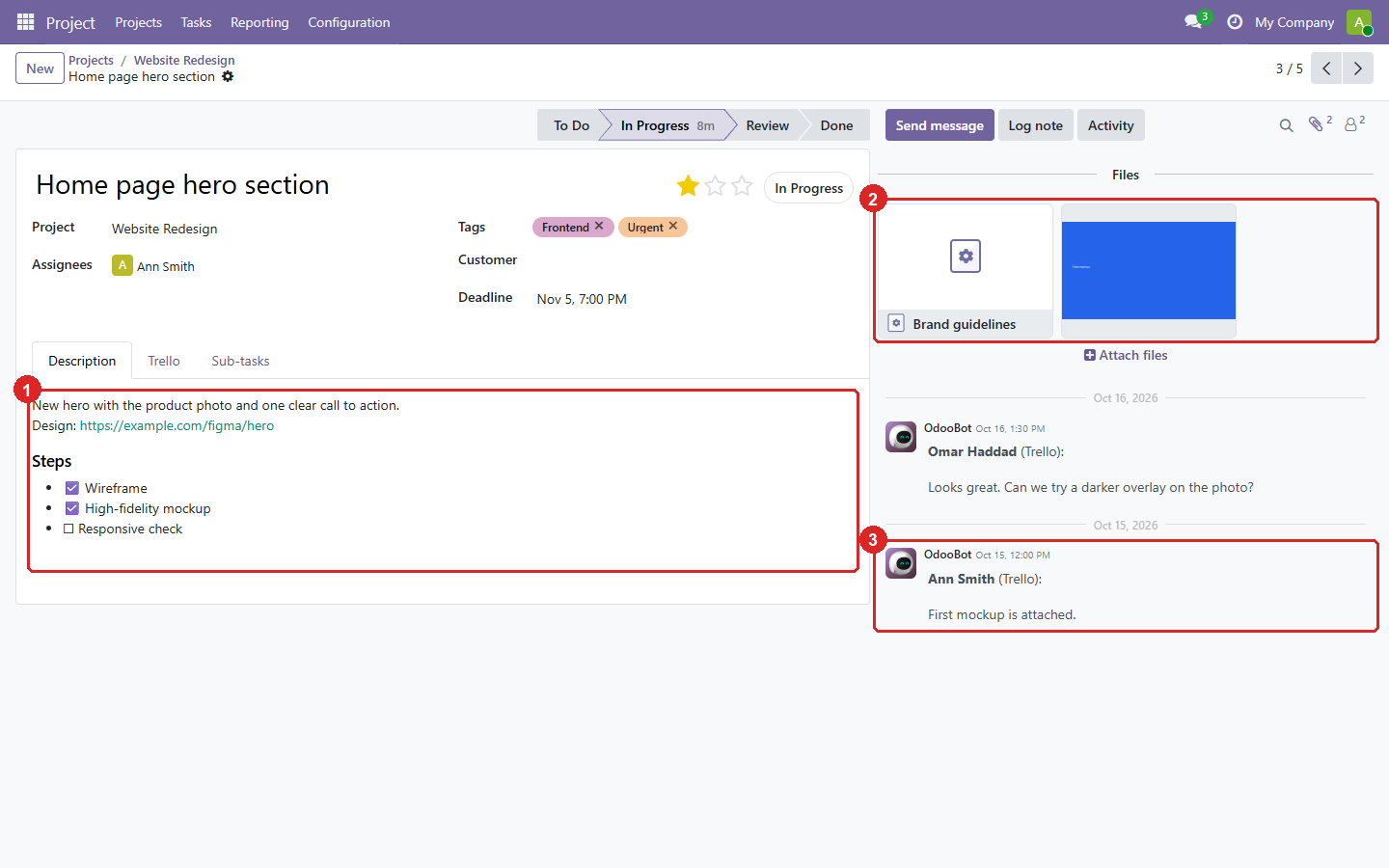
8. One task, with everything the card had.
- The description, with the card’s checklist as check boxes.
- Attachments: the uploaded image is copied into Odoo, the link stays a link.
- The Trello comments, as notes in the chatter, with their author and date.
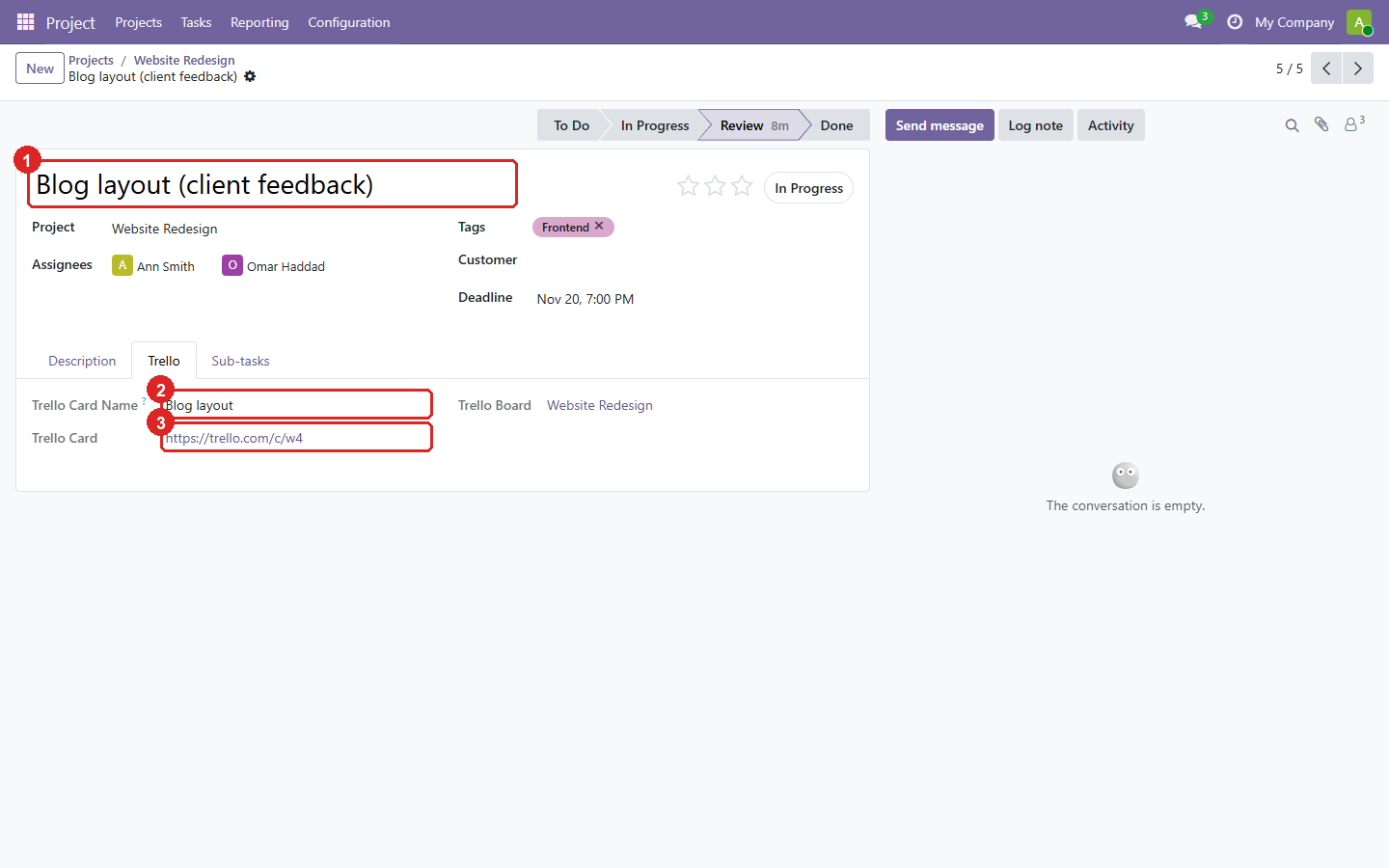
9. The Trello tab of a task renamed in Odoo: it stays linked to its card.
- The task’s name in Odoo.
- The card’s name in Trello.
- The link to the card.
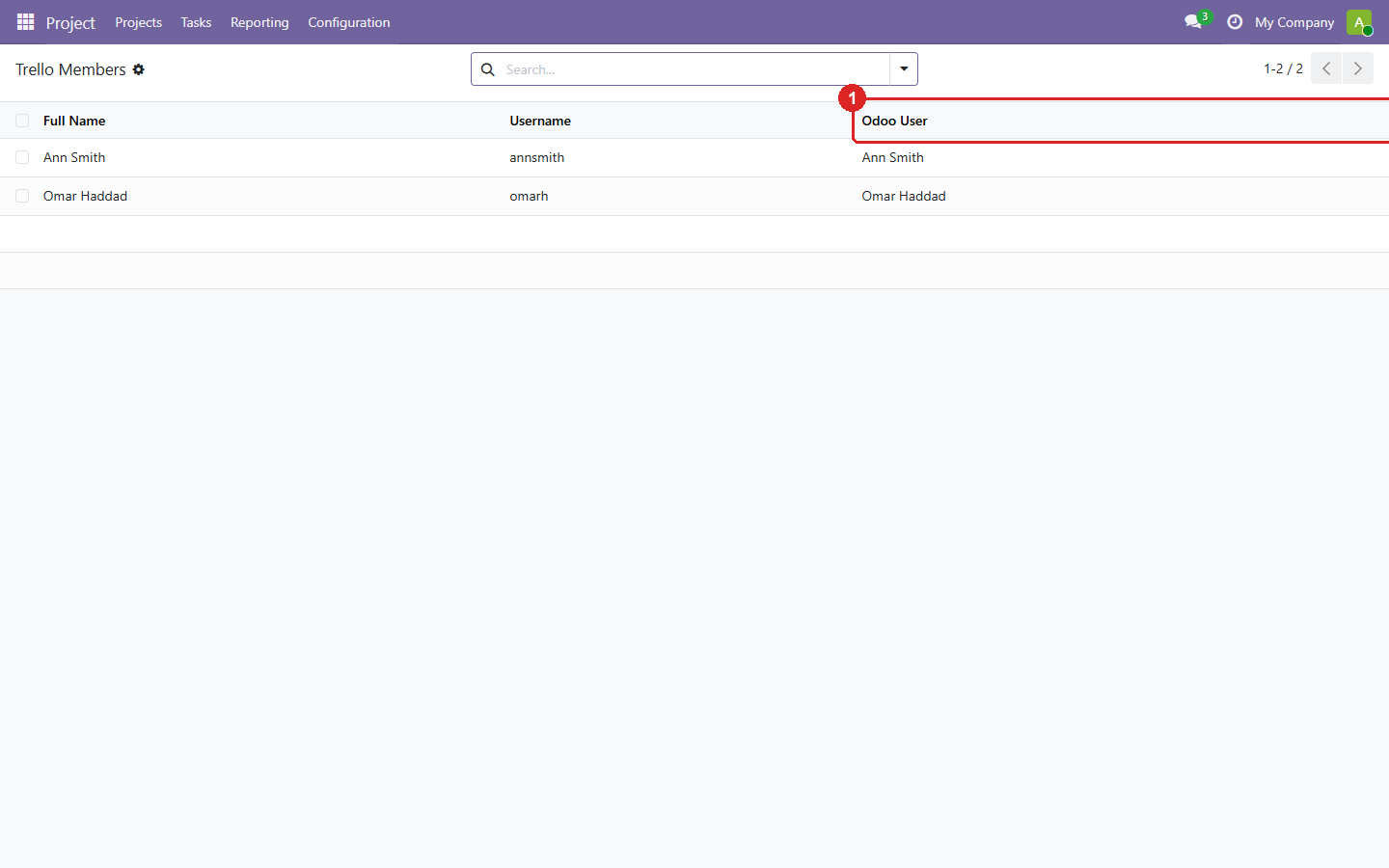
10. Members: link each Trello member to an Odoo user, so tasks get assignees.
- The Odoo user. Members are matched by name automatically when possible.
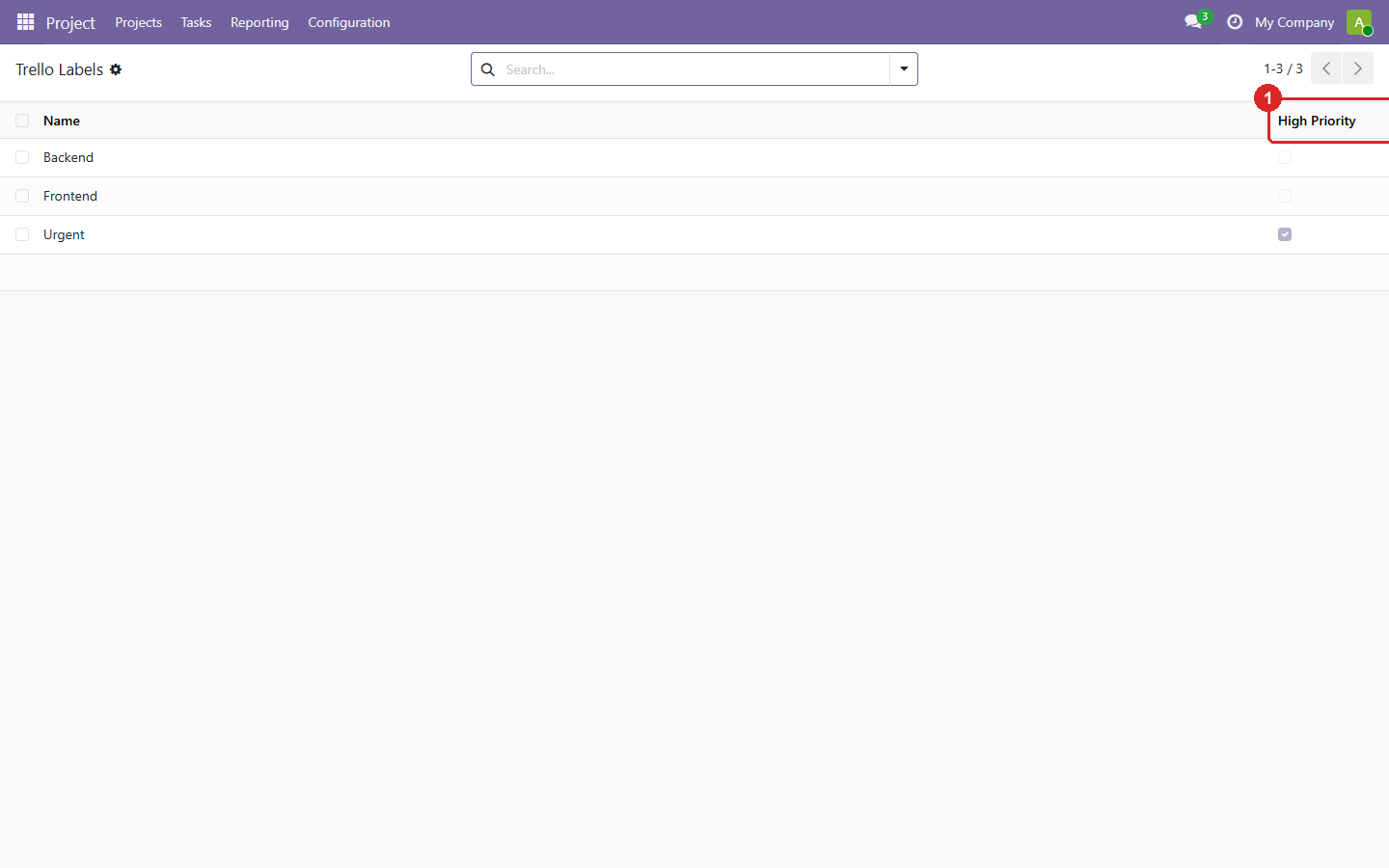
11. Labels: the tags created from Trello labels.
- Whether a label stars the task, from the priority label names in Settings.
Odoo 18.0 Download .zip
- Download
- trello-18.0.1.3.0.zip
· 423 KB
· SHA-256
e278abc26e54… - Install
- Unzip into a folder on your
addons_path, restart Odoo, update the apps list and install. Or:git clone -b 18.0 https://github.com/yakhras/Odoo-Trello.git - Changes
- Release notes for 18.0.1.3.0
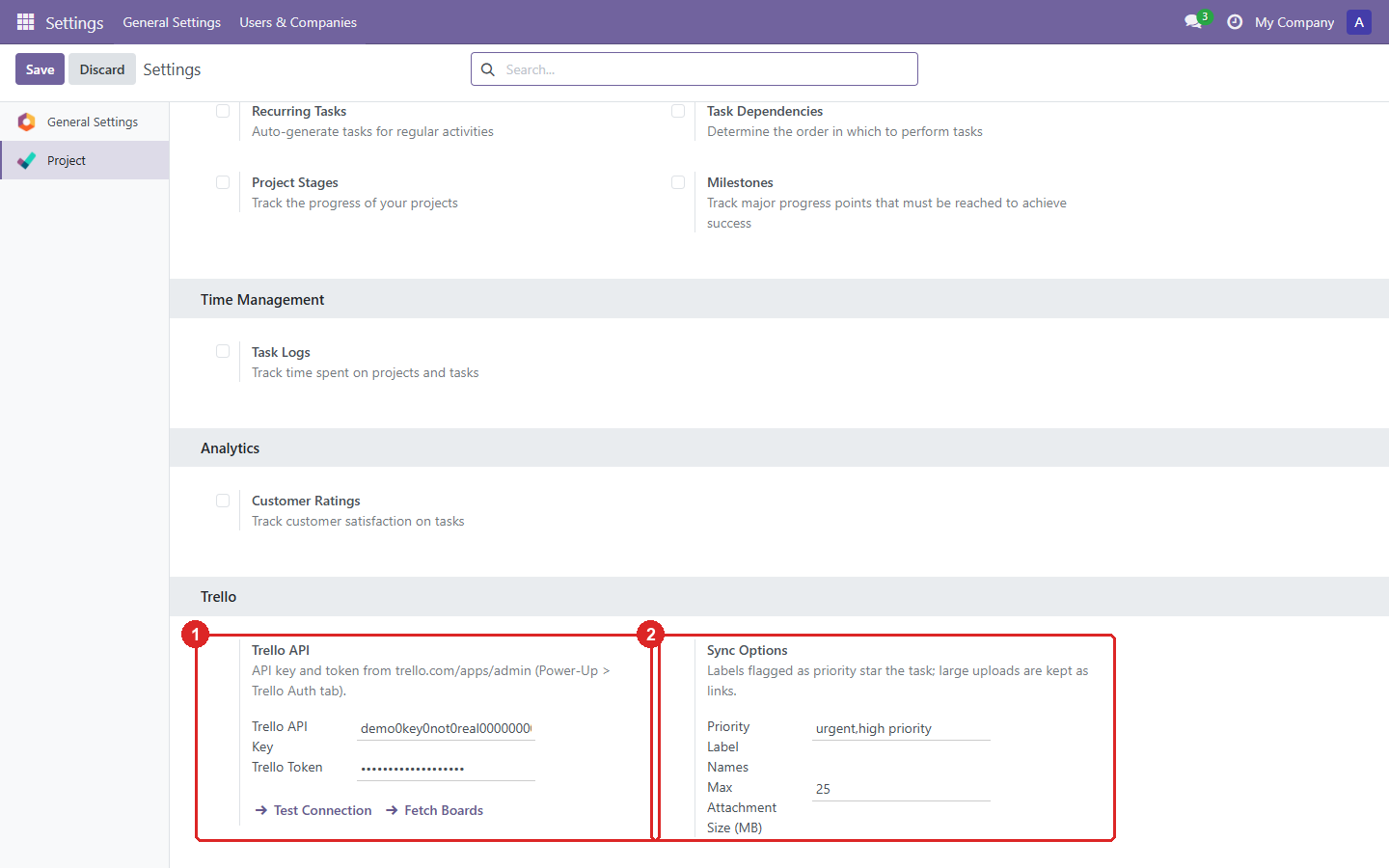
1. Settings: the Trello connection and the sync options.
- The API key and a read-only token. Test Connection checks them; Fetch Boards lists your Trello boards.
- Which labels star a task (e.g. Urgent), and the size above which an upload stays a link to Trello.
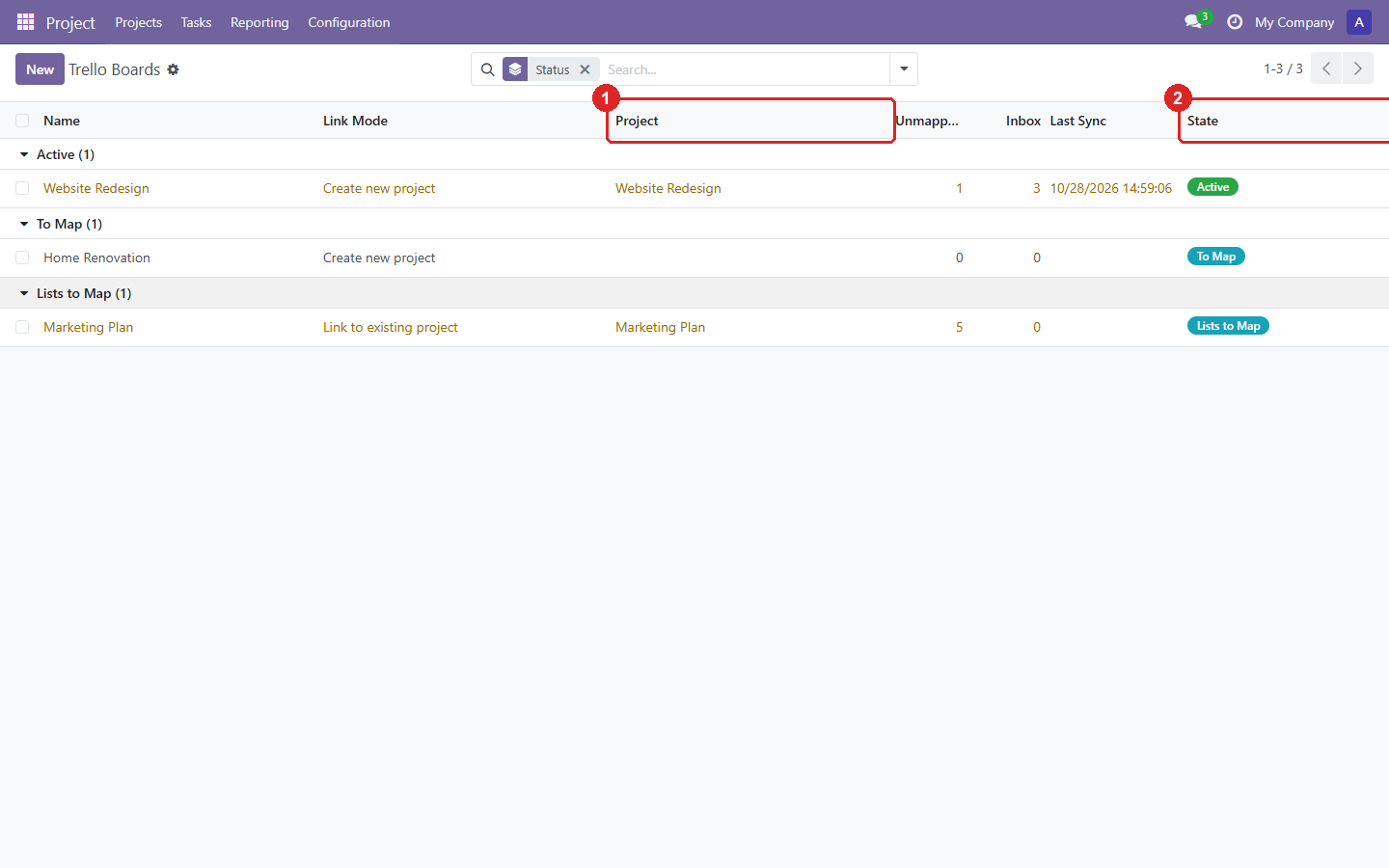
2. Boards: every Trello board, grouped by how far it is set up.
- The Odoo project each board is linked to.
- The status: lists to map, active, or paused.
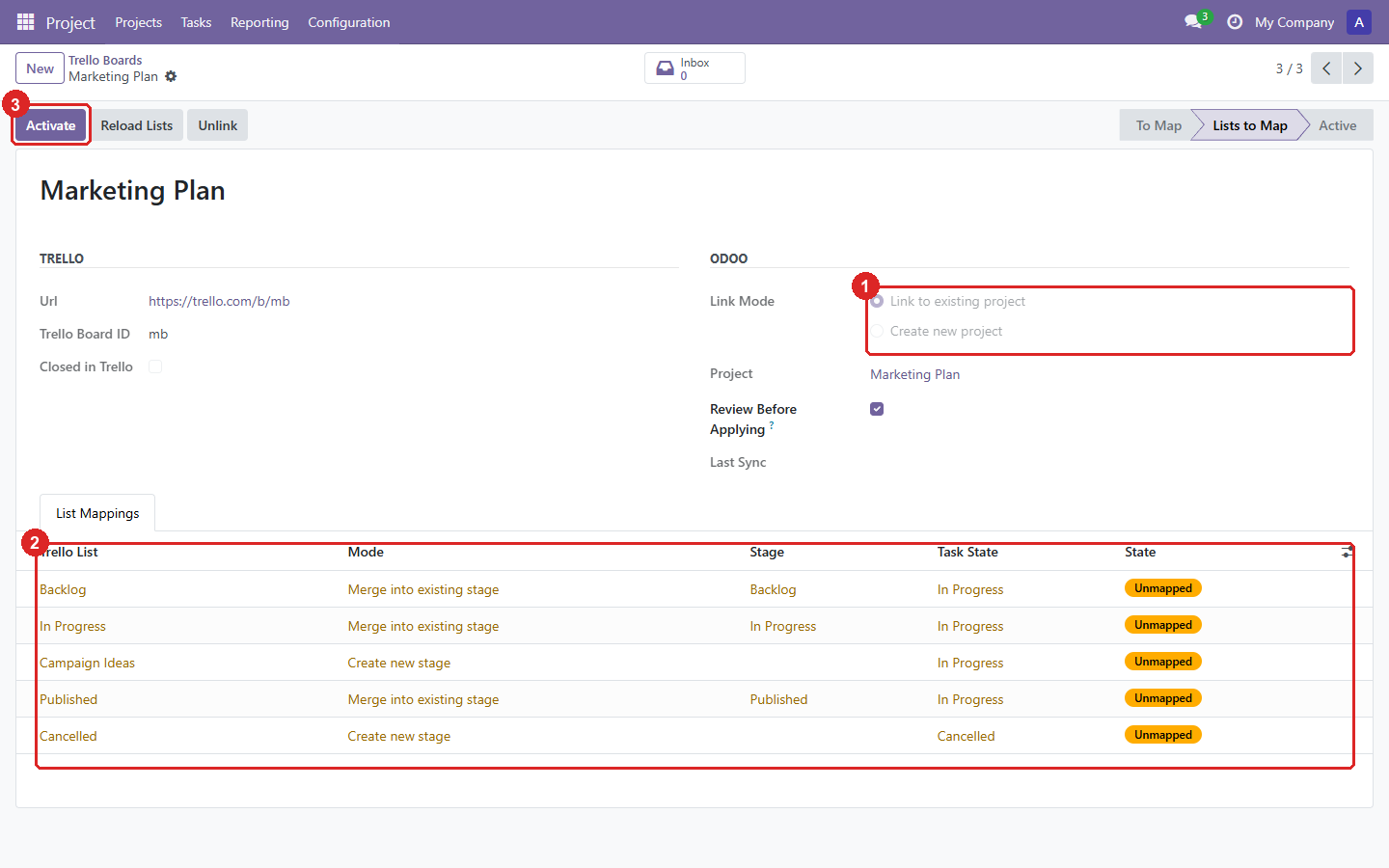
3. Setting up a board: link it to a project, then map each Trello list to a stage.
- Link to an existing project, or create a new one. A project can only be linked to one board.
- Each list is merged into an existing stage of the project or creates a new one.
- Activate starts the sync.
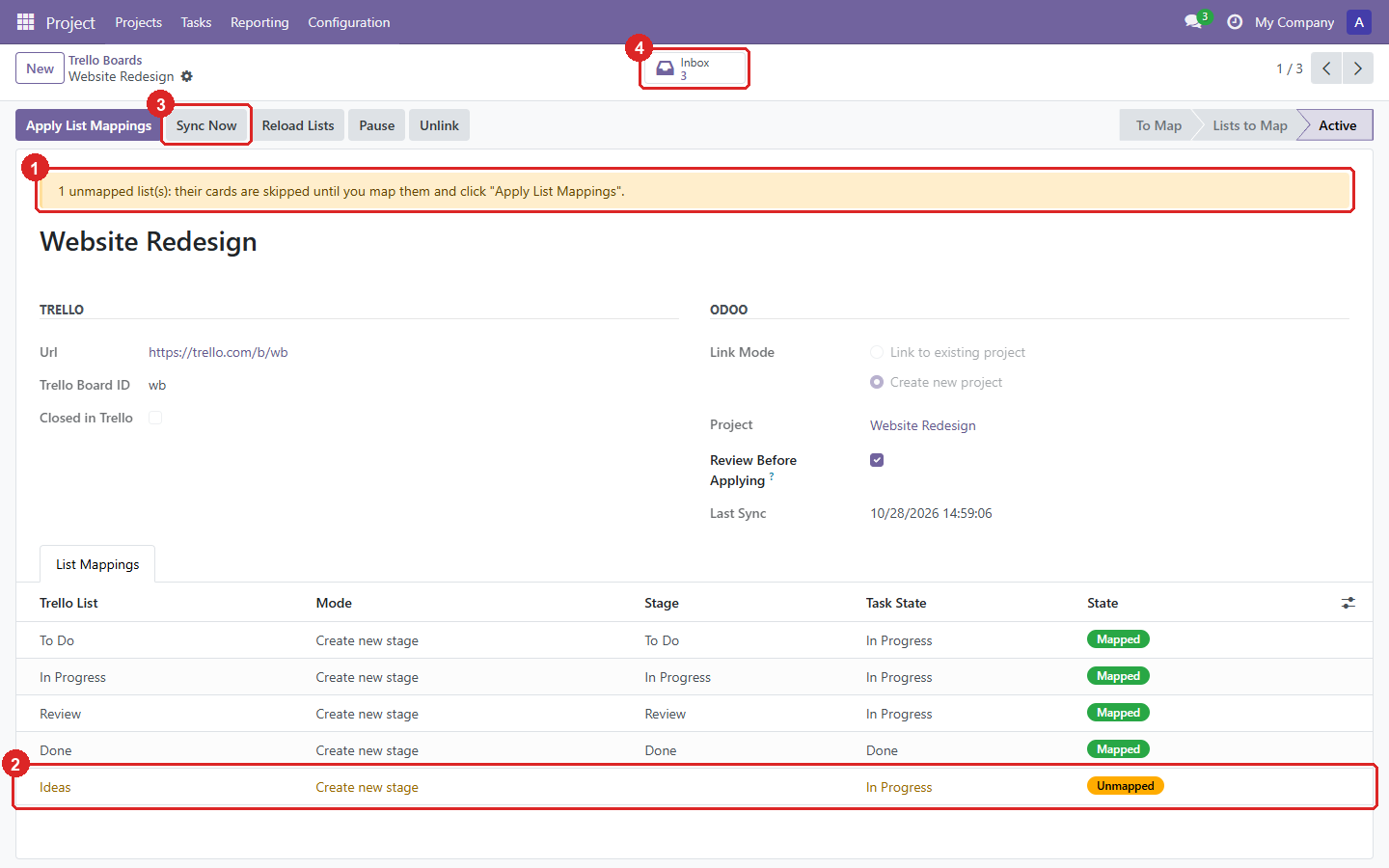
4. An active board, with a list added in Trello later.
- The new list waits as Unmapped: its cards are skipped until you map it.
- The unmapped list, highlighted in the mapping table.
- Sync Now runs the sync without waiting for the 15-minute schedule.
- The board’s Inbox: what the last syncs fetched and is waiting for your review.
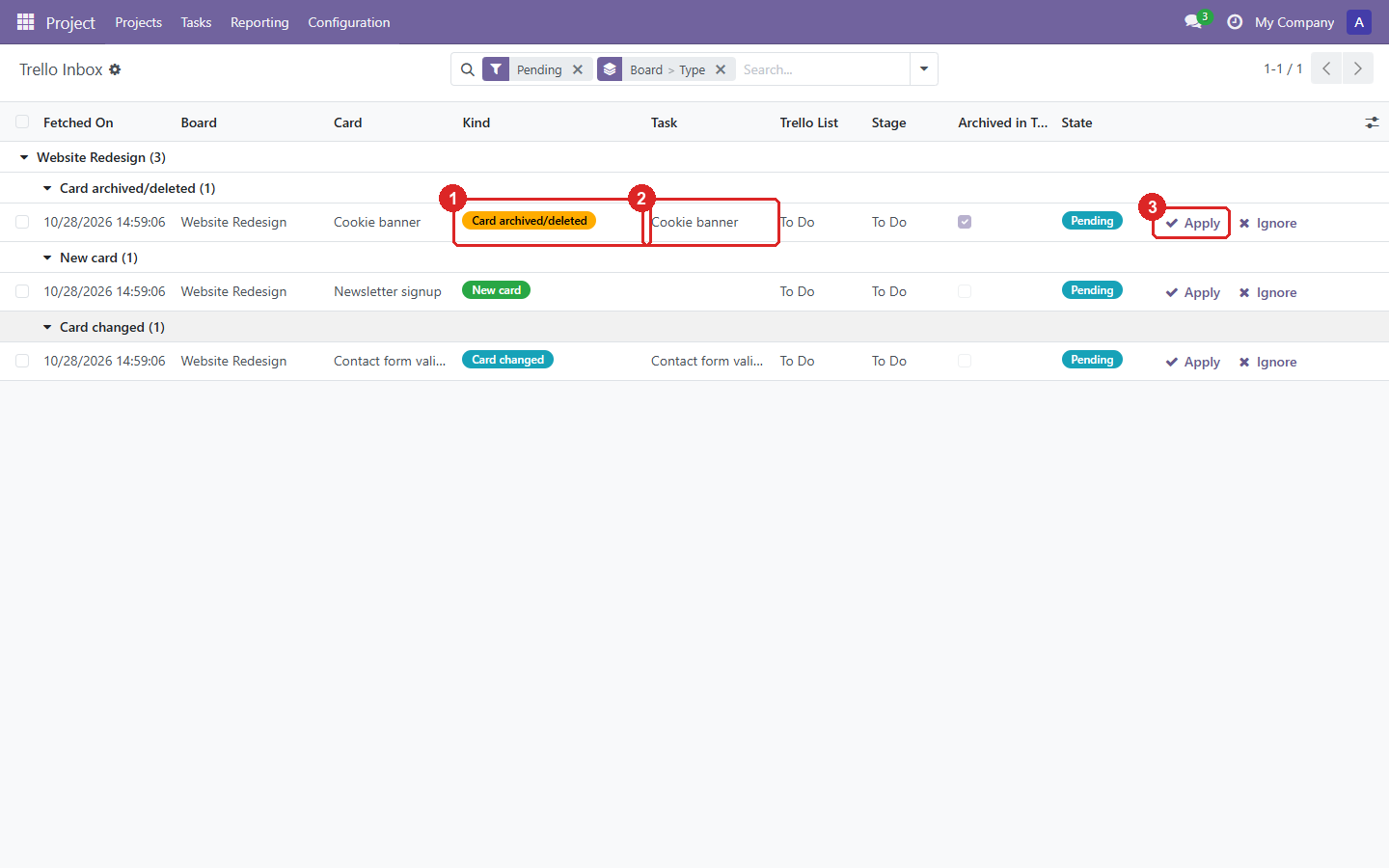
5. The Trello Inbox: new, changed and archived cards wait here until you decide.
- What happened in Trello: a new card, a changed card, or an archived/deleted one.
- The task it concerns. For a new card you can pick an existing task to link instead of creating one.
- Apply writes it to the task; Ignore keeps the task as it is.
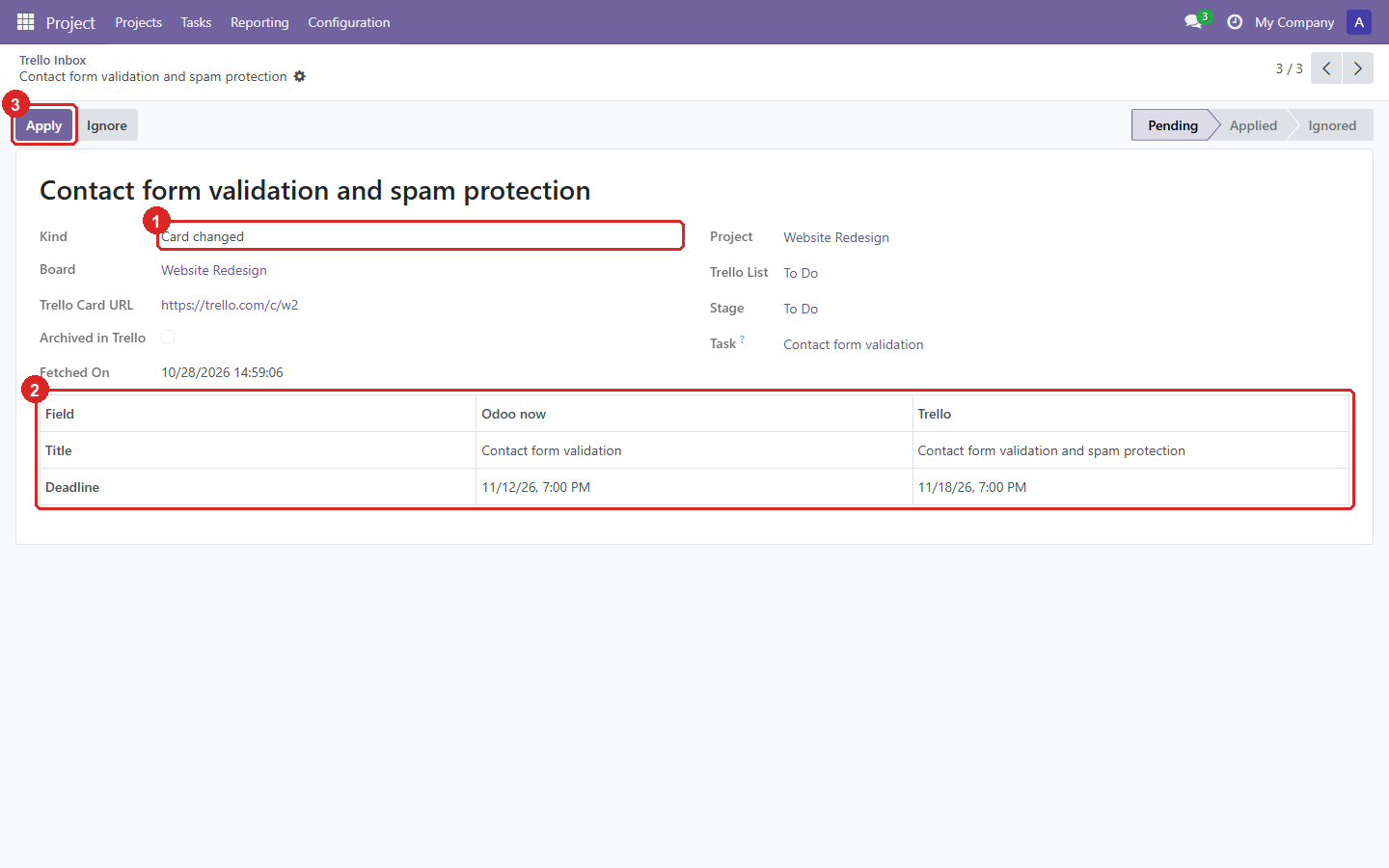
6. One changed card: exactly which fields changed, with the value in Odoo and in Trello.
- The kind of change.
- Each changed field, side by side. Dates are shown in your timezone.
- Apply writes only these fields.
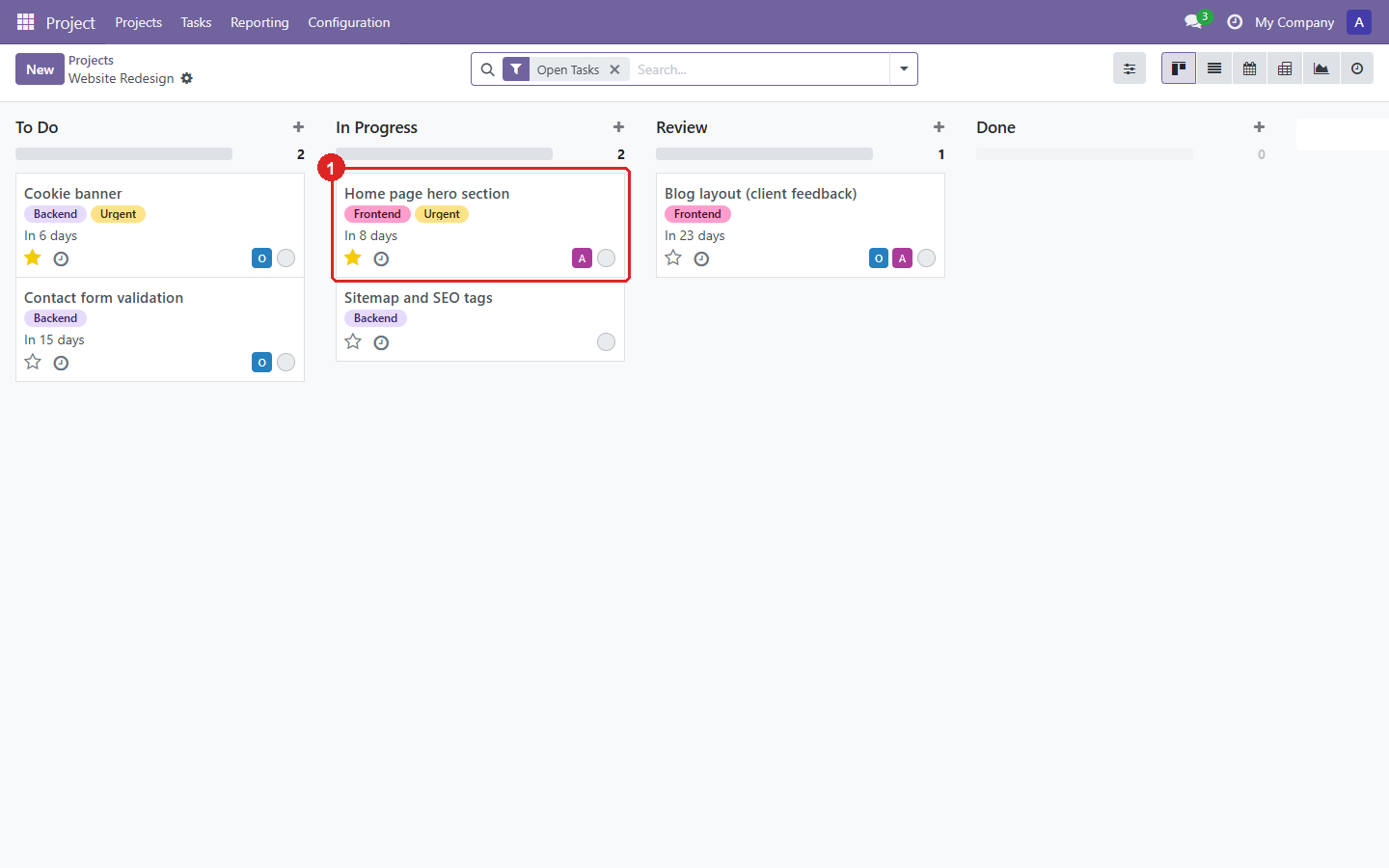
7. The imported tasks: lists became stages, labels became tags, and Urgent gives the star.
- A card in In Progress, with its labels, deadline, assignee and star.
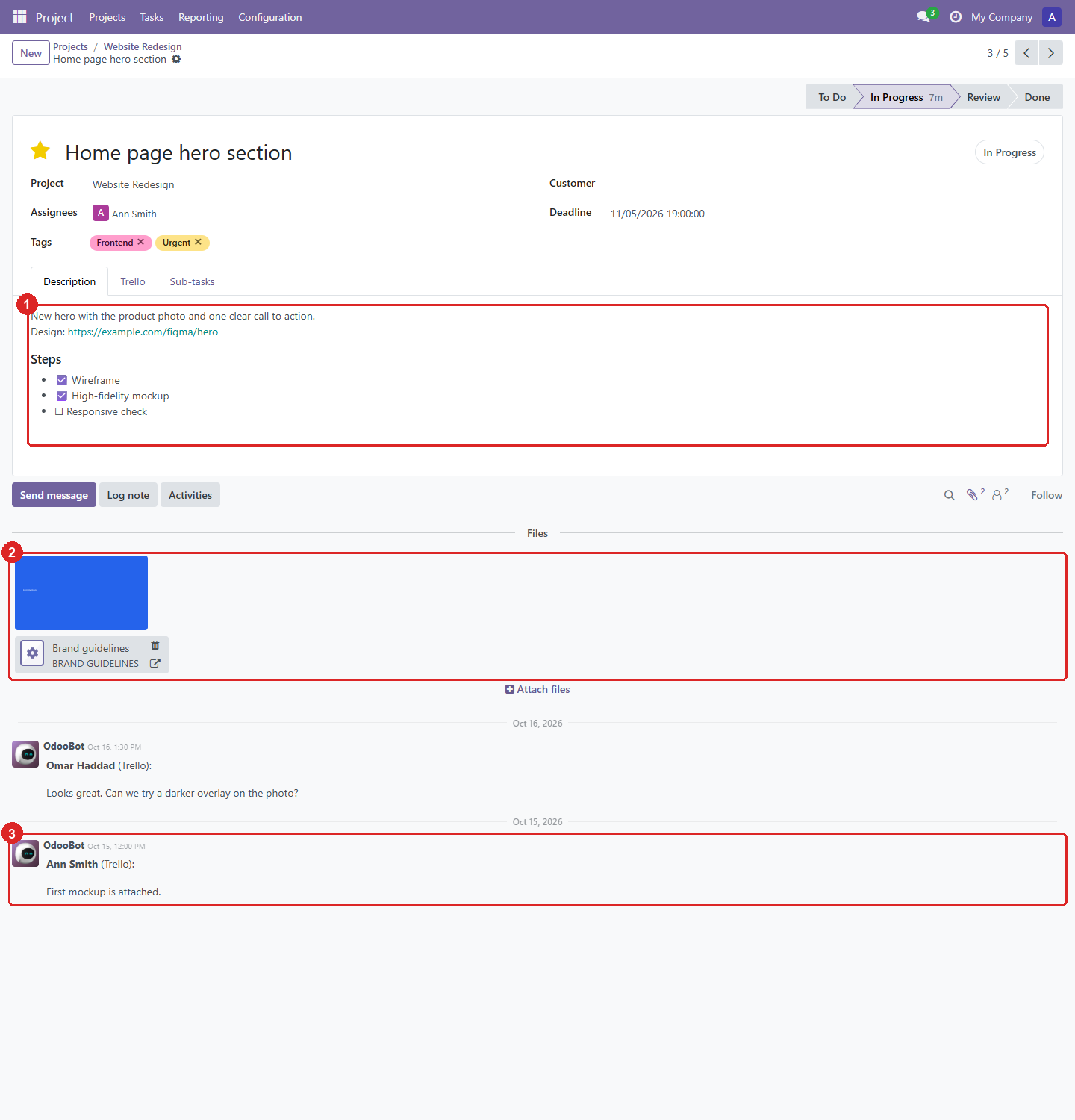
8. One task, with everything the card had.
- The description, with the card’s checklist as check boxes.
- Attachments: the uploaded image is copied into Odoo, the link stays a link.
- The Trello comments, as notes in the chatter, with their author and date.
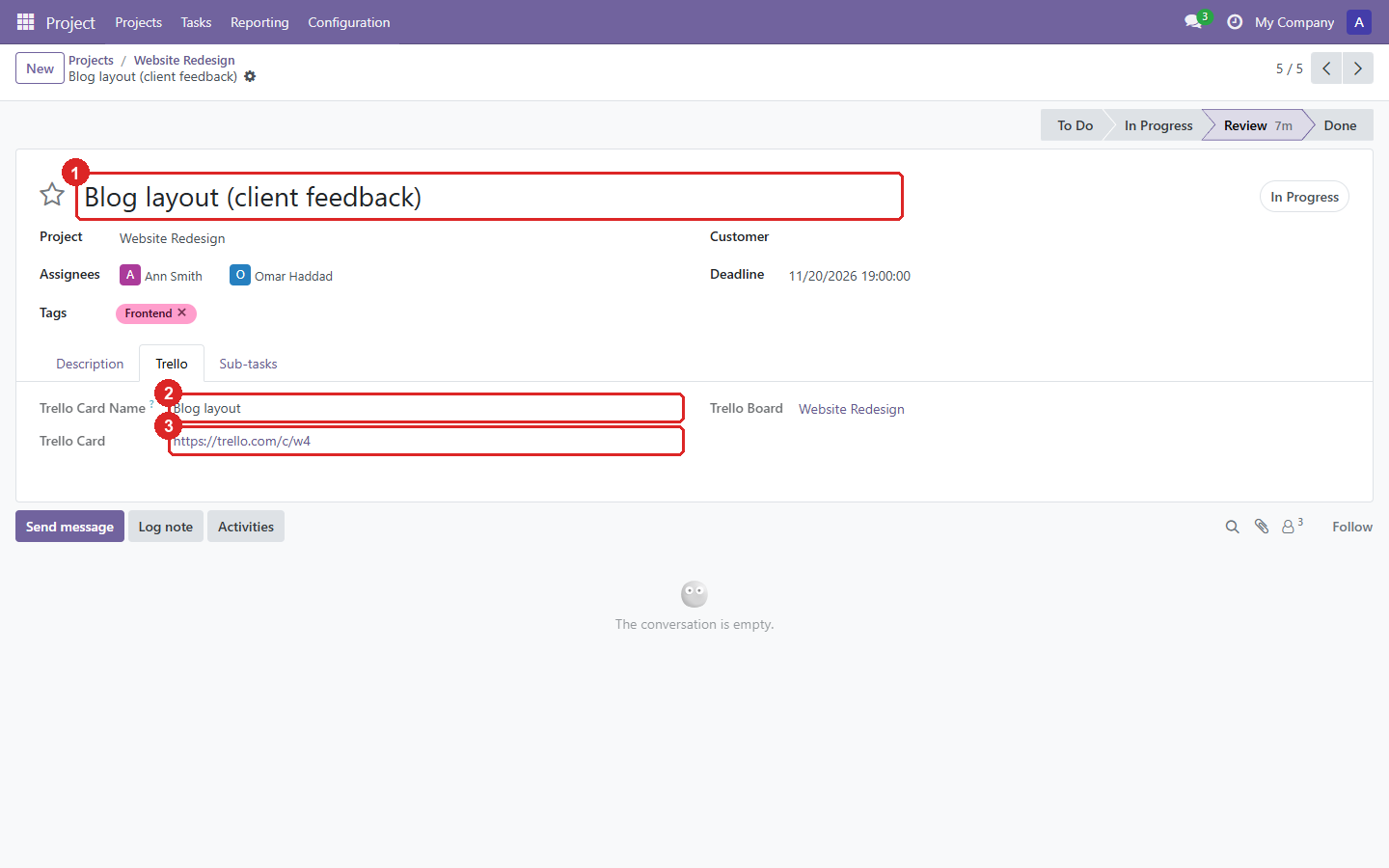
9. The Trello tab of a task renamed in Odoo: it stays linked to its card.
- The task’s name in Odoo.
- The card’s name in Trello.
- The link to the card.
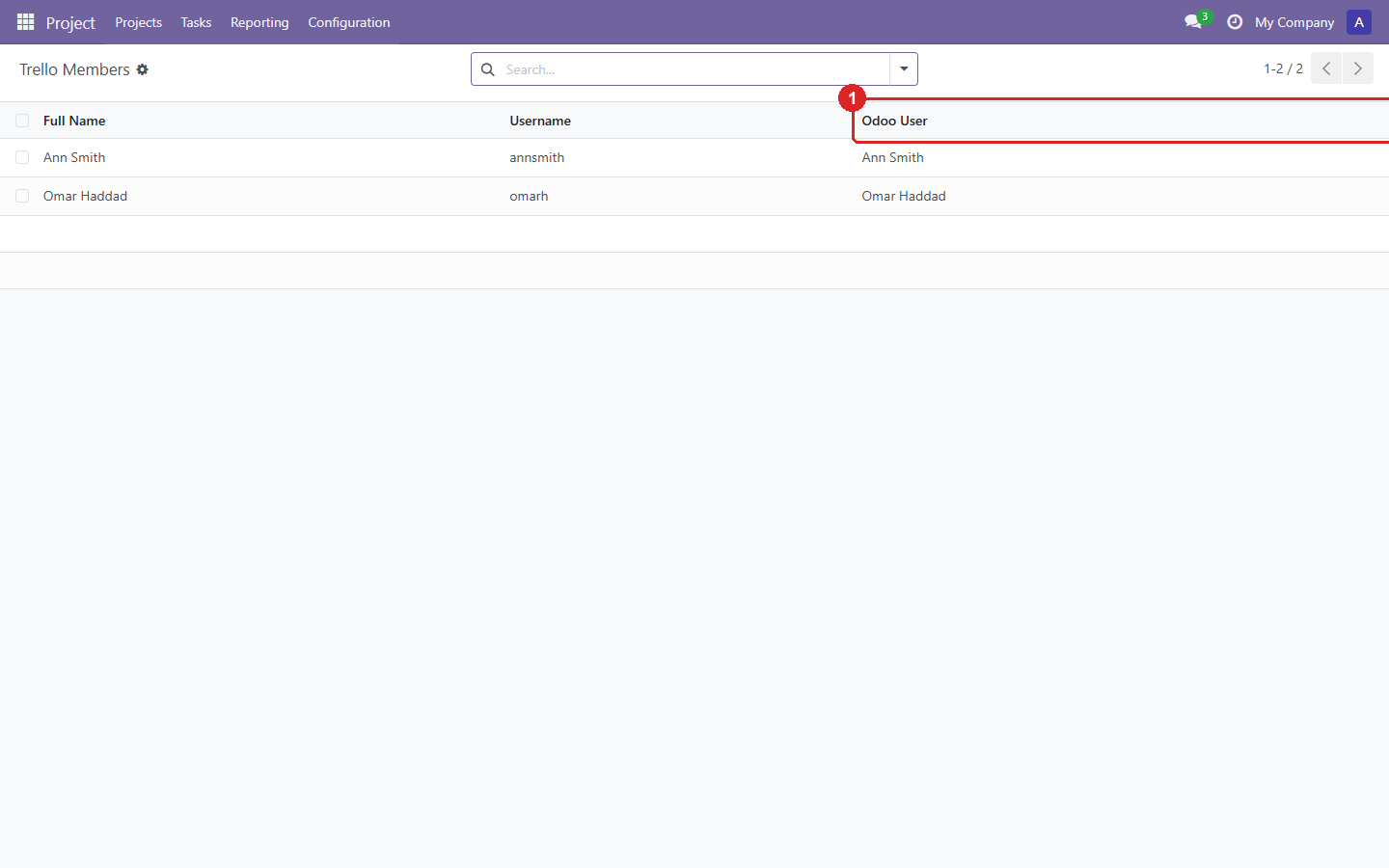
10. Members: link each Trello member to an Odoo user, so tasks get assignees.
- The Odoo user. Members are matched by name automatically when possible.
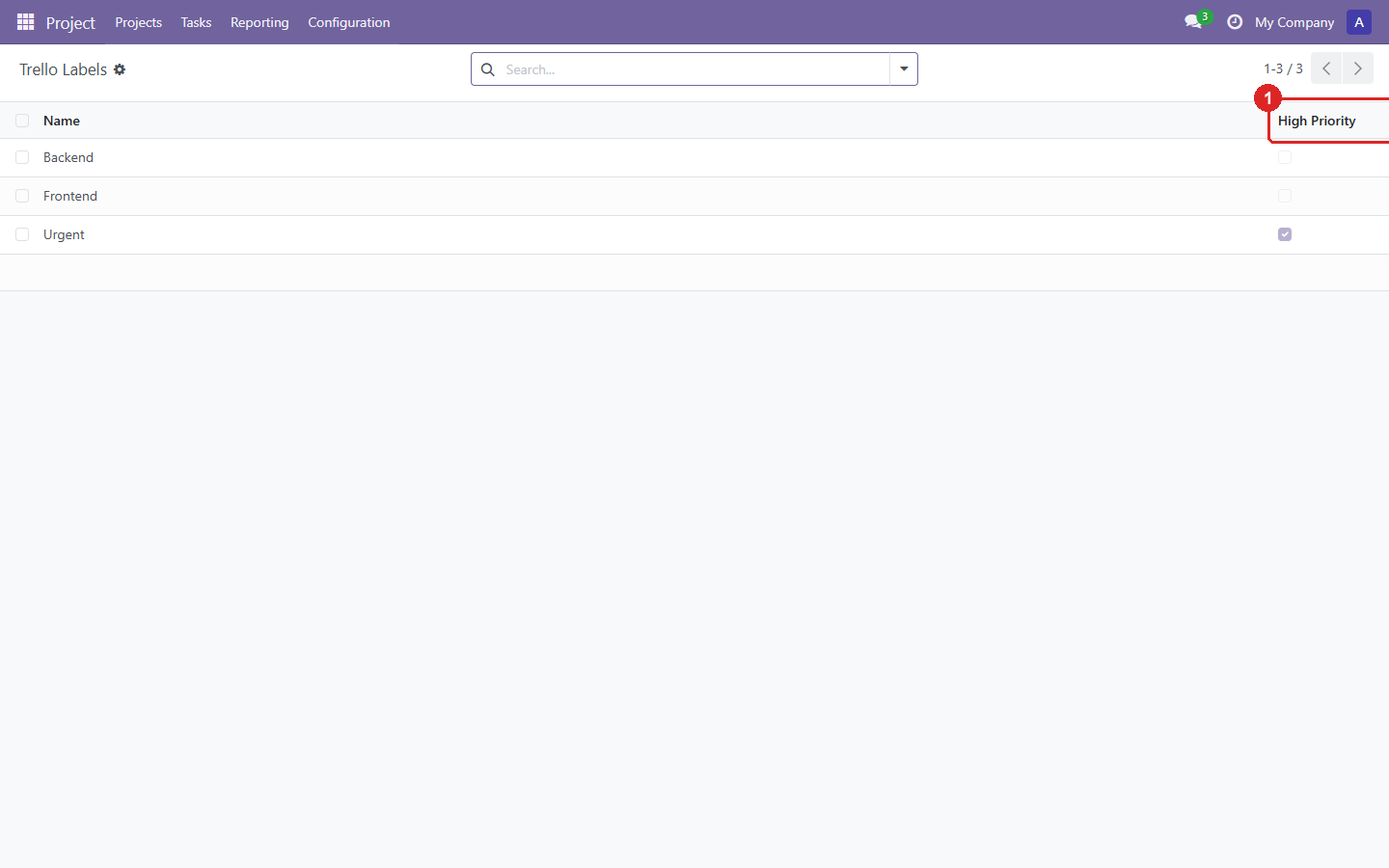
11. Labels: the tags created from Trello labels.
- Whether a label stars the task, from the priority label names in Settings.
Installation
Download the zip for your Odoo version above, or clone its branch. Add the folder to
addons_path, restart Odoo and install Trello. Then create an API key and a read-only token
in Trello and enter them under Project → Configuration → Settings. Full setup steps are in the
repository README.